

As we modernize our infrastructure with VMware Cloud Foundation (VCF) and secure it with VMware vDefend, a common challenge emerges – protecting application workloads that remain hosted on standalone Bare Metal servers or on non-VCF estate. VMware vDefend addresses this gap by extending its micro-segmentation capabilities beyond the VCF boundary.
Starting with version 5.1, vDefend Security Services Platform introduced Bare Metal Security, bringing scalable Layer 2 – 4 micro-segmentation to physical infrastructure. This capability allows us to enforce Distributed Firewall (DFW) policies on non-VCF bare metal workloads and manage the policies directly from the same vDefend console used for VMs and VKS workloads. Please note that this feature requires VCF 9.0 or later and is supported on select operating system versions.
In this article, we will dive into the high-level architecture, the step-by-step deployment process, and the configuration of bare metal security policies.
Let’s get started:
Bare Metal Security Architectural Components
Below is a high-level architectural diagram of the components involved in Bare Metal security:
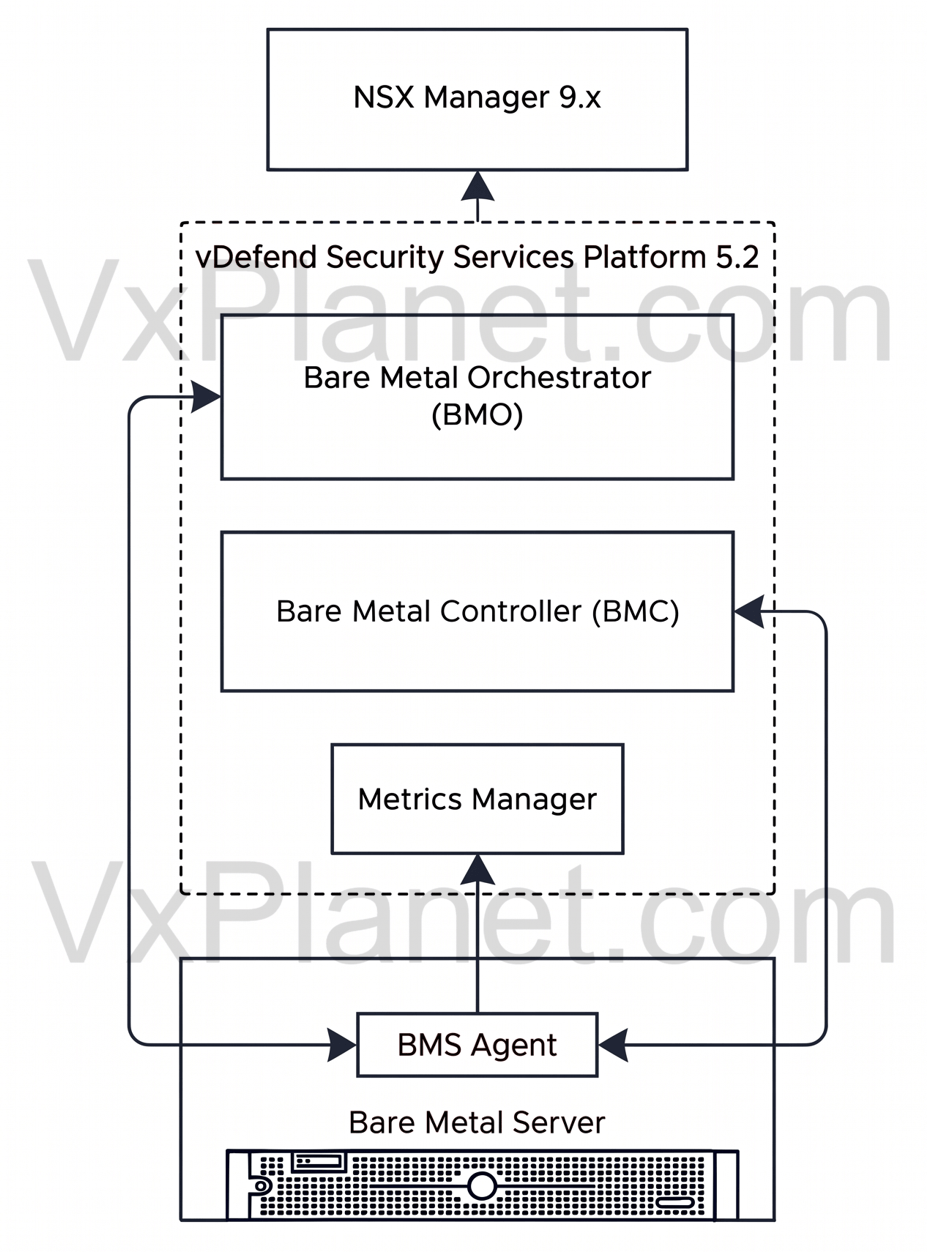
Let’s discuss the role of these components:
- Bare Metal Orchestrator (BMO): This component serves as the management plane responsible for bare metal agent lifecycle management. One instance of the Bare Metal Orchestrator is deployed (as a pod) in SSP
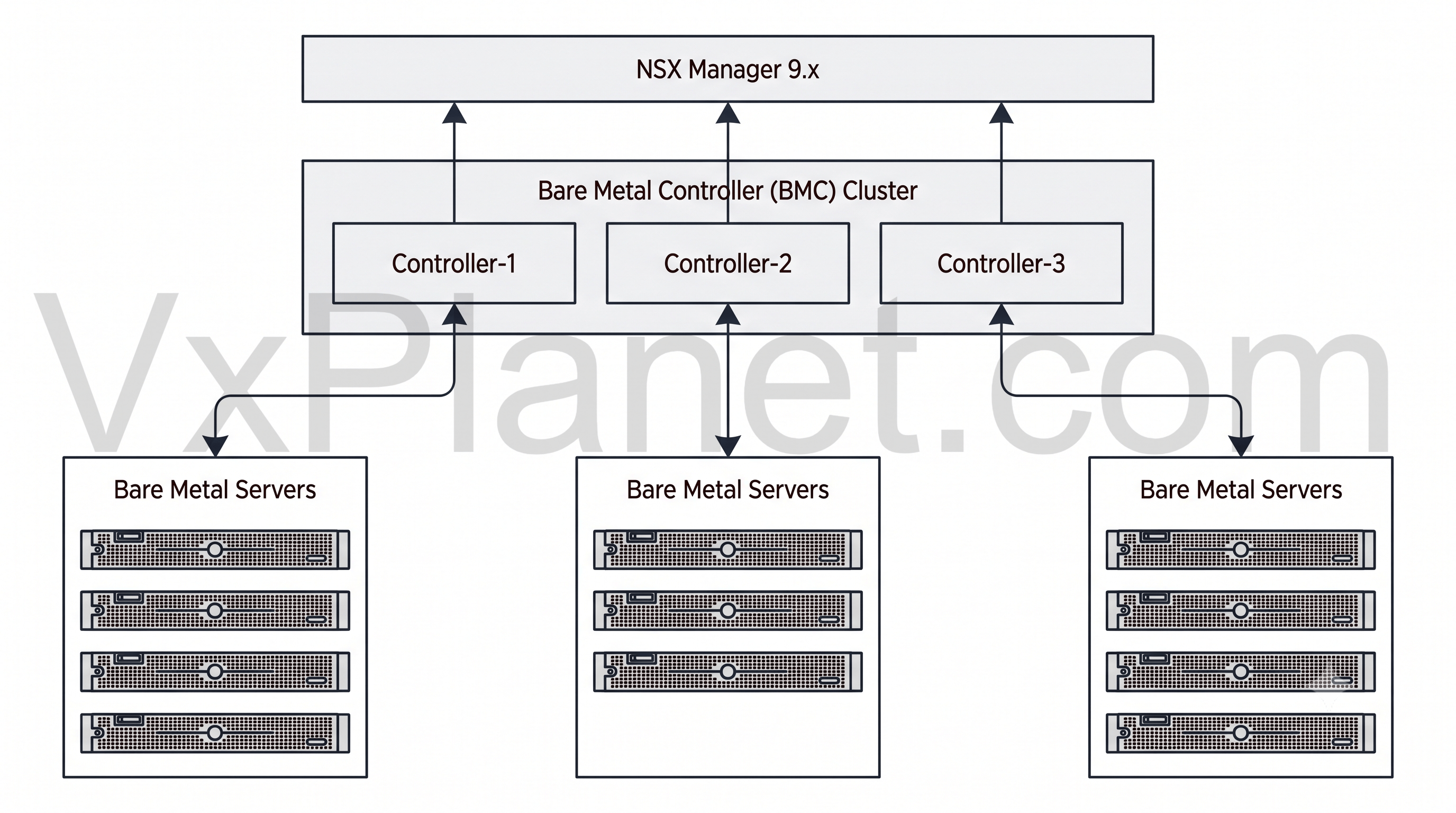
- Bare Metal Controller (BMC): This component serves as the control plane. It is responsible for synchronizing Bare Metal Server inventory with SSP and NSX Manager, pushing DFW policies to Bare Metal Servers, and receiving the policy enforcement and realization statuses. The Bare Metal Controller is deployed as a 3-node cluster in SSP, with each controller node managing a set number of Bare Metal servers, as shown below:
- Bare Metal Agent: This is the BMS agent package deployed on the Bare Metal Servers. It is responsible for receiving configurations from the BMO and BMC, translating and implementing security policies in the data plane and streaming flow statistics and performance metrics back to SSP.
Activating Bare Metal Security in SSP
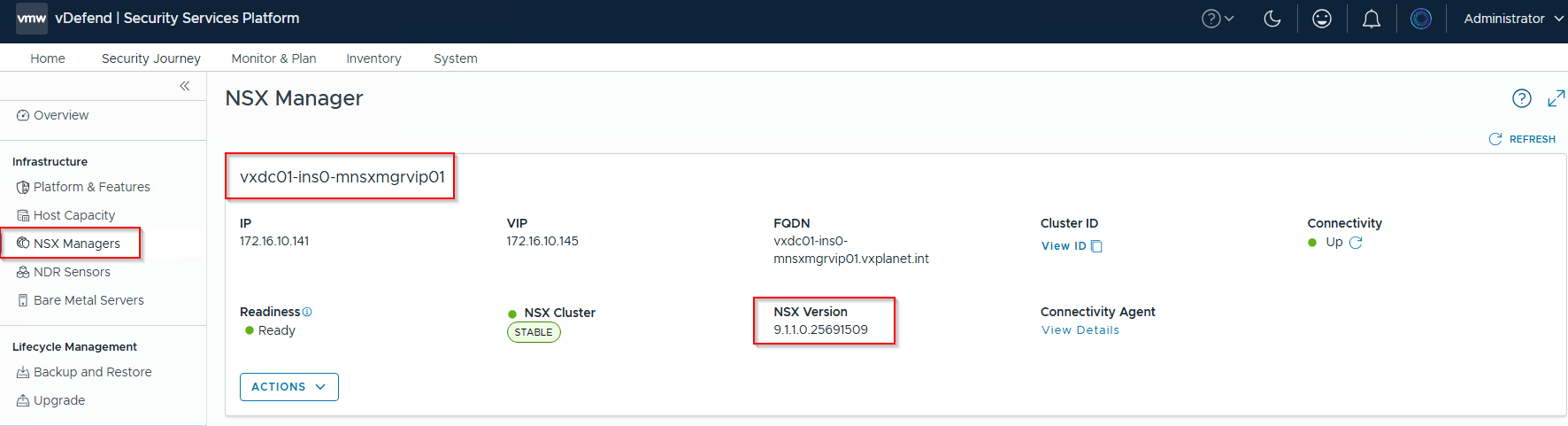
For this walkthrough, I am reusing the same lab environment from my previous blog series on Malware Prevention & Sandboxing. The current lab environment is a 4-node VCF 9.1.1 cluster deployed in a consolidated architecture (handling both management and compute roles). vDefend Security Services Platform 5.2 is already installed on the cluster, and the NSX manager instance has been successfully onboarded.
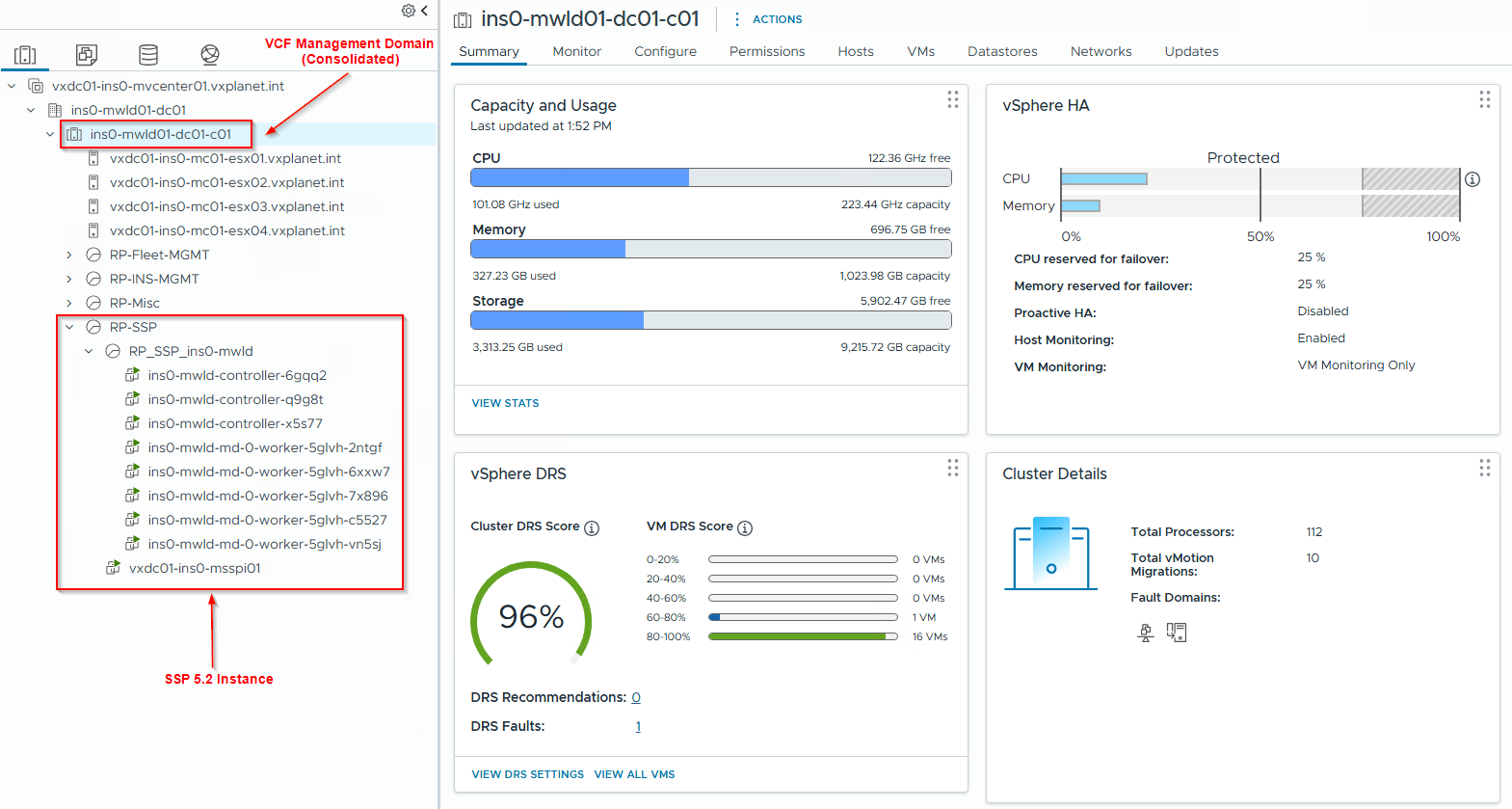
To support Bare Metal Security, the SSP instance requires a minimum of 5 worker nodes deployed with at least a Large form factor.
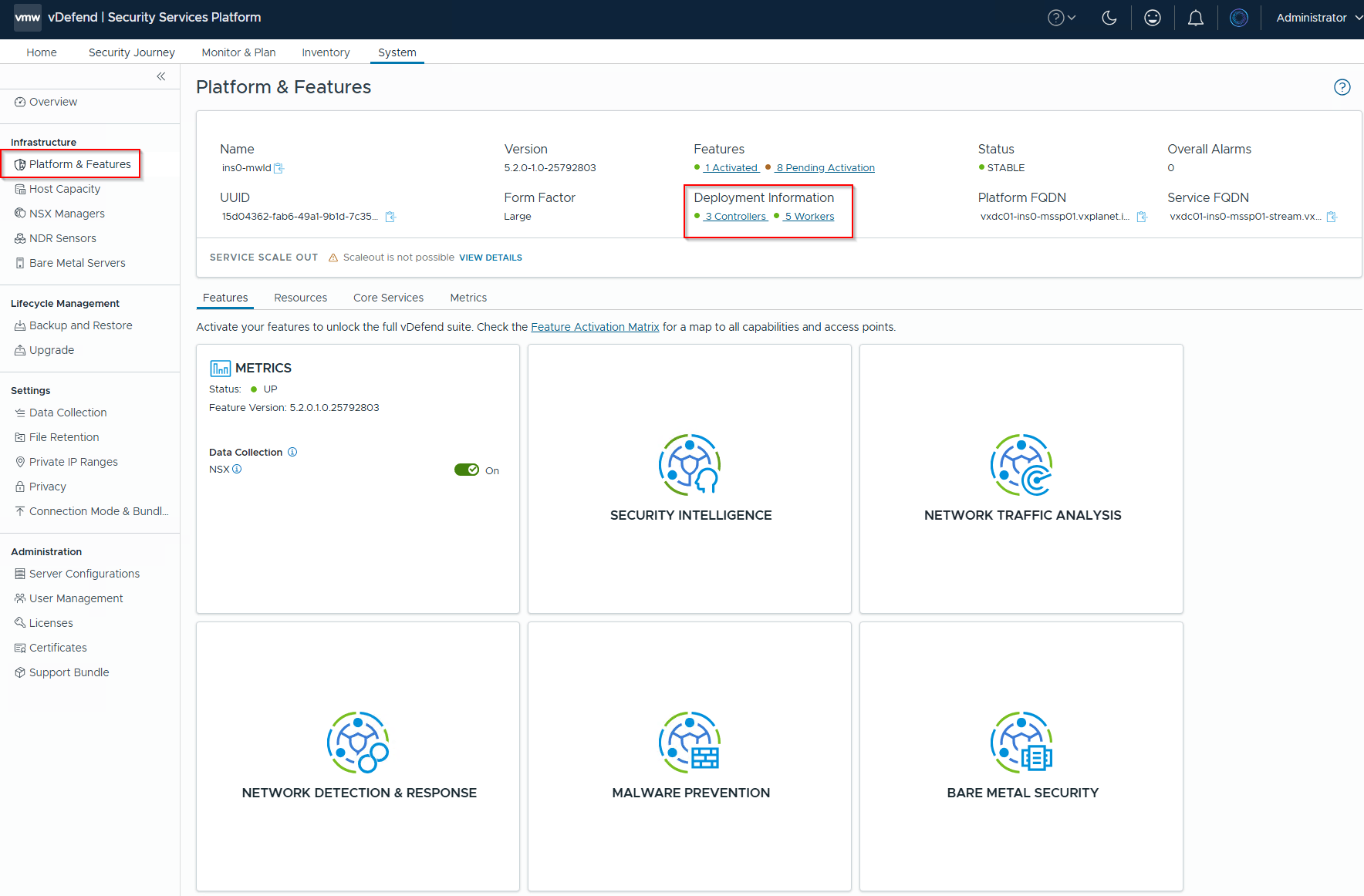
To activate the feature, let’s navigate to System -> Platform & Features -> Features -> Bare Metal Security and activate the tile.
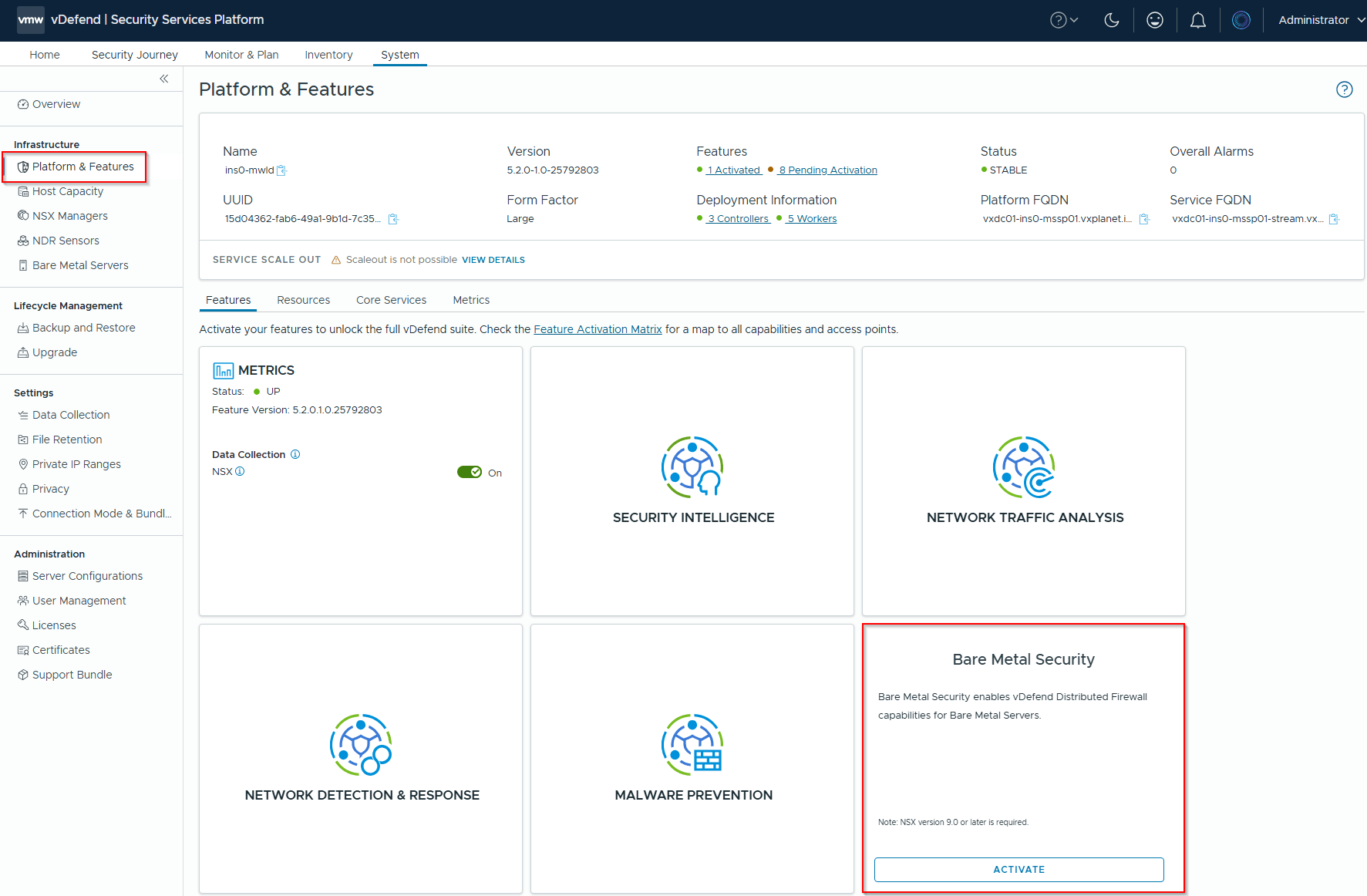
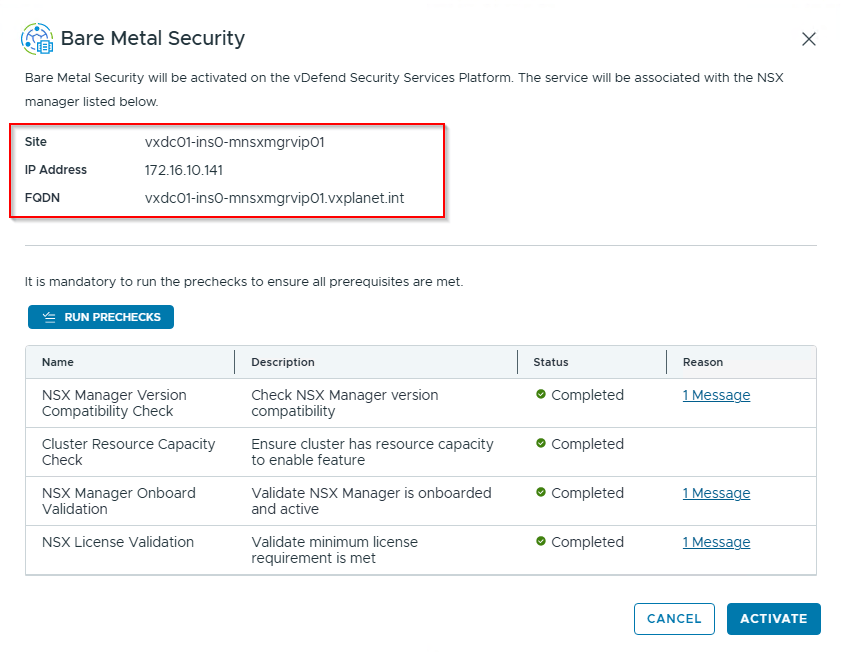
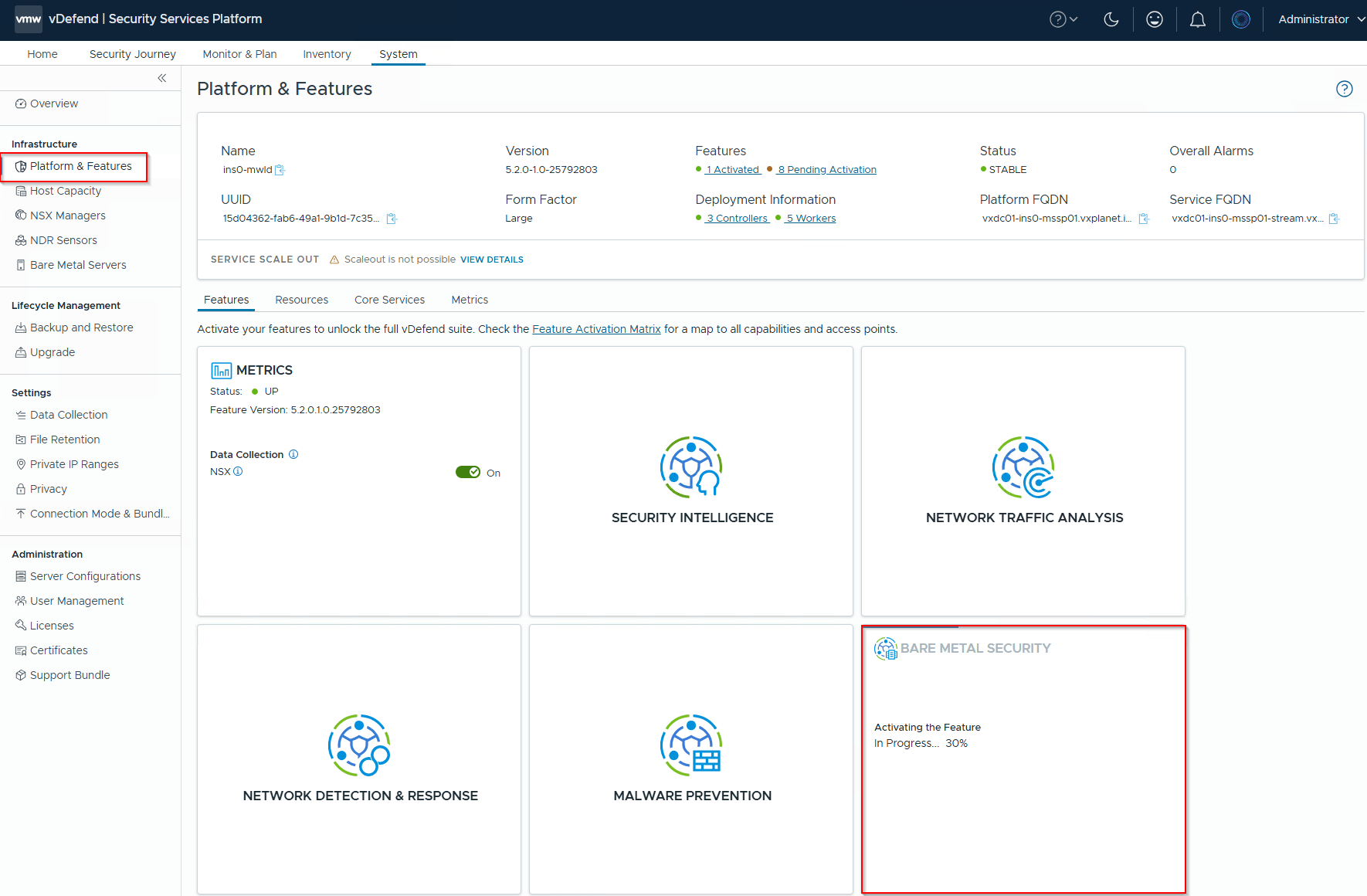
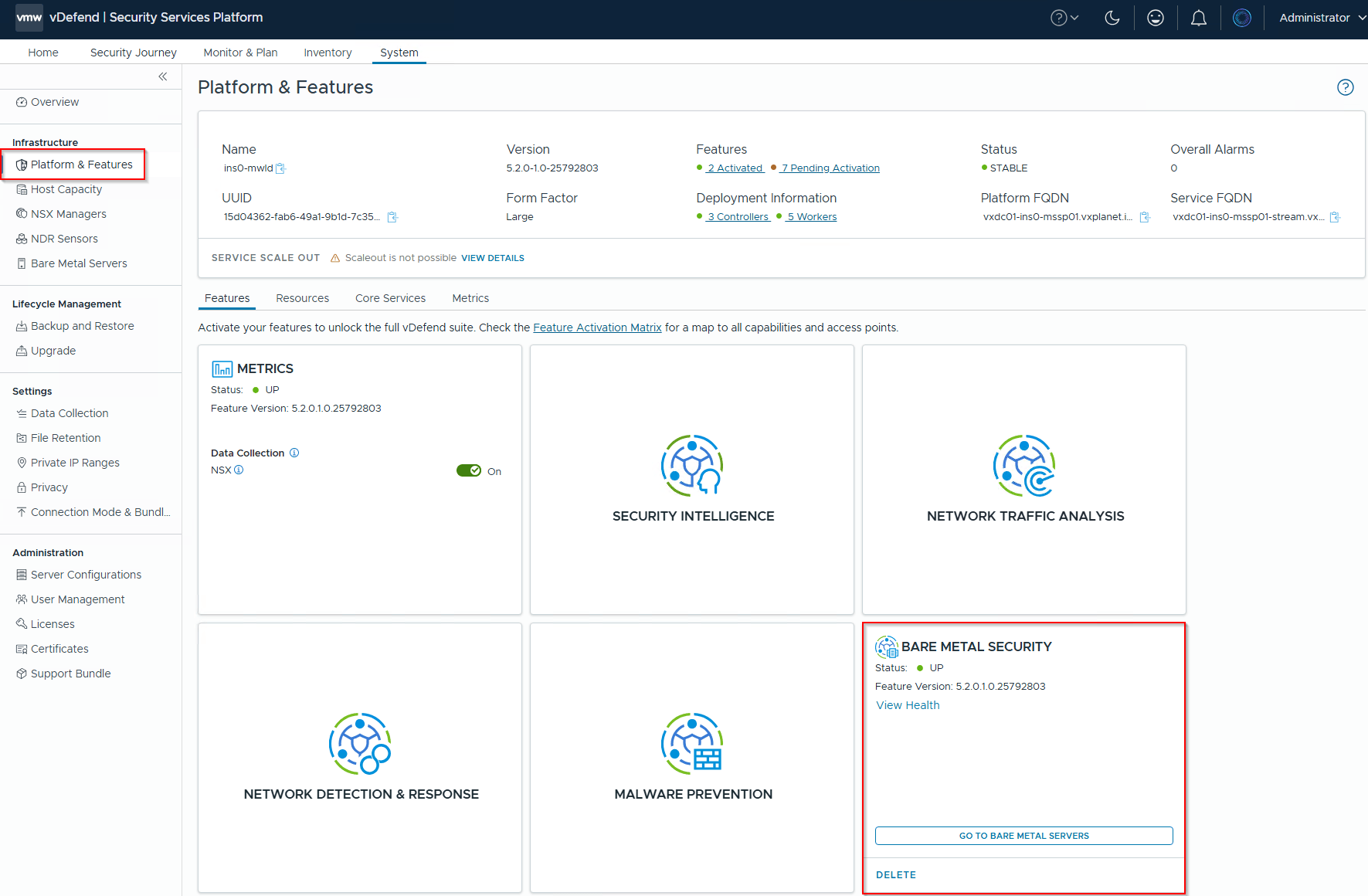
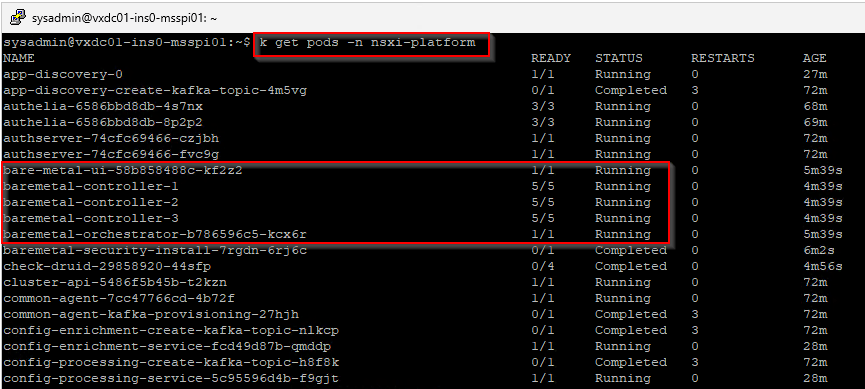
Now that the Bare Metal Security feature is activated, we should see the Bare Metal Orchestrator and Bare Metal Controller pods deployed in SSP under the nsxi-platform namespace.
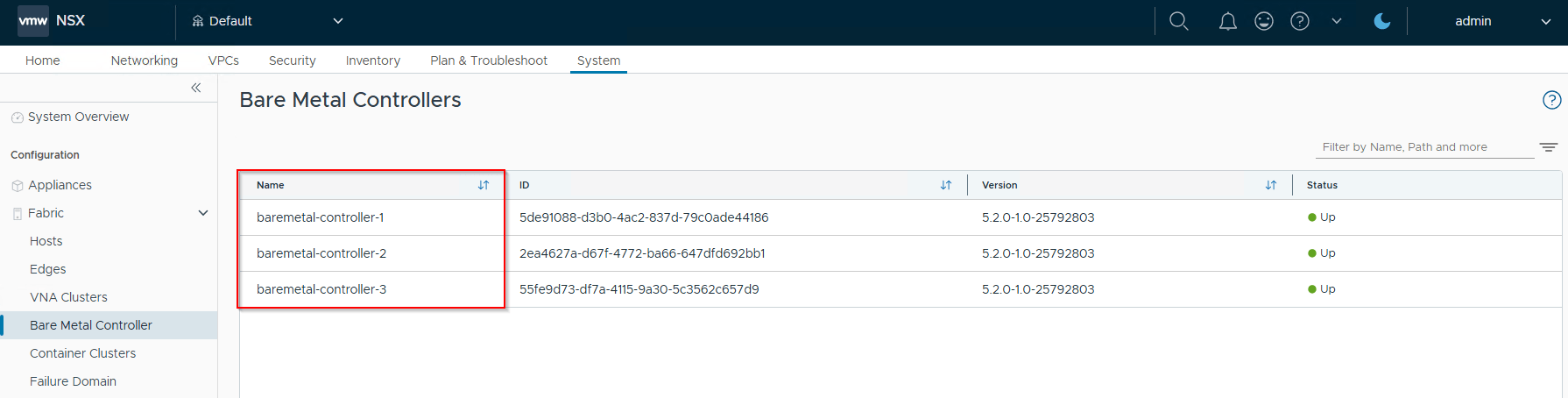
SSP automatically registers the Bare Metal Controller instances with the associated NSX Manager.
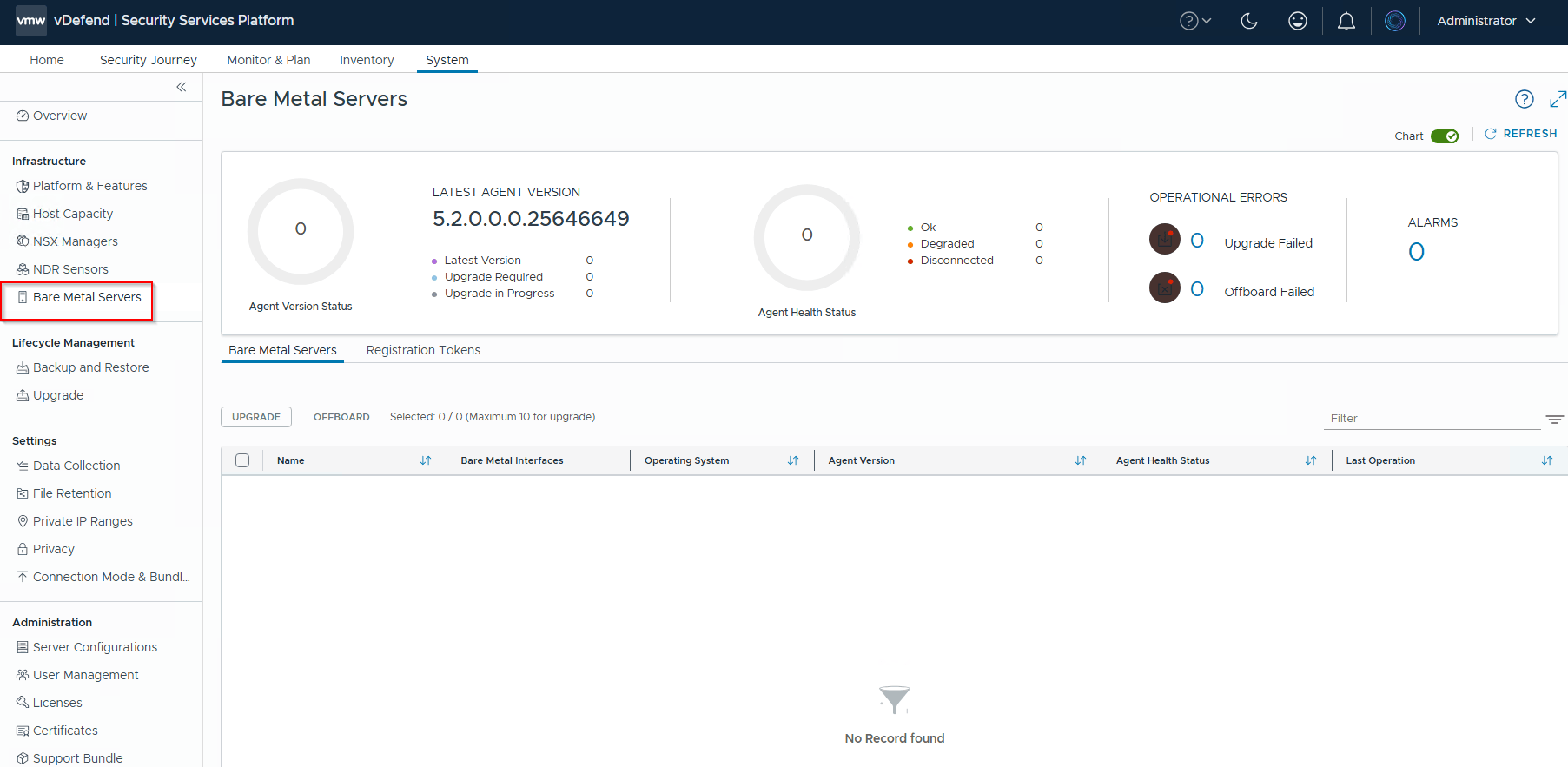
Finally, we should see the Bare Metal Security Management UI become available within the SSP console.
Downloading the Registration Token and Installer
To onboard a bare metal server to SSP, we need the agent installer and the registration token. These can be downloaded from the Bare Metal Servers Management UI within SSP. Keep a note of the passphrase, as it is required during the onboarding process.
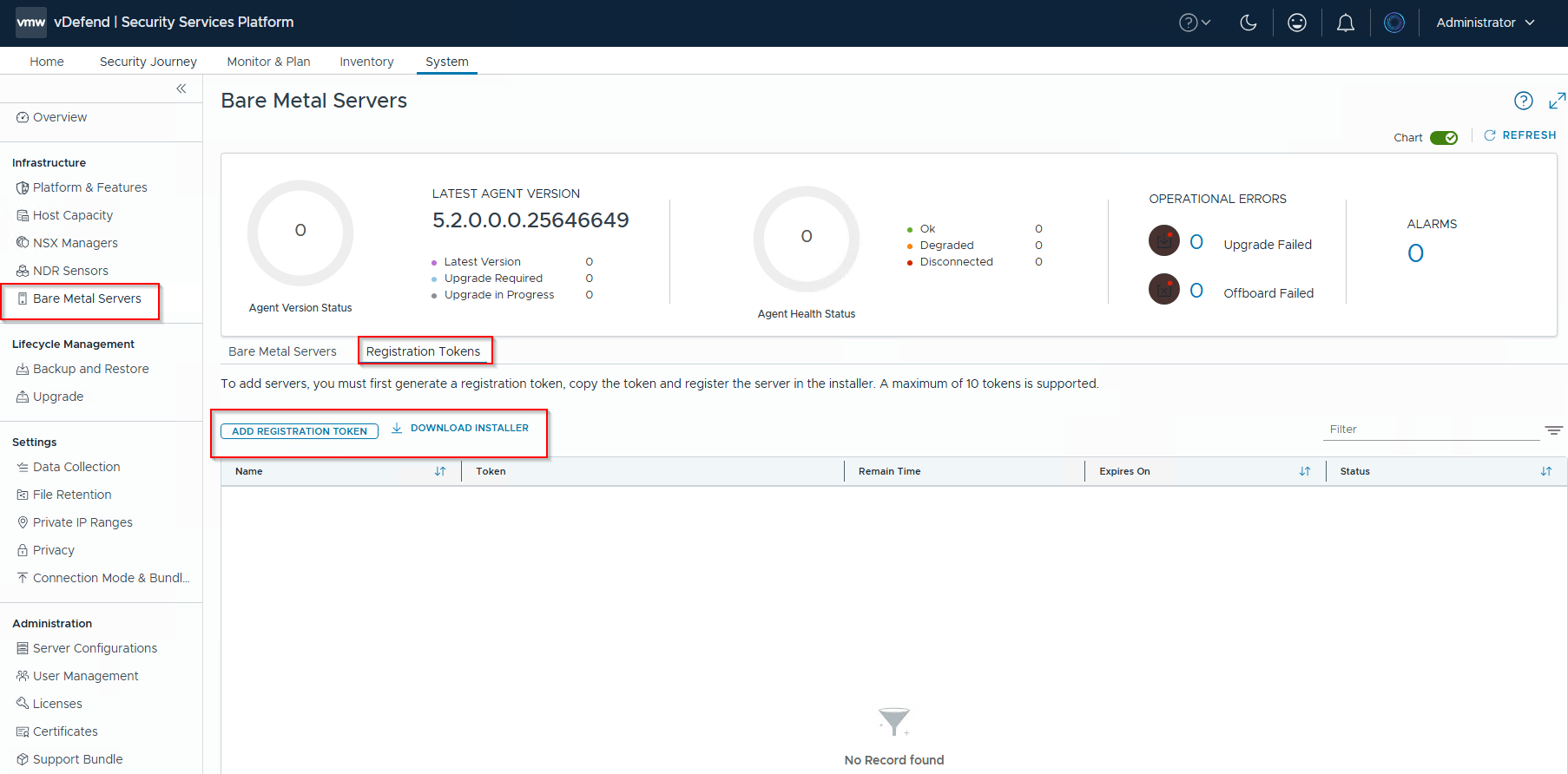
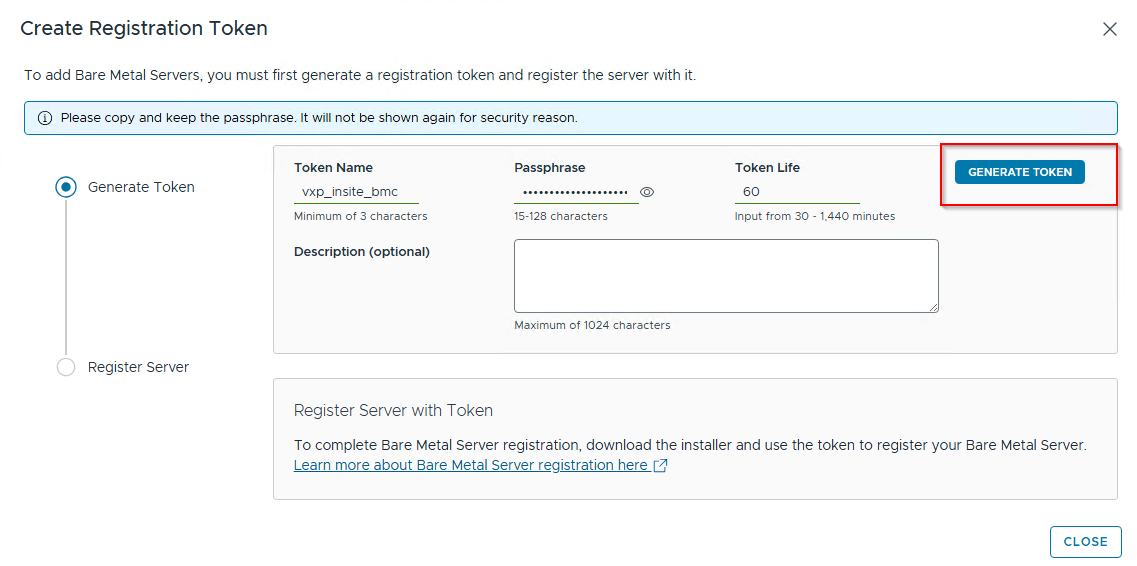
Next, we will transfer these files over to the bare metal server for installation.
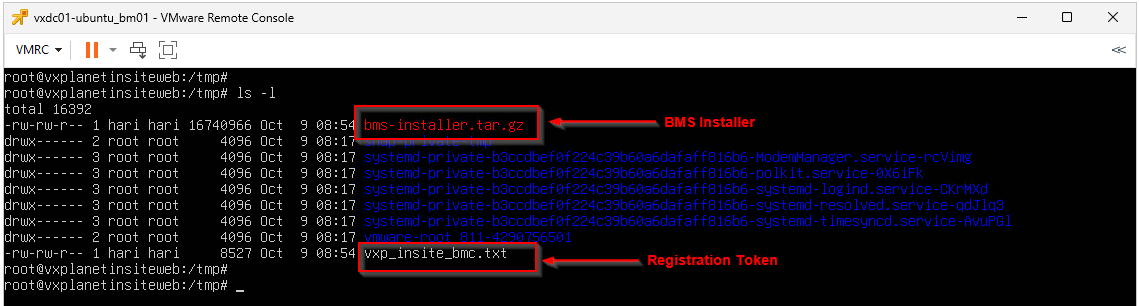
Installing the BMS Installer Agent on the Bare Metal Server
Note: For demonstration purposes, the ‘Bare Metal‘ server used in this article is actually a VM mimicking physical hardware, running a supported OS version on a network that has not been prepared for NSX..
Before installing the BMS agents and onboarding the Bare Metal server to SSP, be sure to check the official documentation for the list of supported operating systems for Bare Metal server security.
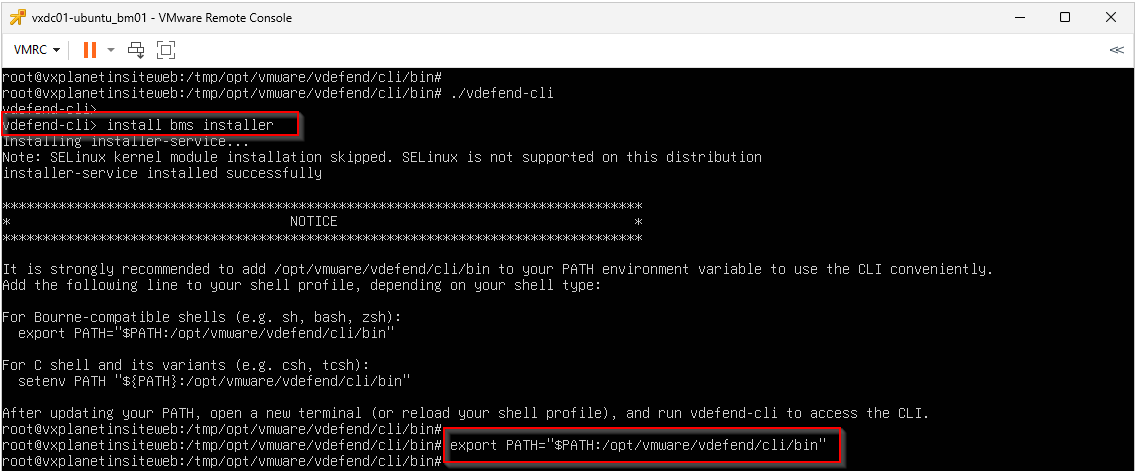
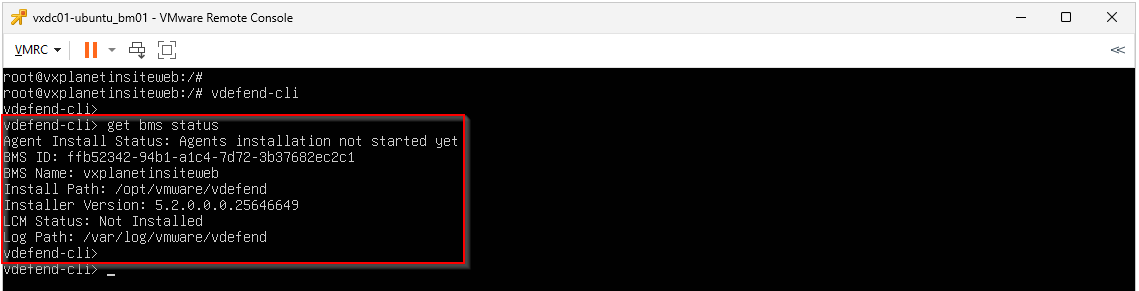
Let’s extract the BMS Installer tar archive, navigate to vdefend-cli directory and install the BMS Installer agent. This will install the management agent on the Bare Metal host. We will also add the CLI binary location to the PATH environment variable so we can easily execute the CLI from any directory.
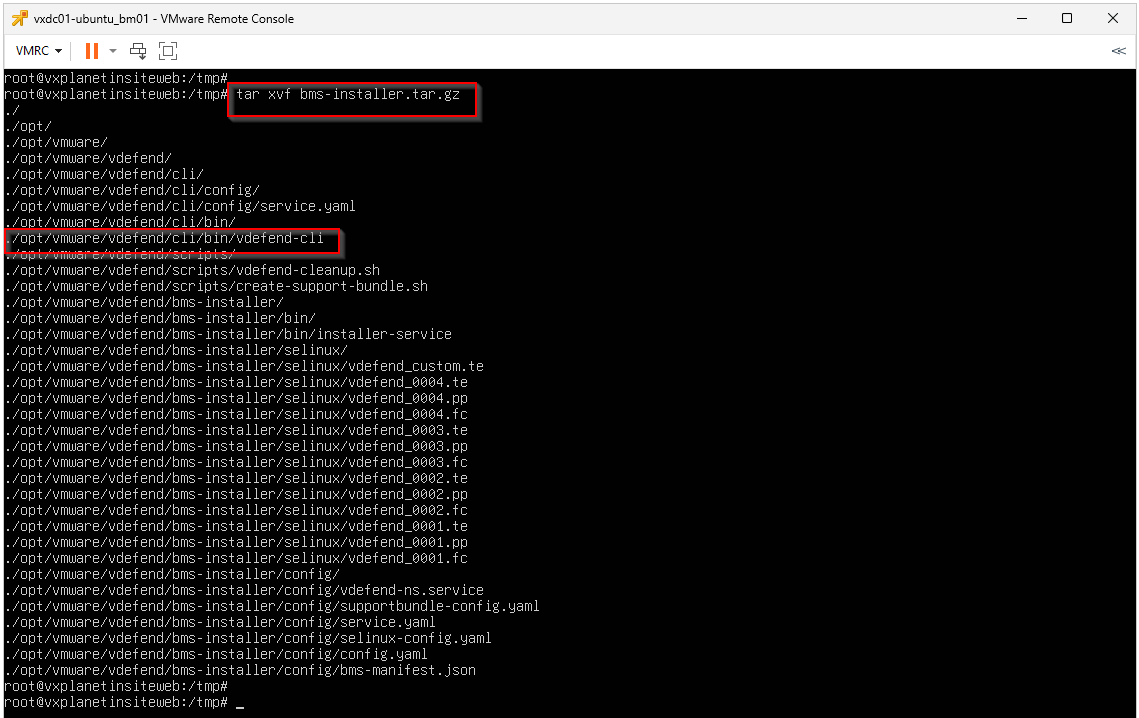
Onboarding Bare Metal Servers to SSP
We will now install the BMS Agent on the Bare Metal host. This process registers the server with SSP and activates network security policies.
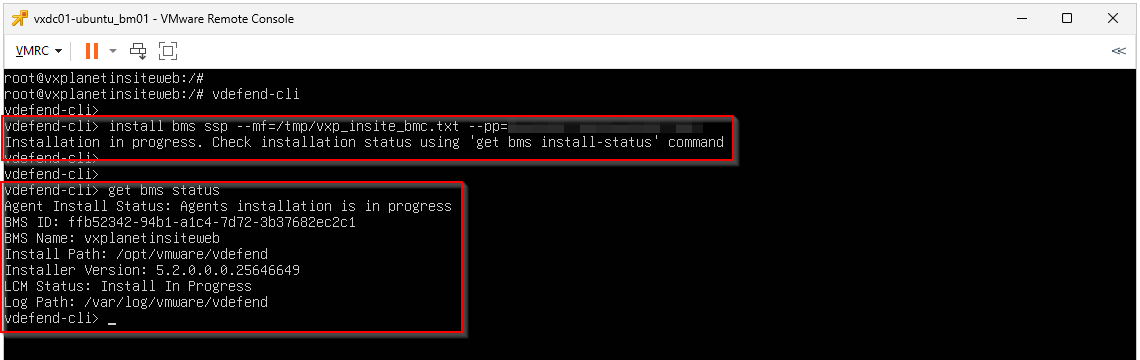
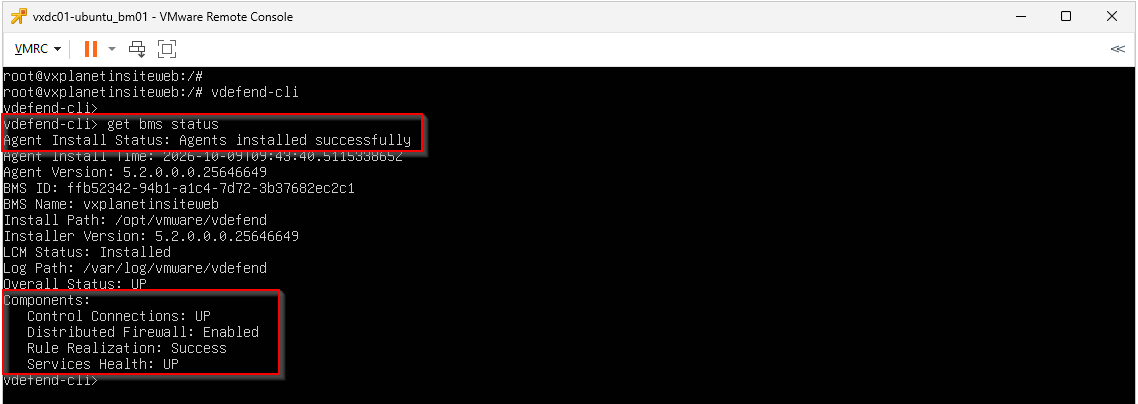
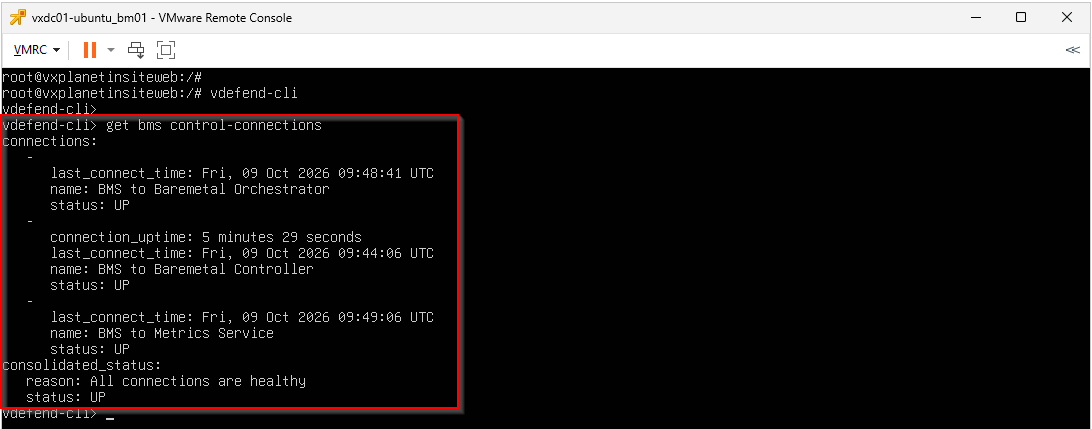
Once the agent installation succeeds, we will verify the connectivity of the agents to the Bare Metal Orchestrator, Bare Metal Controller and Metrics Manager components.
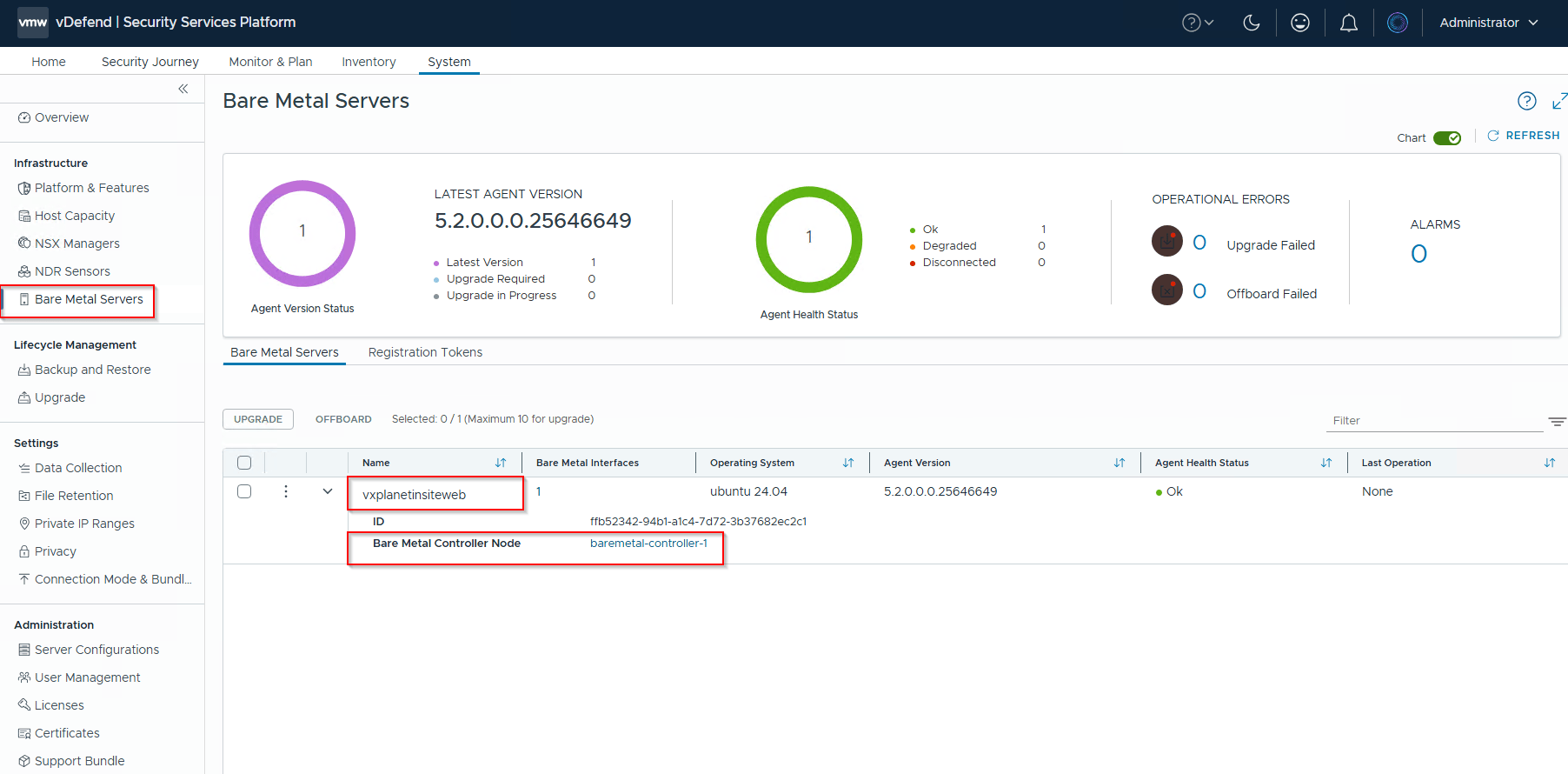
We should now see the Bare Metal server successfully registered in SSP. Notice that this server is managed by a specific instance within the Bare Metal Controller cluster – in this case, controller-1, as highlighted below:
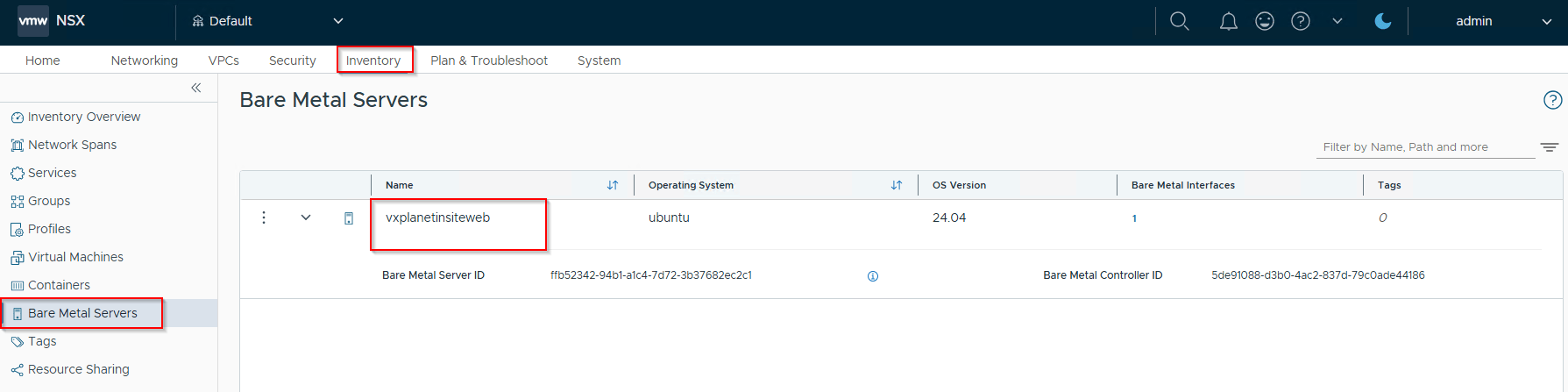
Because the Bare Metal Controllers synchronize the bare metal server inventory with the NSX Manager, we will also see the bare metal server listed as an inventory object in NSX.
Creating DFW Policies for Bare Metal Servers
The system automatically creates a default bare metal server group (System_AllBMSGroup) when we onboard the first bare metal server to SSP. It also generates a default global DFW rule for bare metal servers.
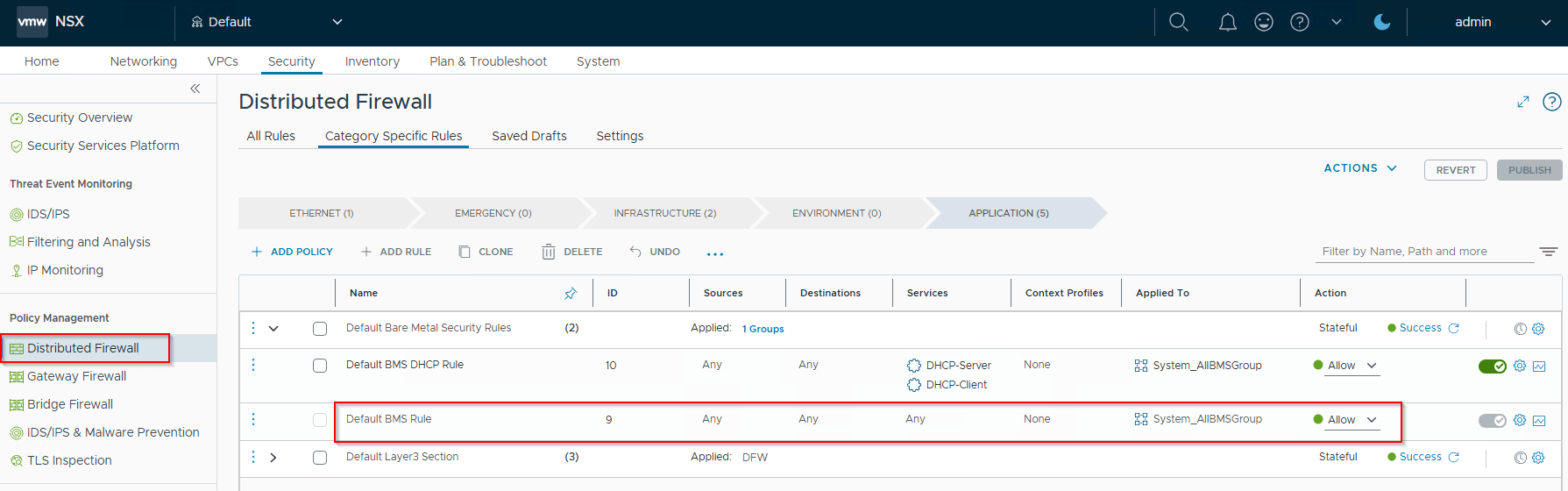
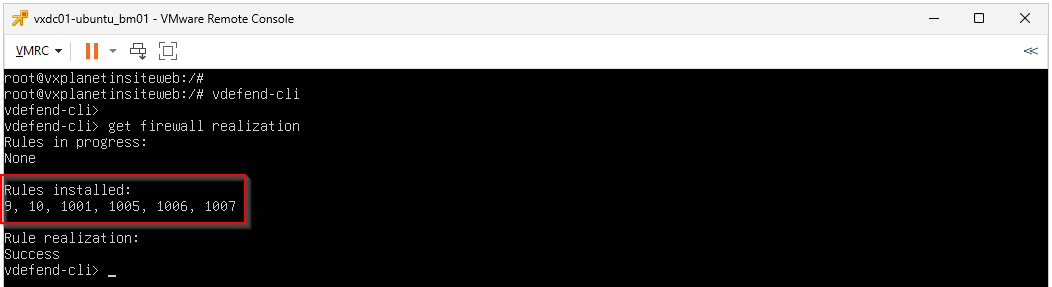
And we see these rules are enforced in the Bare Metal data plane.
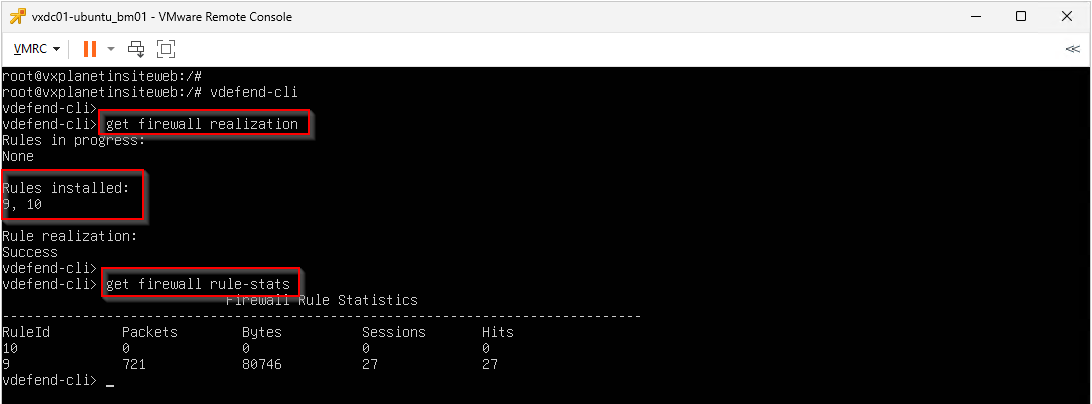
Did you notice something interesting? We only see rule IDs 9 and 10 enforced in the data plane. What about the other rules, especially those with the Applied-To field set to ANY? The answer is that for a rule to be enforced in the data plane of a bare metal server, the Applied-To field must be explicitly set to a bare metal group.
To create our own policies, we first need to build a custom group. Let’s assign a tag to our bare metal server and create a dynamic, tag-based group for it.
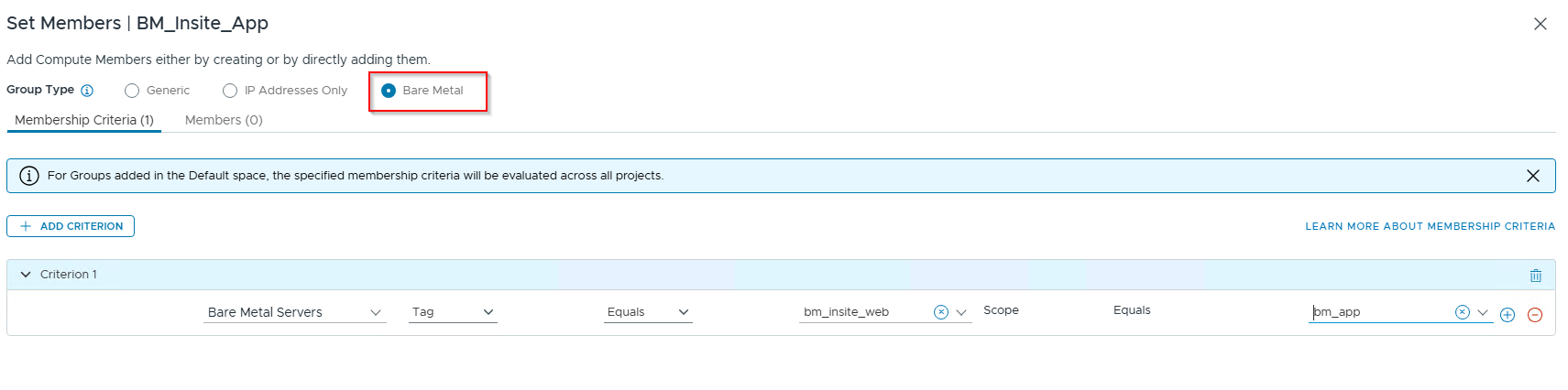
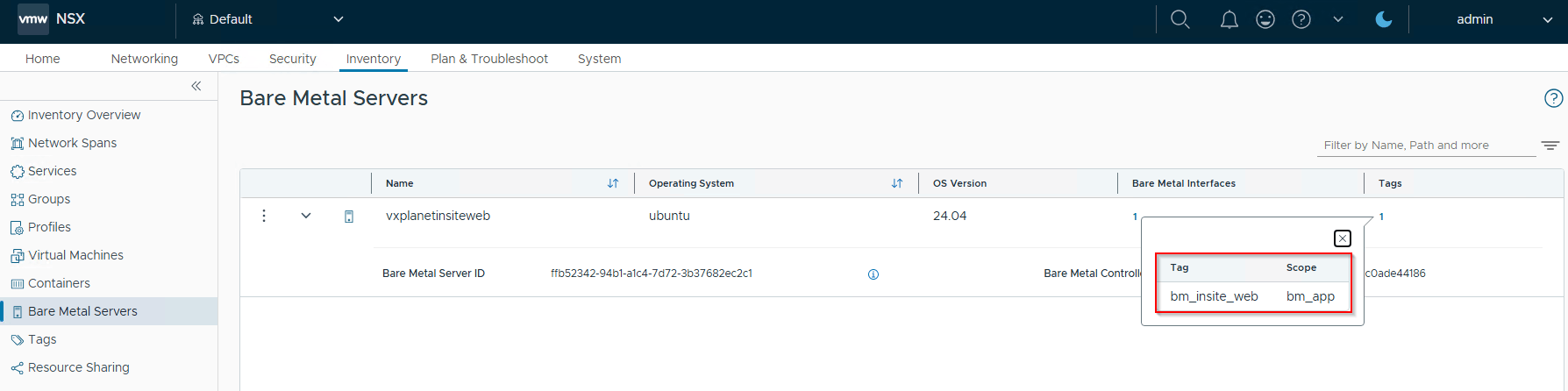
Next, we will write some specific rules for this server. The rule below (ID 1001), placed under the Infrastructure category, allows the bare metal server to communicate with SSP over the required ports.
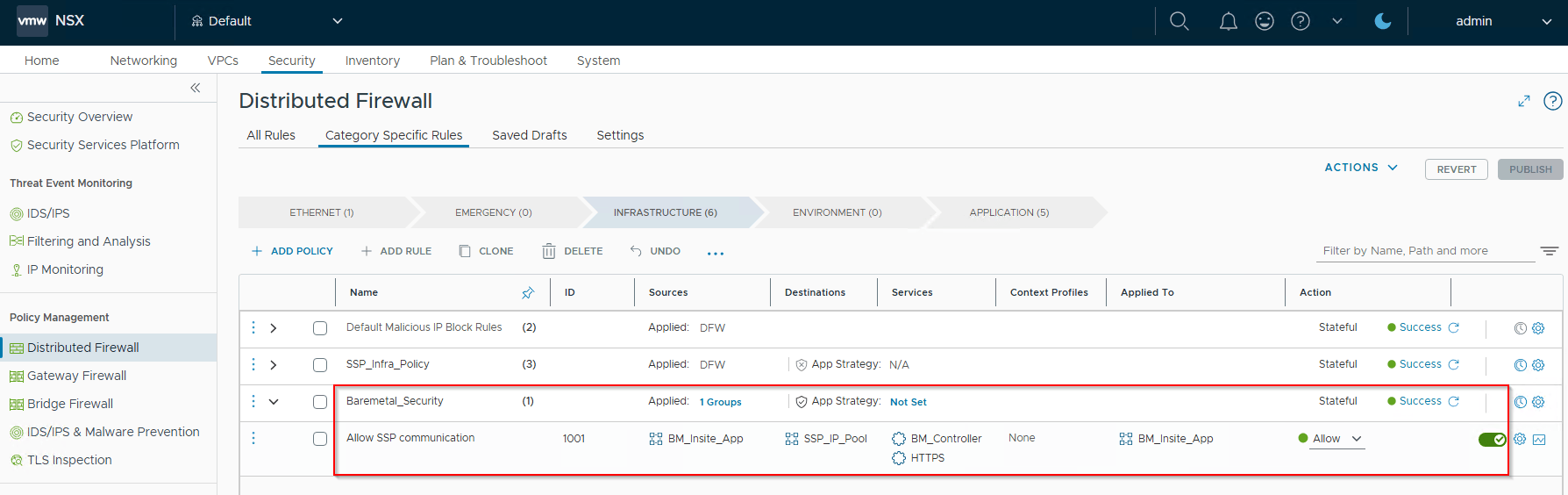
We also have custom, app-specific micro-segmentation rules applied to the bare metal server, utilizing a default-deny application strategy.
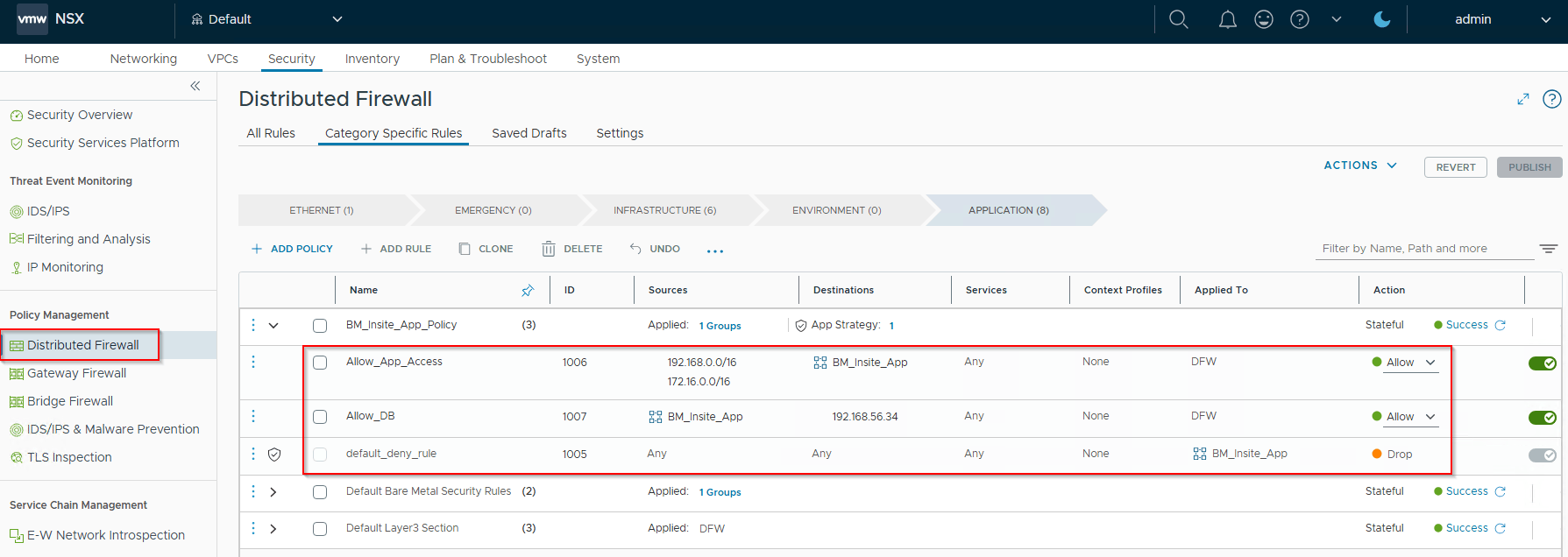
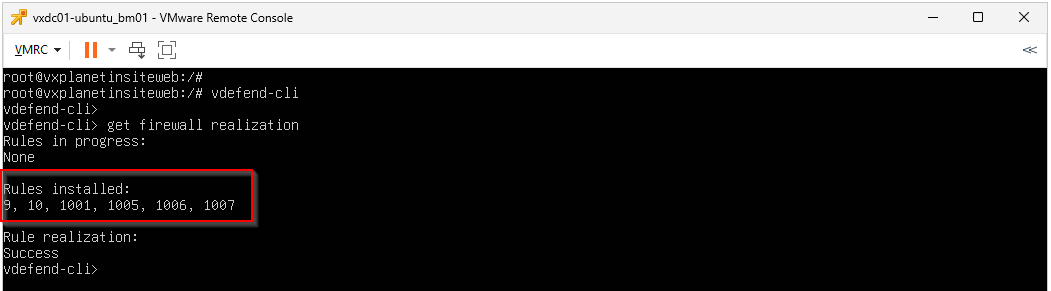
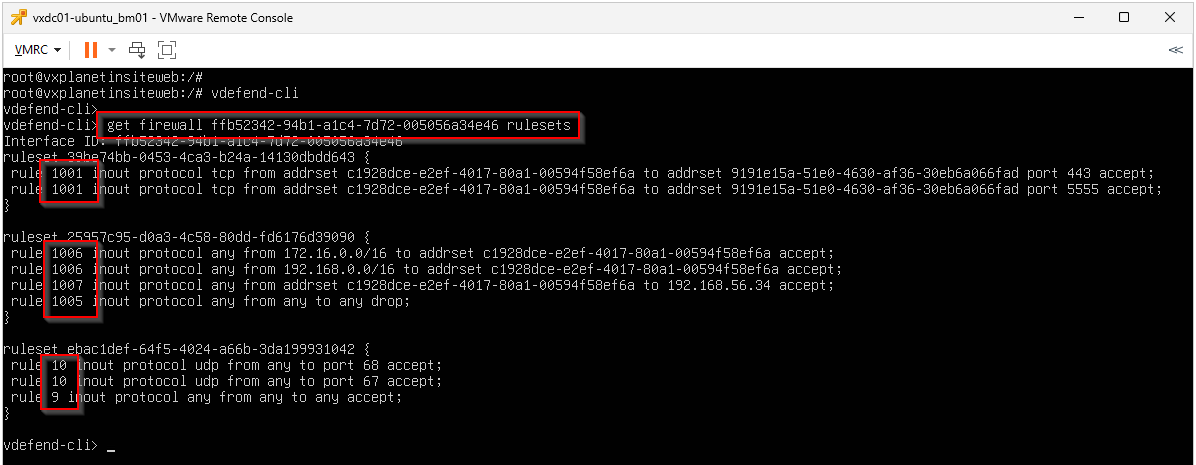
We see that the rules are successfully enforced in the data plane.
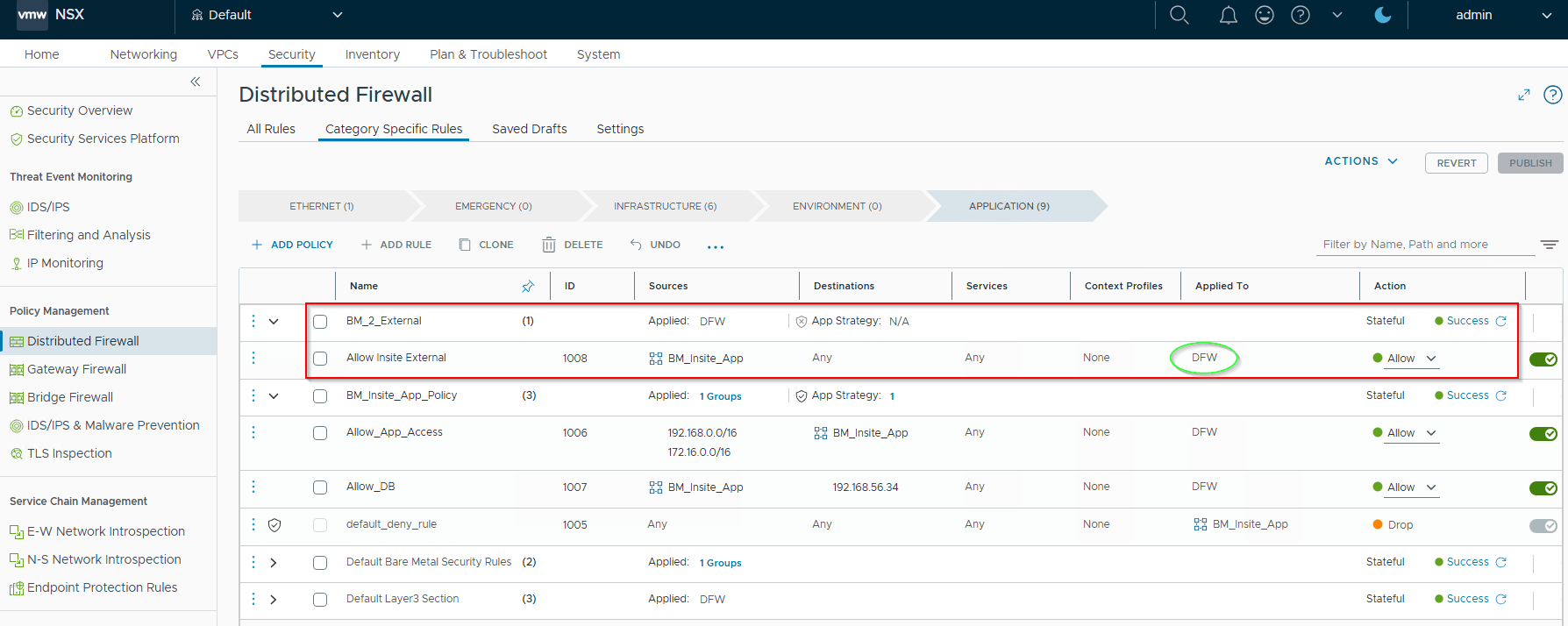
However, the below highlighted policy will not work for Bare Metal security, as the Applied-To field is not set to a Bare Metal group.
Unsupported Features for Bare Metal Security
Bare Metal security currently supports Layer 2 – 4 DFW rules as of vDefend SSP 5.2 release. Deep packet Inspection with L7 context profiles and IDPS are not supported at this time.
For a detailed list, please refer to the below official documentation on unsupported features for Bare Metal Security:
And that’s a wrap!!! We’ve reached the end of our article.
I hope the article was informative.
Thanks for reading and will meet later in the next post.
