

Welcome back!!! We are at Part 2 of the blog series on VMware vDefend License Hub where we focus on the transition process from legacy License Hub 5.1.2 to version 2.0 in a brownfield environment.
As discussed in the previous article, there is no direct upgrade path from legacy License Hub 5.1.2 (1.0) versions to the appliance-based License Hub 2.0 version due to architectural differences. Instead, legacy License Hubs need to be transitioned to version 2.0 following the steps documented in the Broadcom KB article 450105 at:
https://knowledge.broadcom.com/external/article/450105
In this post, I will be walking through the exact steps outlined in that KB, as they worked perfectly in my lab environment. If you are planning your own transition, I highly recommend bookmarking and referencing the official KB directly, as it will always reflect the most up-to-date information.
If you missed the previous article on License Hub 2.0 Architecture and Deployment, you can check it out below:
Part 1: Architecture and Deployment
https://vxplanet.com/2026/08/10/vmware-vdefend-license-hub-2-0-part-1-architecture-and-deployment/
Let’s get started:
Current vDefend Licensing Environment
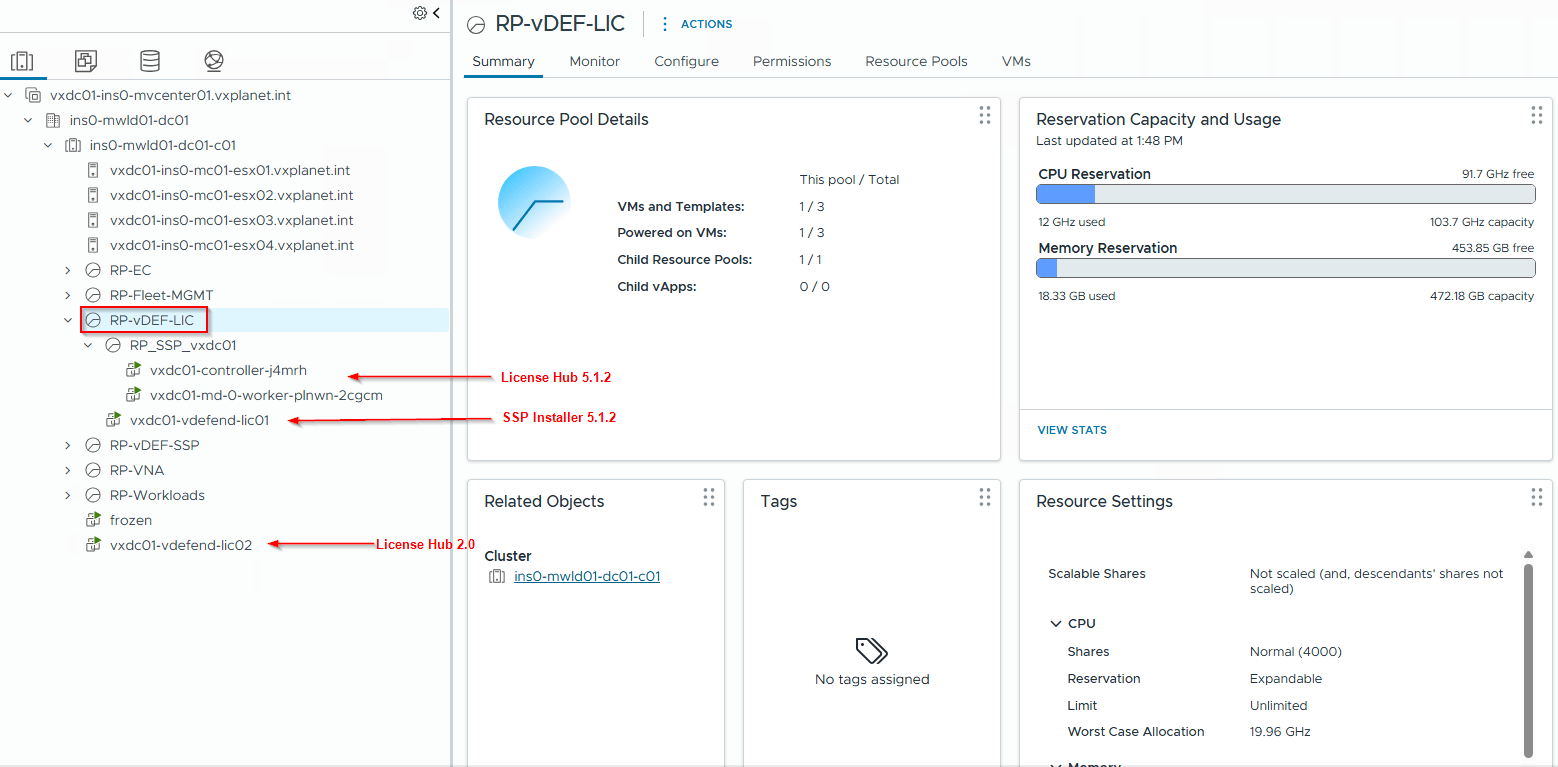
vDefend licensing for our current VCF 9.1 lab environment is managed by License Hub 5.1.2 version (vxdc01-vdefend-lic01-in01.vxplanet.int). This is a two-node K8S cluster with a dedicated SSP Installer for lifecycle management and is deployed on the management domain of the VCF instance.
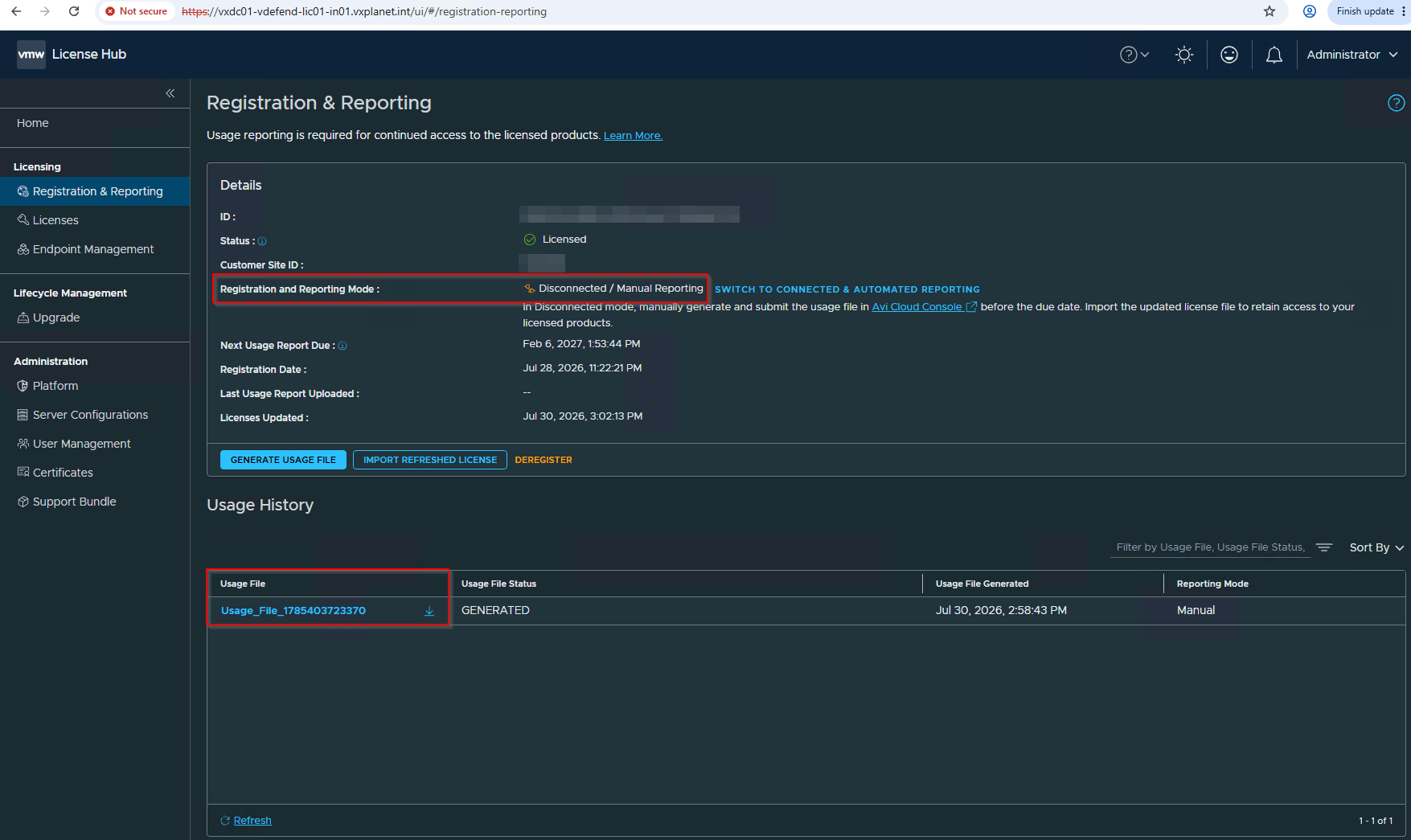
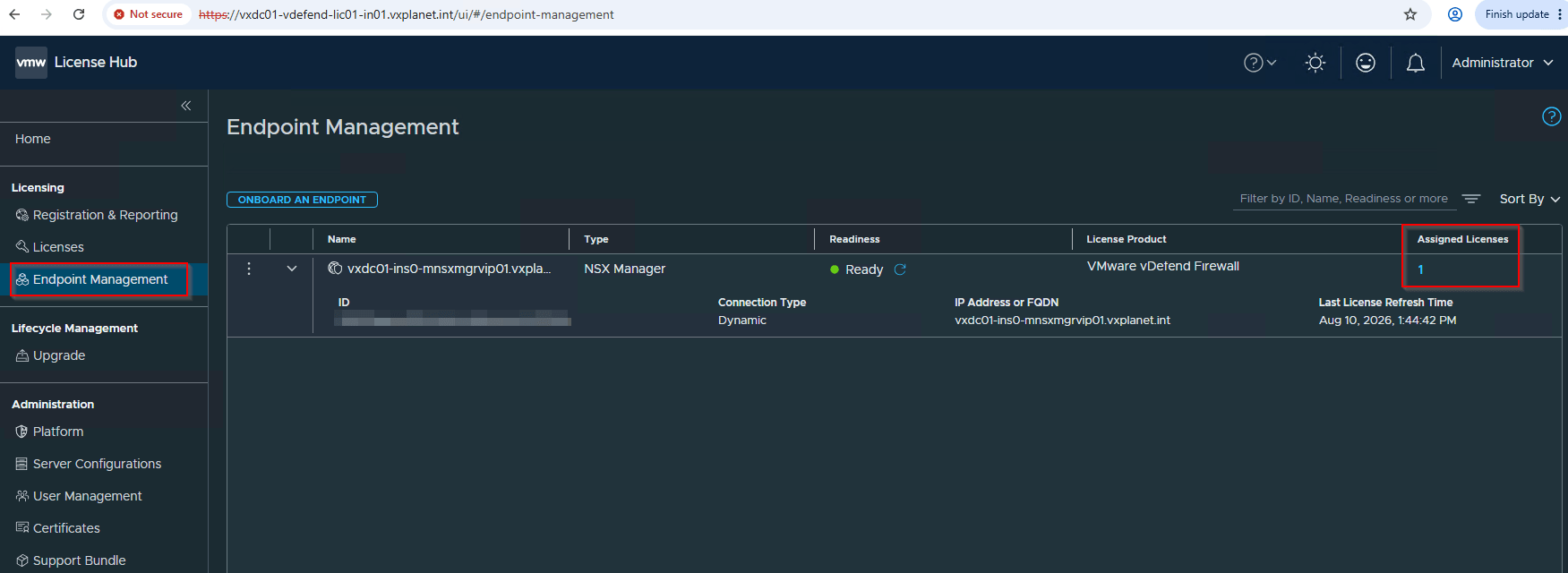
This license hub is registered with Avi Cloud Console in disconnected mode and has an NSX manager onboarded as an endpoint with a license assigned.
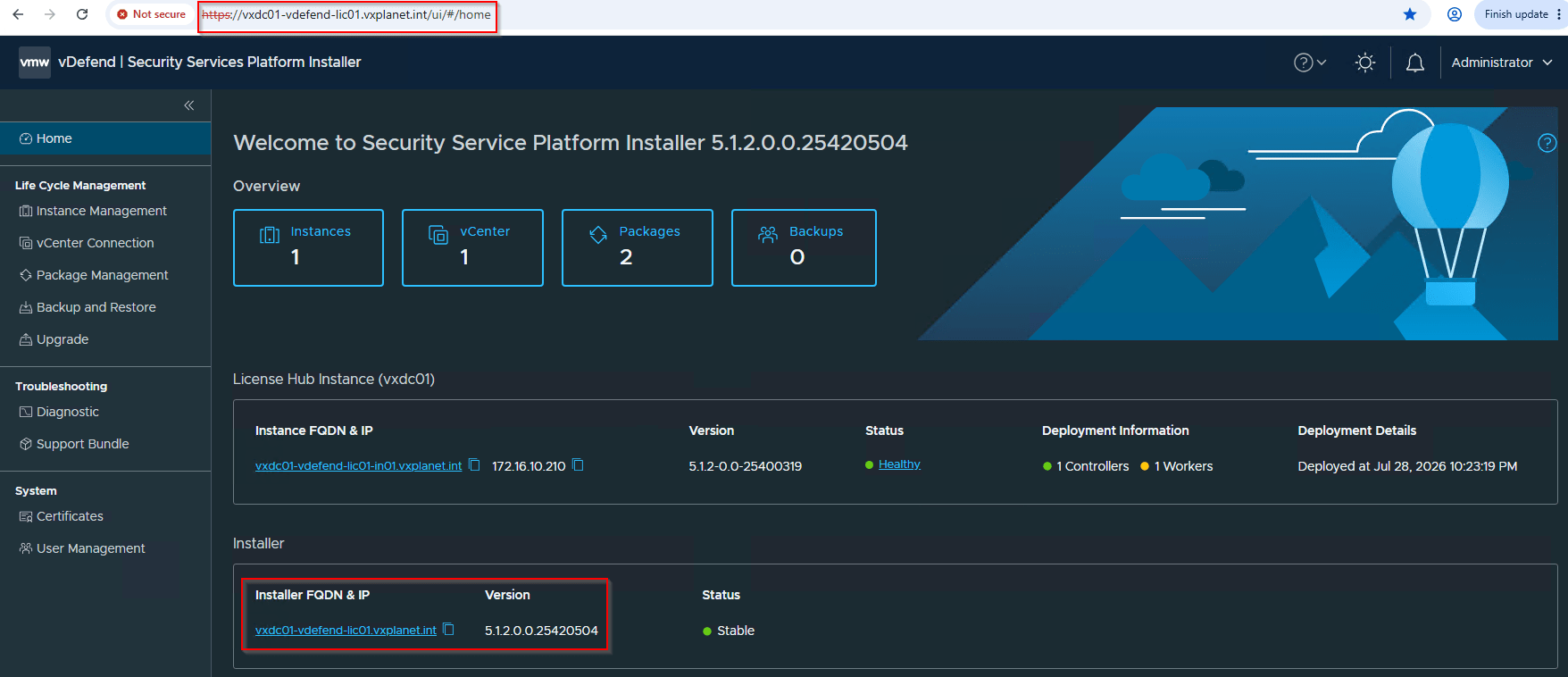
This License Hub 5.1.2 is lifecycle managed by a dedicated SSP Installer (vxdc01-vdefend-lic01.vxplanet.int).
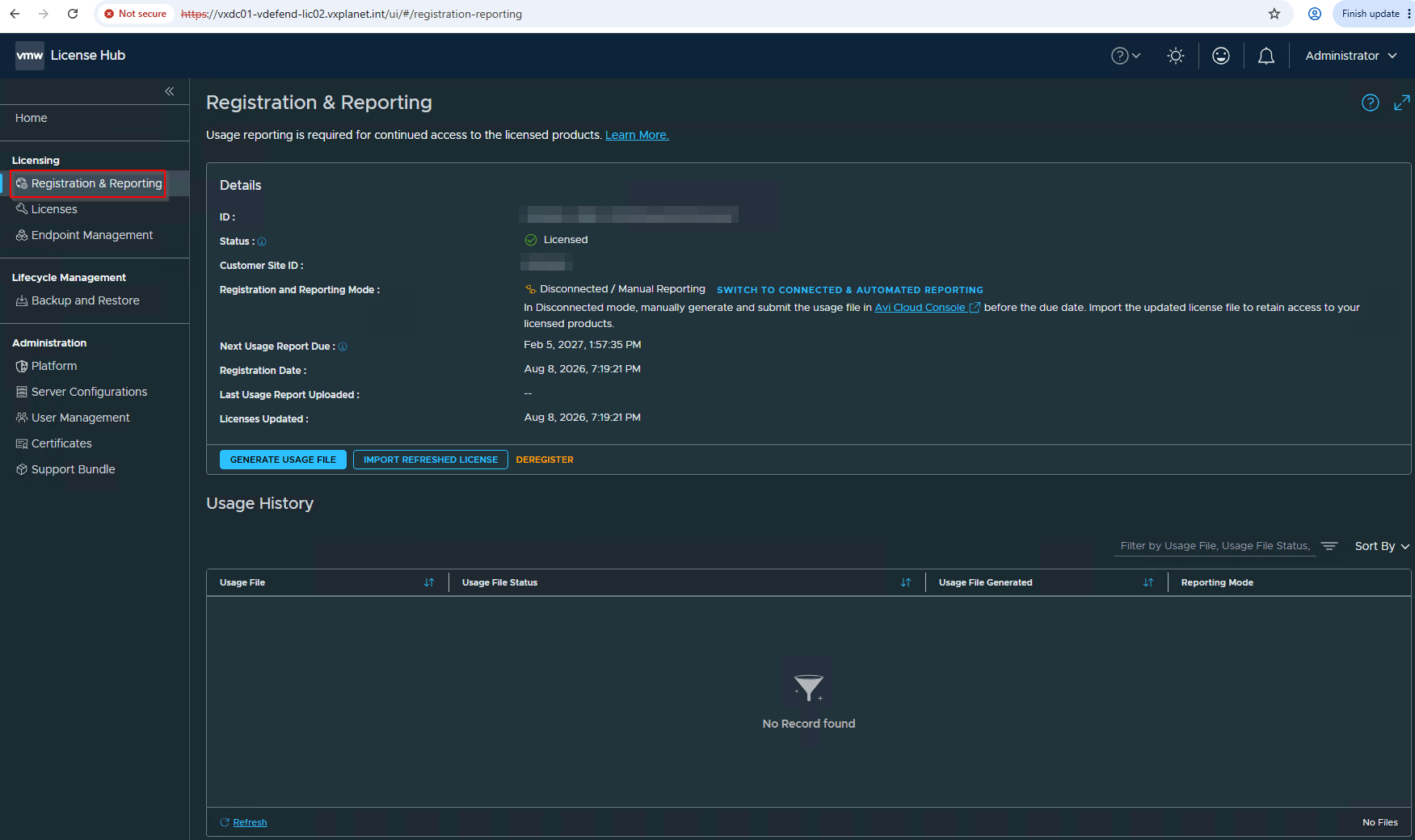
We have deployed a new License Hub 2.0 (vxdc01-vdefend-lic02.vxplanet.int) on the same management domain and on the same network (network doesn’t matter as long as the target License hub can reach all the endpoints). This license hub 2.0 is registered with Avi Cloud Console but there are no licenses allocated.
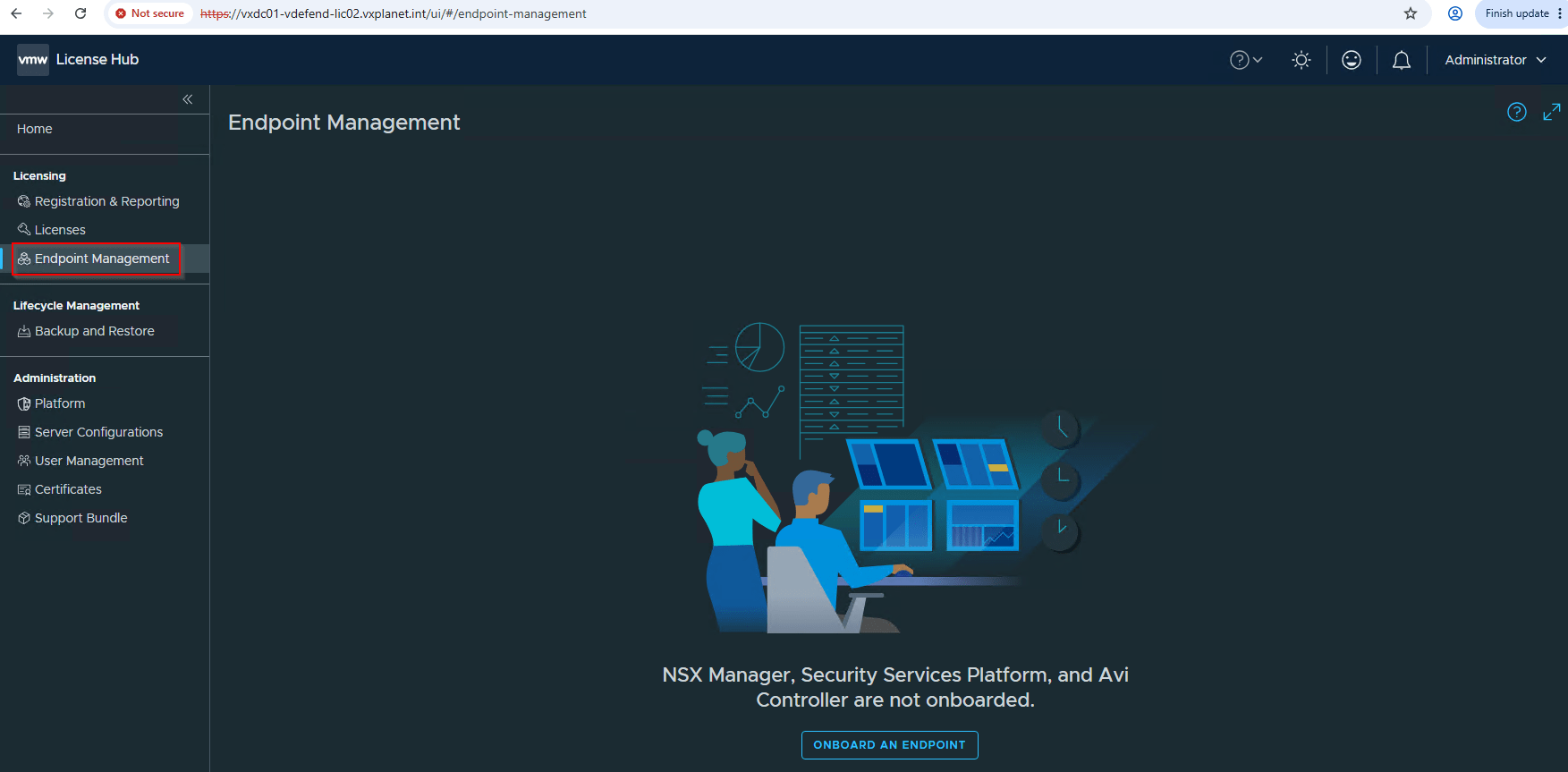
There are also no endpoints onboarded to License hub 2.0.
Transitioning from License Hub 5.1.2 to 2.0
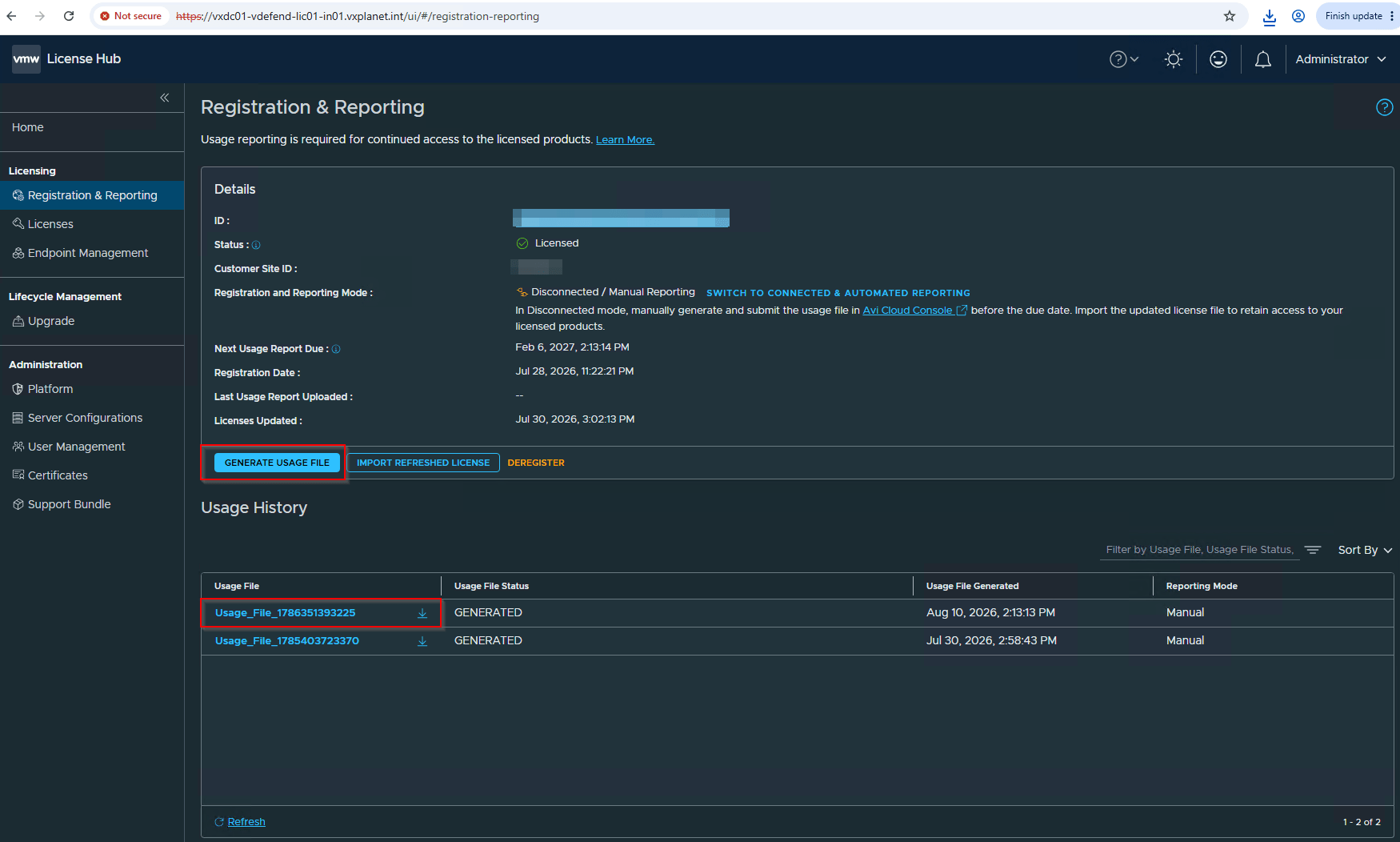
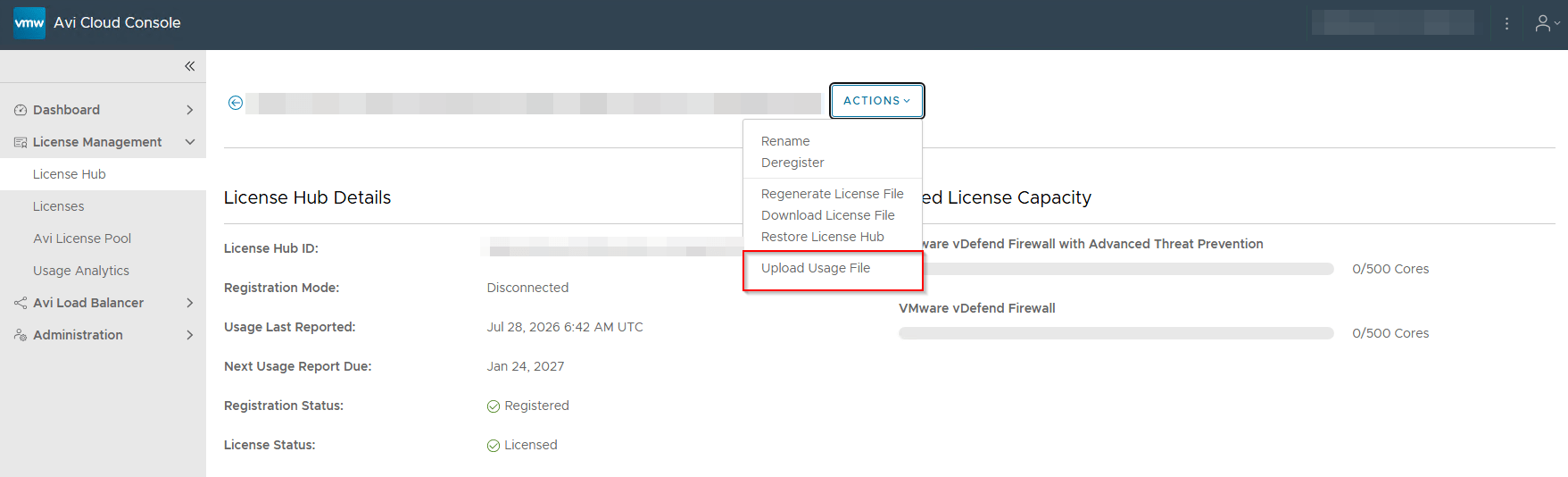
Uploading current License usage report to Avi Cloud Console
The first step in the transition process is to upload the current license usage report from the source License Hub to the Avi Cloud Console to ensure that the usage reports are synchronized.
Download migration scripts from the KB article 450105
The migration scripts for transitioning from source License Hub 5.1.2 to target License Hub 2.0 is available in the Broadcom KB article 450105 at:
https://knowledge.broadcom.com/external/article/450105
We will download and extract this on a machine with Python3 installed that has connectivity with both source and target License Hubs.
Export source License Hub configuration
This step will export the licensing and endpoint configuration from the source License Hub 5.1.2 to a json file, which will be used as input to import to the target License Hub 2.0 in the subsequent steps. We will run the export_config script as below:
python3 export_config.py –no-verify-ssl
The script is interactive and will prompt for the source License Hub, it’s username and password
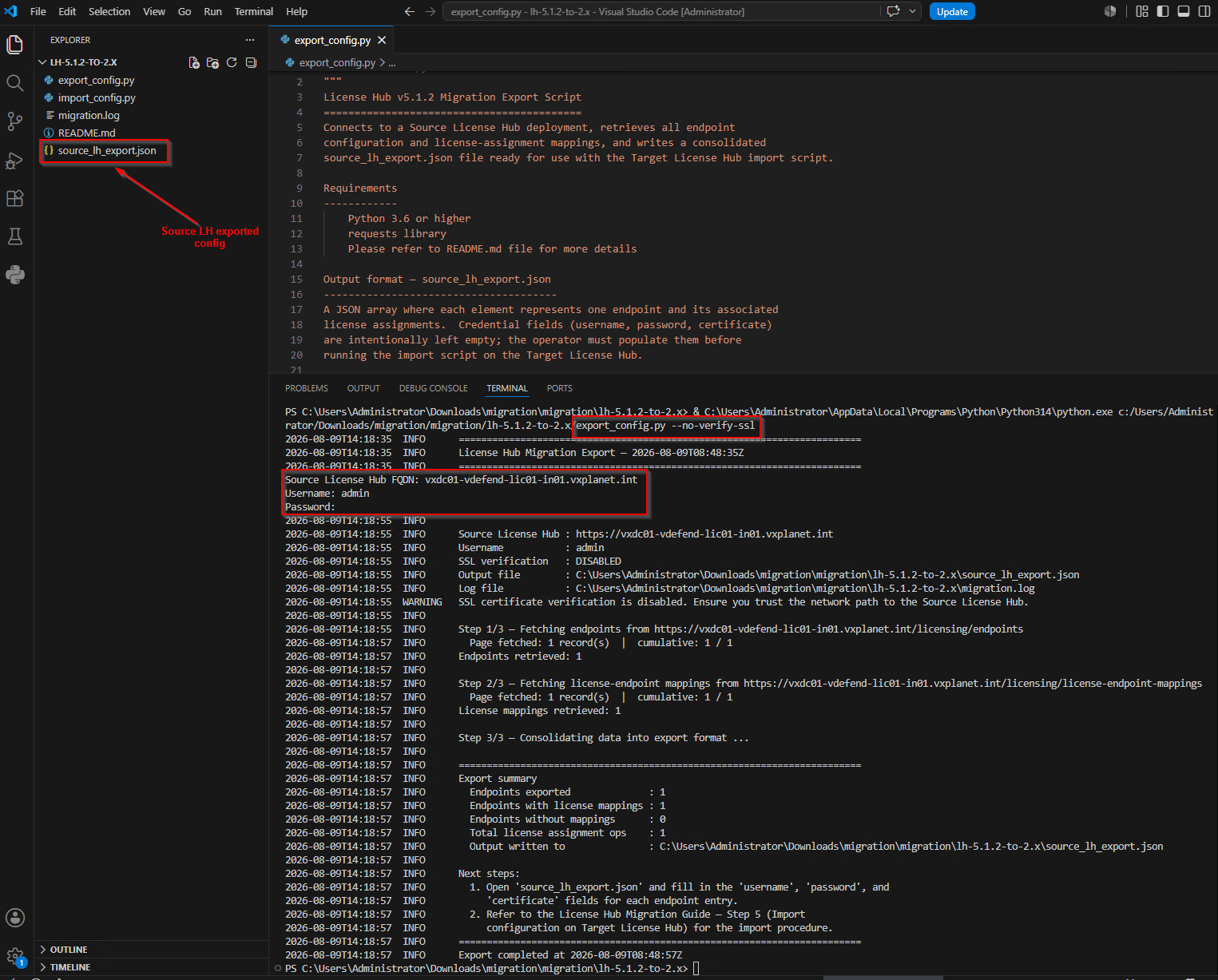
The output of the script will be a json file named source_lh_export.json generated in the current working directory
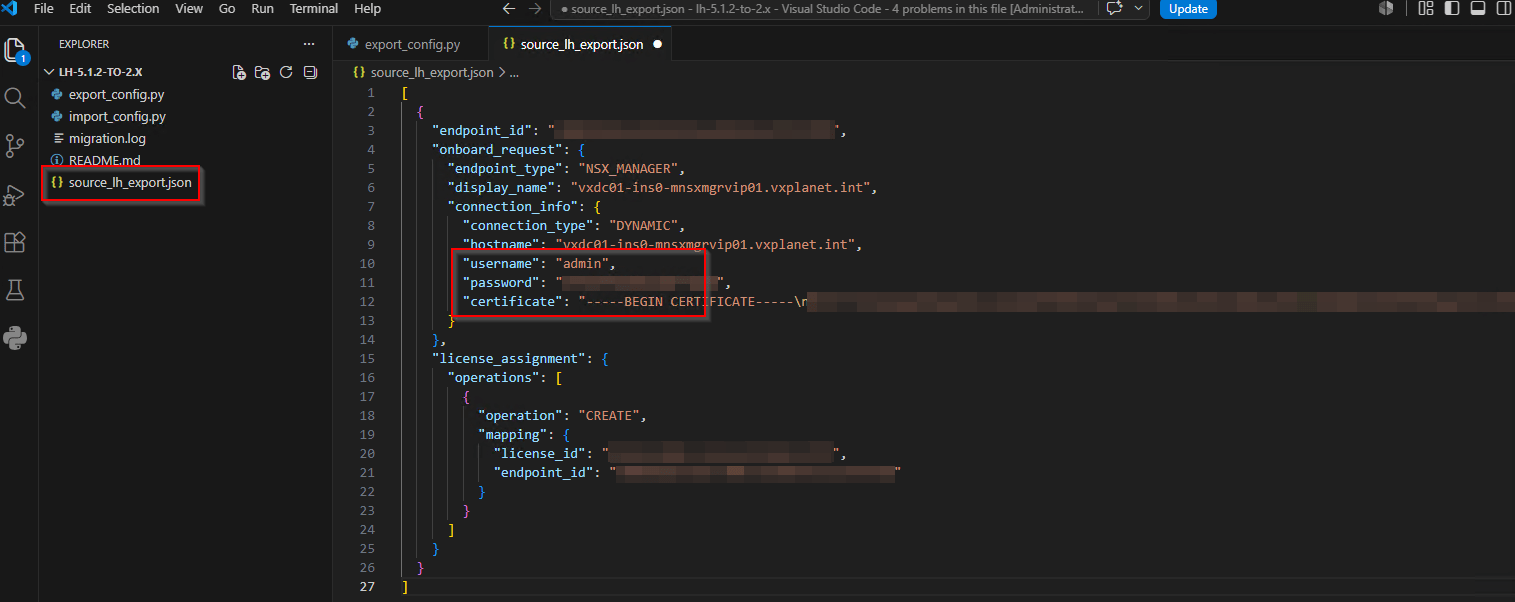
We will now edit this json file, supply in the username, password and certificate details of all the endpoints and save this for later import as shown below. The certificate field here is the API / Ingress certificate of the endpoint in base-64 encoded format and is used to establish trust with the target license hub. For NSX manager endpoint, this will be the Rest VIP / Cluster VIP certificate.
Restore license assignments to the target License Hub
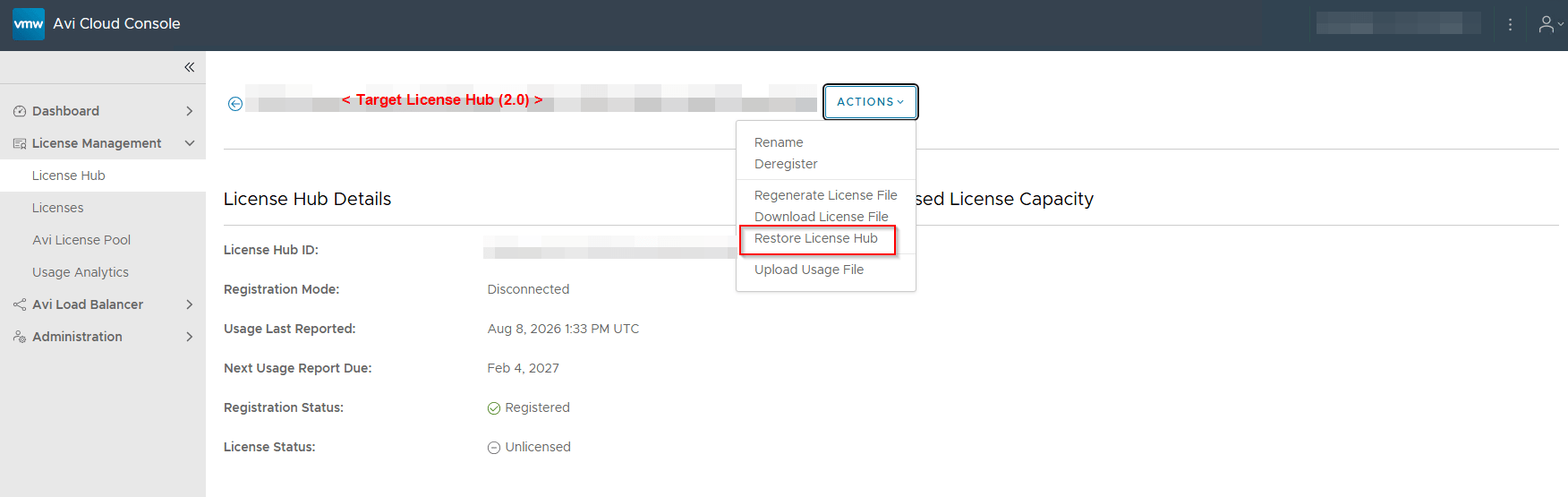
This step is performed from the Avi Cloud Console. From the target license hub, click on Actions -> Restore License Hub.
This process will transfer the licensing data to the target license hub and decommissions the source license hub.
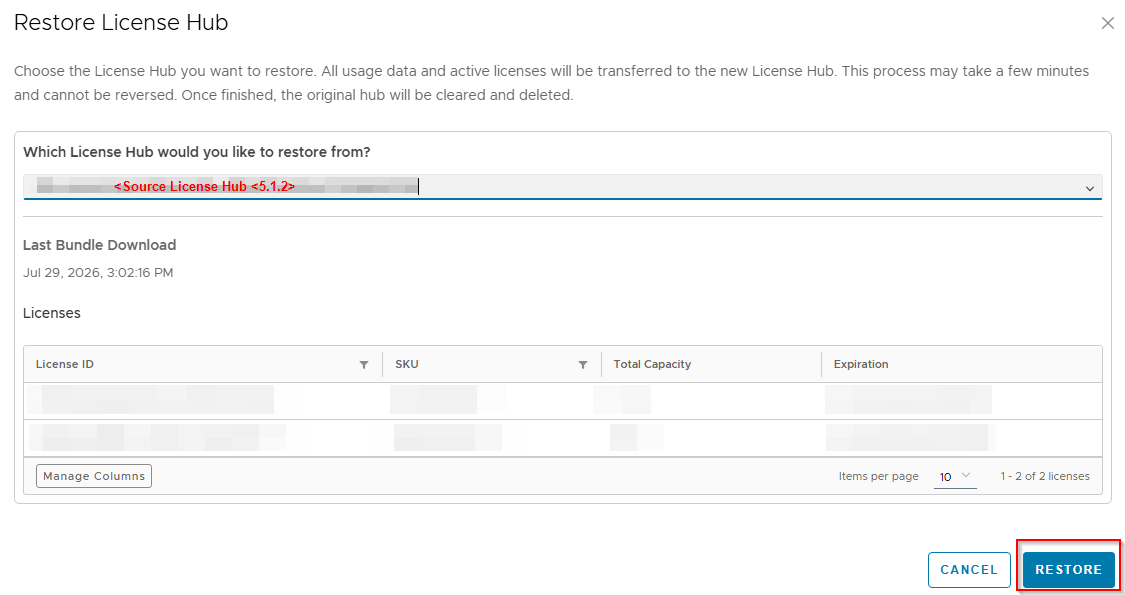
We should now see that the licensing data and usage information of the source license hub are migrated to the target license hub in the Avi Cloud Console.
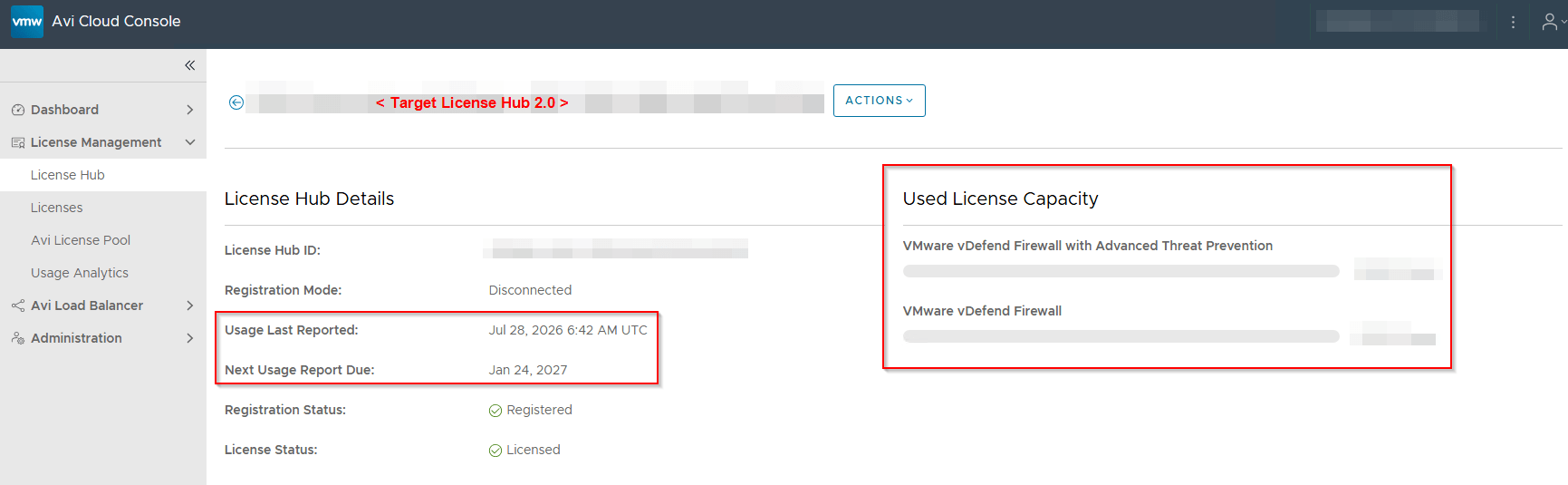
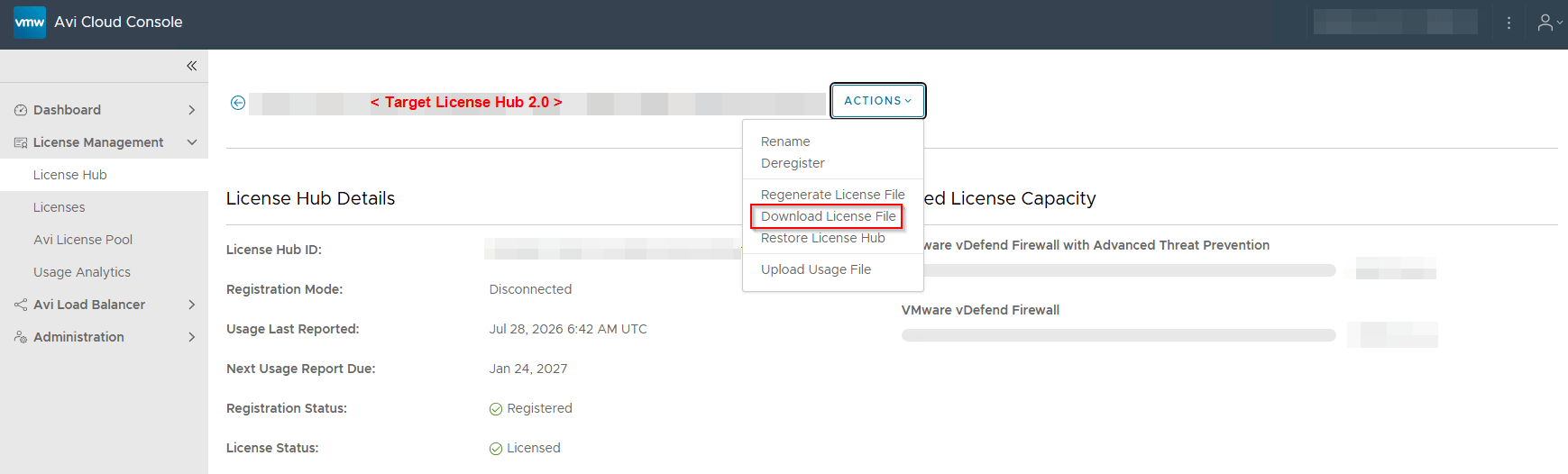
Since the license hub is registered in disconnected mode, we need to manually download the license file and upload to the target license hub
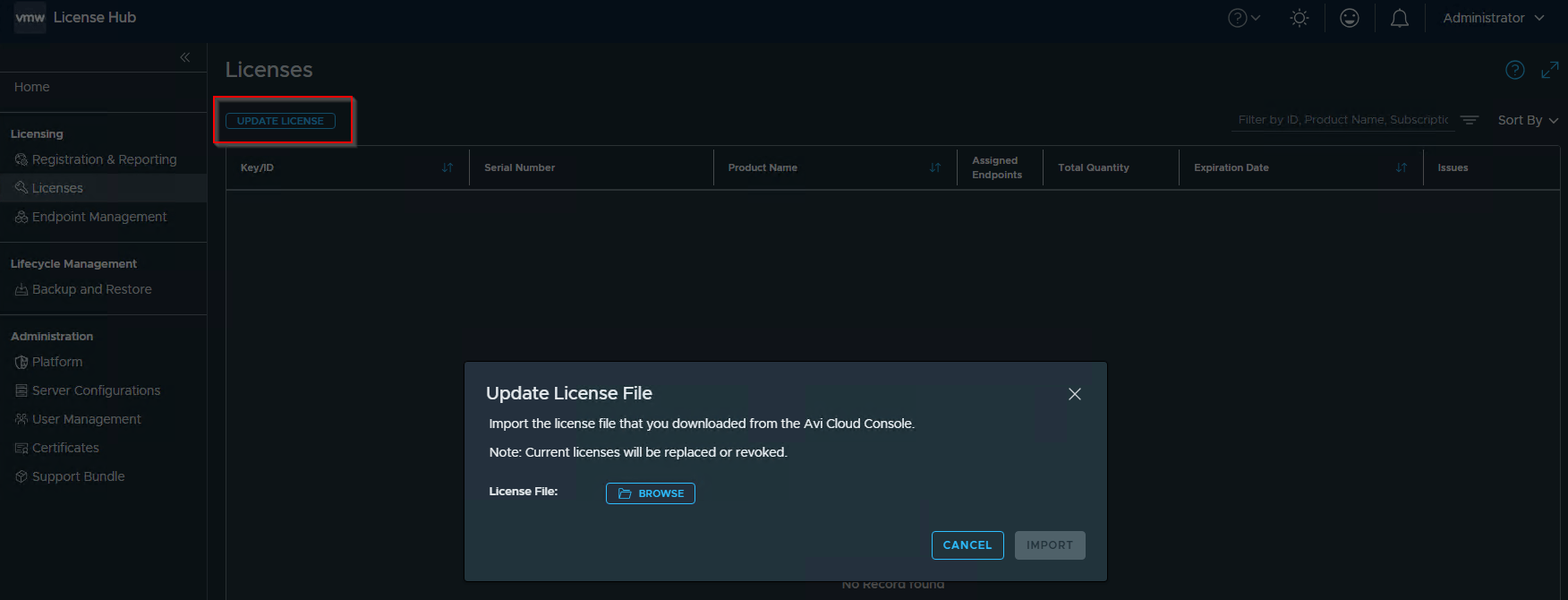
At this moment, the target License Hub 2.0 has the license allocations, but the endpoints are still connected to the source License Hub. They will be re-targeted in the next step.
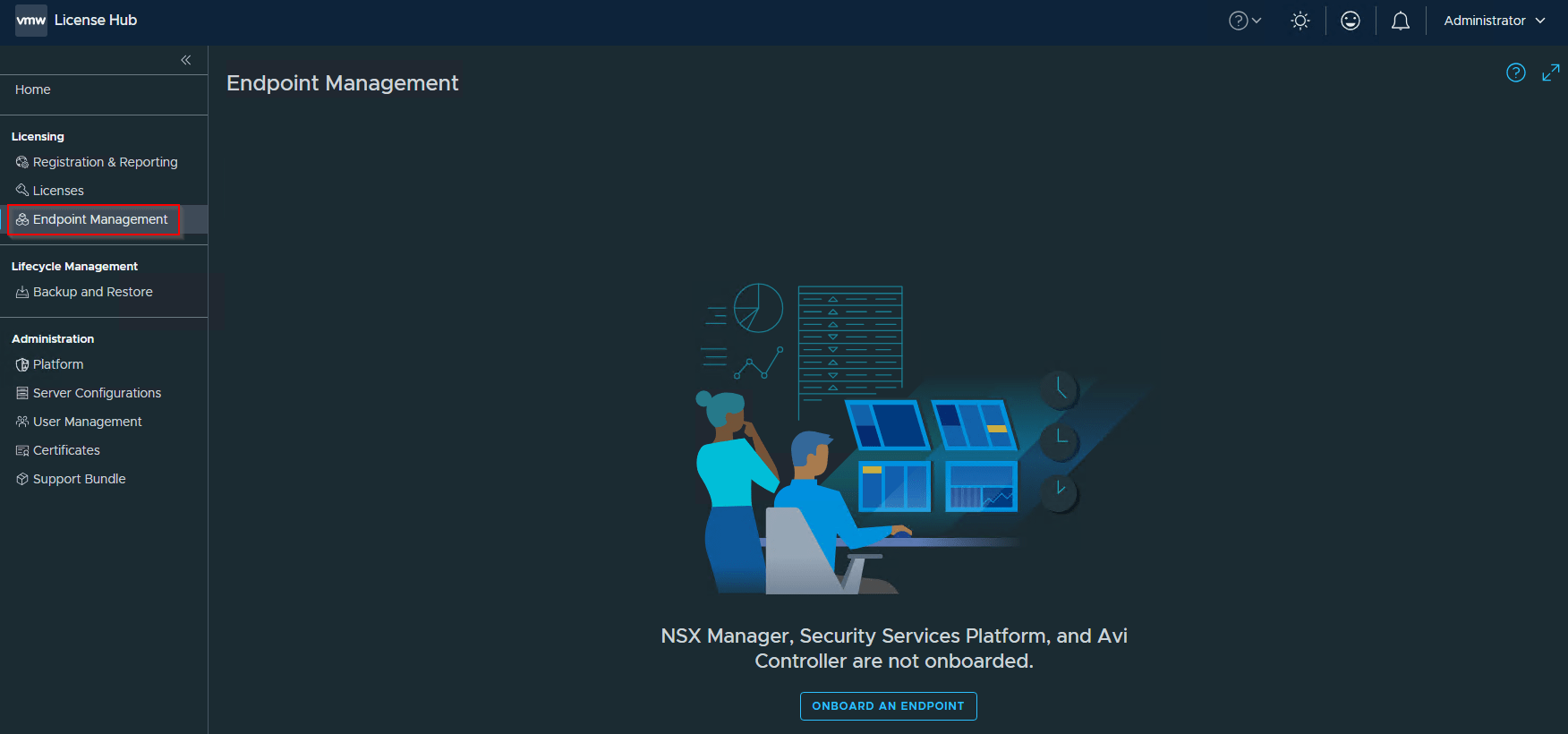
Import configuration on target License Hub
This step will clear the source license hub information from the endpoints and repoint them to the target license hub. We will run the import_config script as below. Depending on the number of endpoints, this step might take some time to complete.
python3 import_config.py –no-verify-ssl –input .\source_lh_export.json
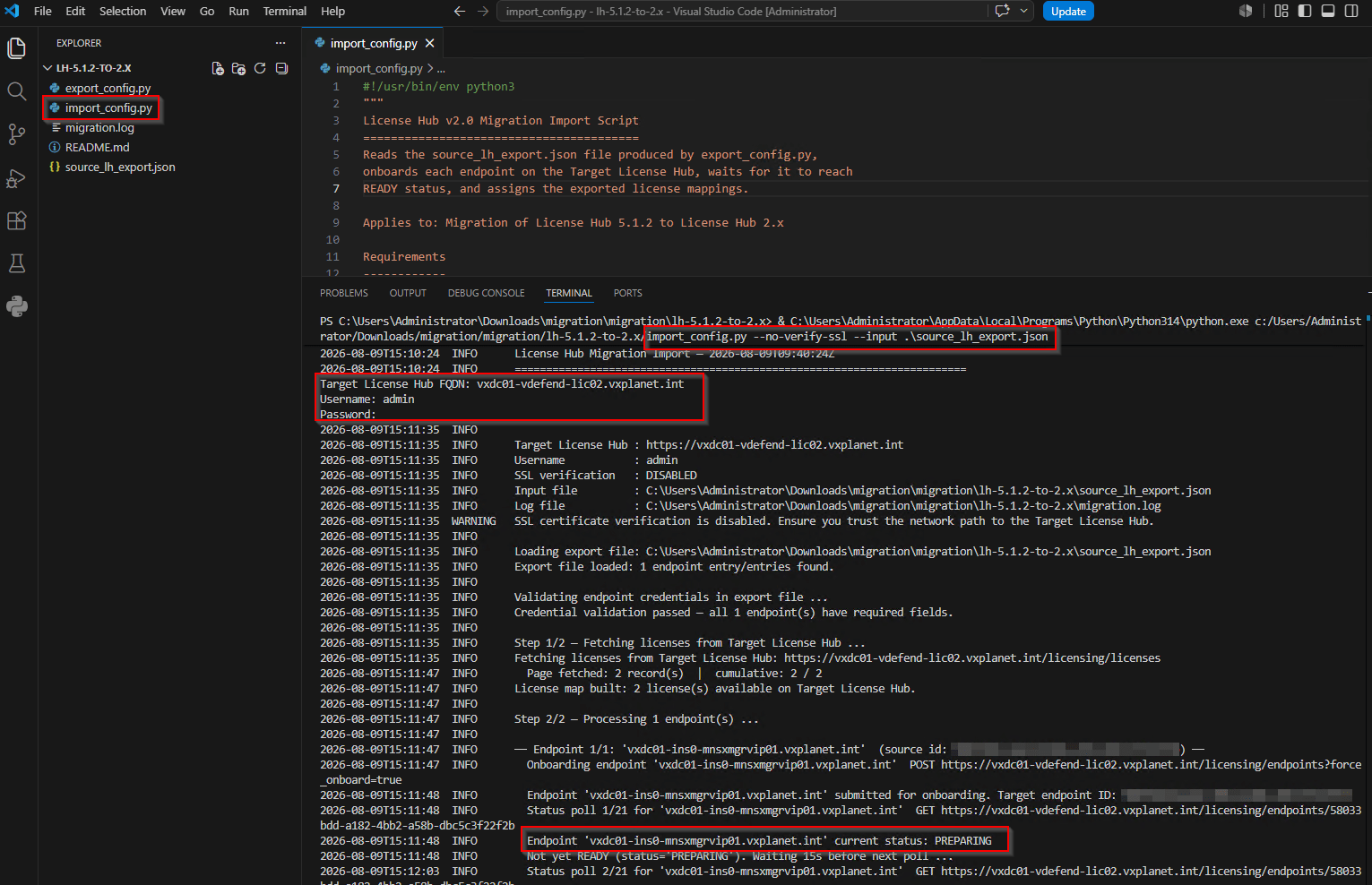
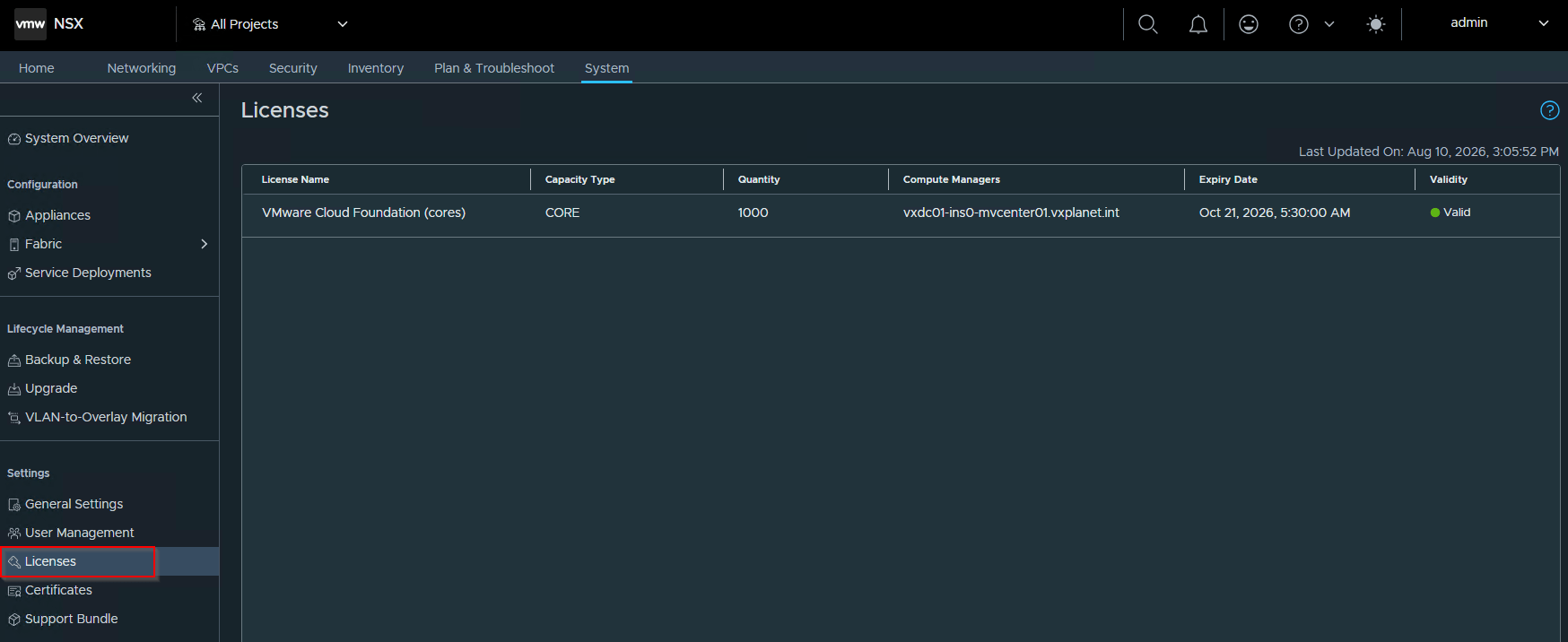
While this is happening, we will see that the license assignment on the NSX manager endpoint is removed from the source license hub and alarms are triggered in NSX manager. This can be ignored.
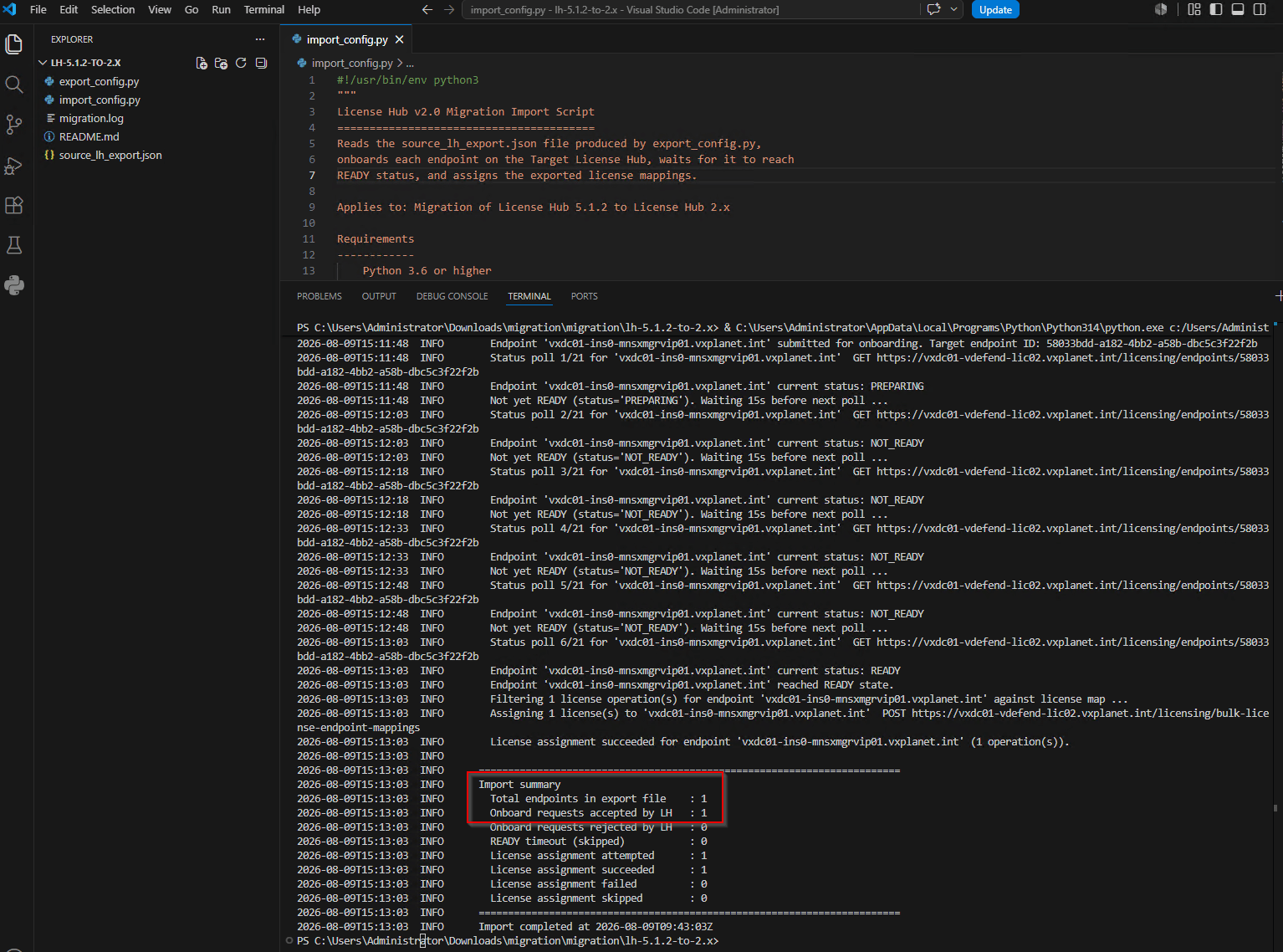
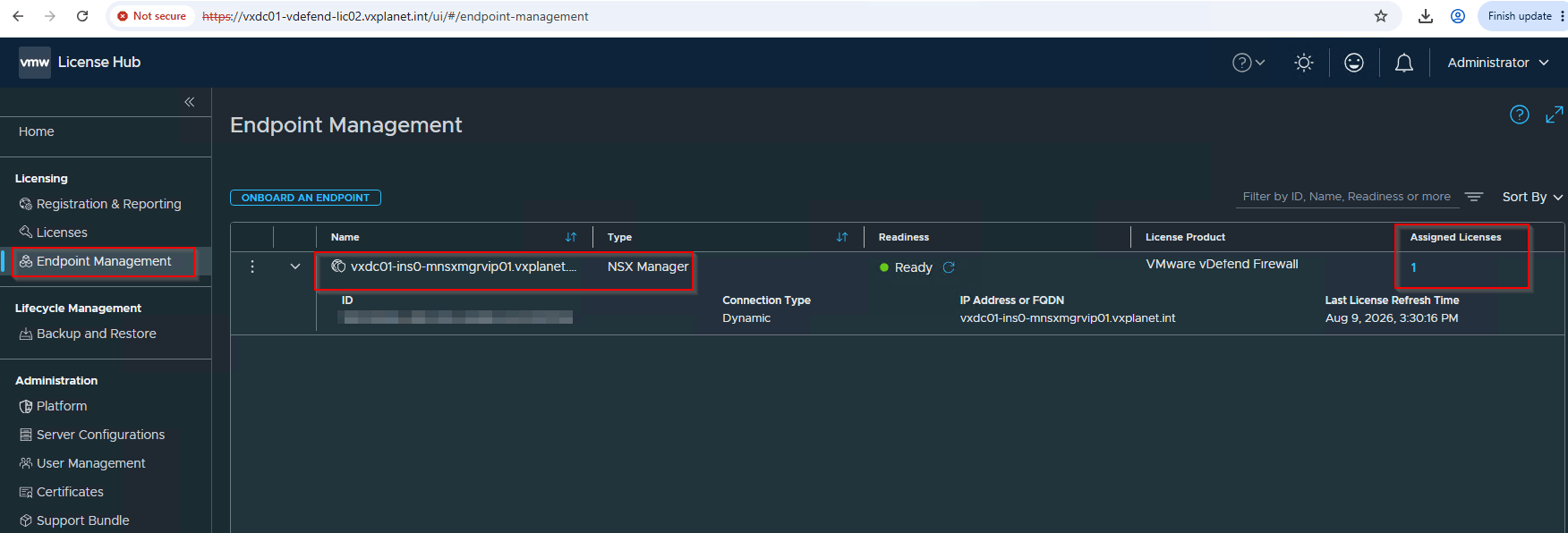
Finally, once the script finishes execution, we see that NSX manager endpoint has registered to the target License Hub 2.0 and the licensing state is restored.
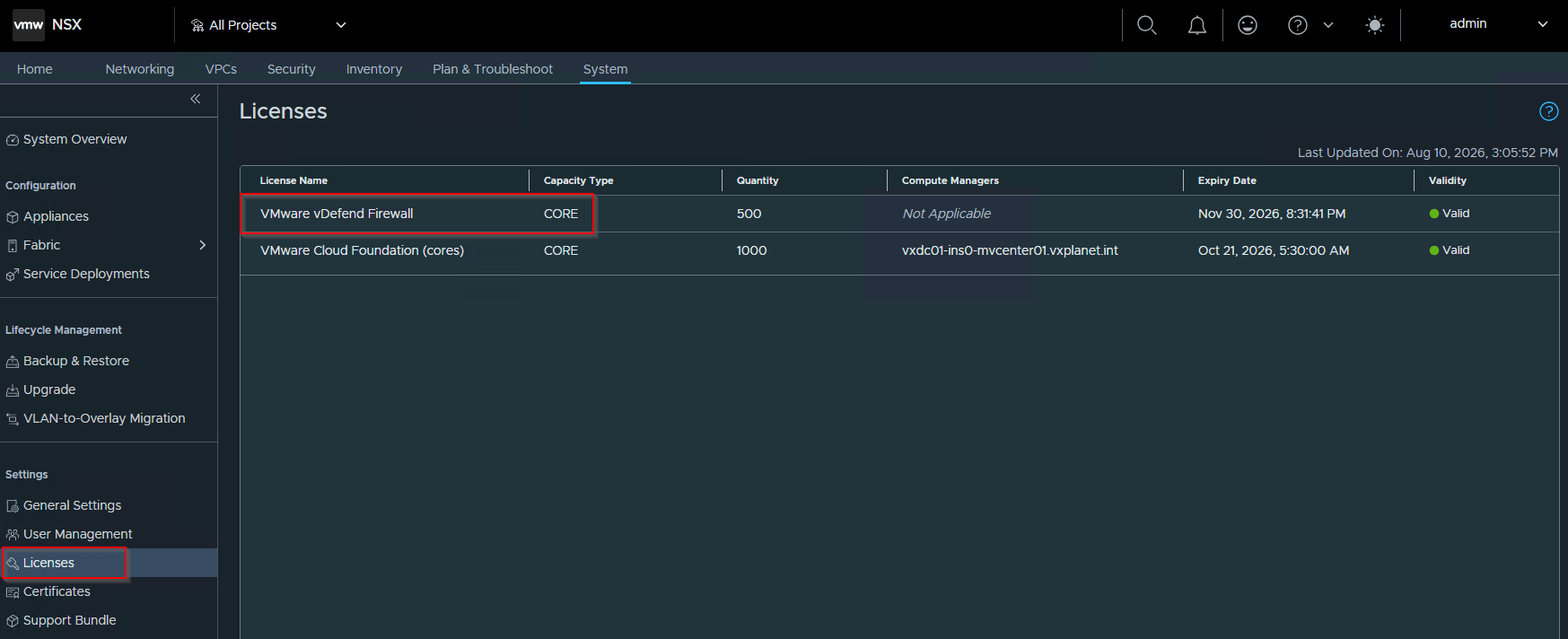
Decommission Source License Hub 5.1.2
The last step in the process is to perform decommissioning of the source License Hub 5.1.2.
Let’s login to the SSP Installer 5.1.2 and delete the deployed License Hub Instance.
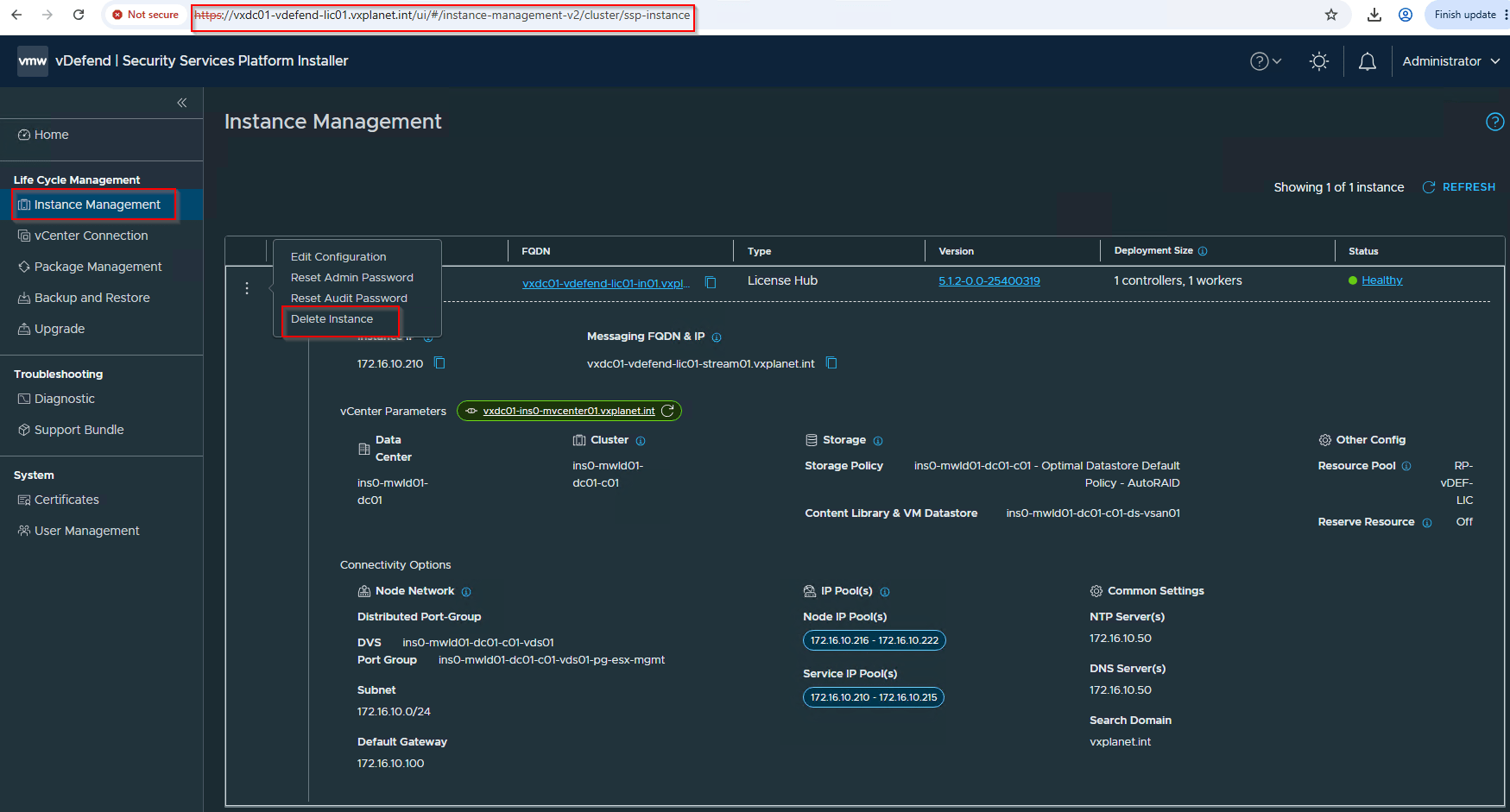
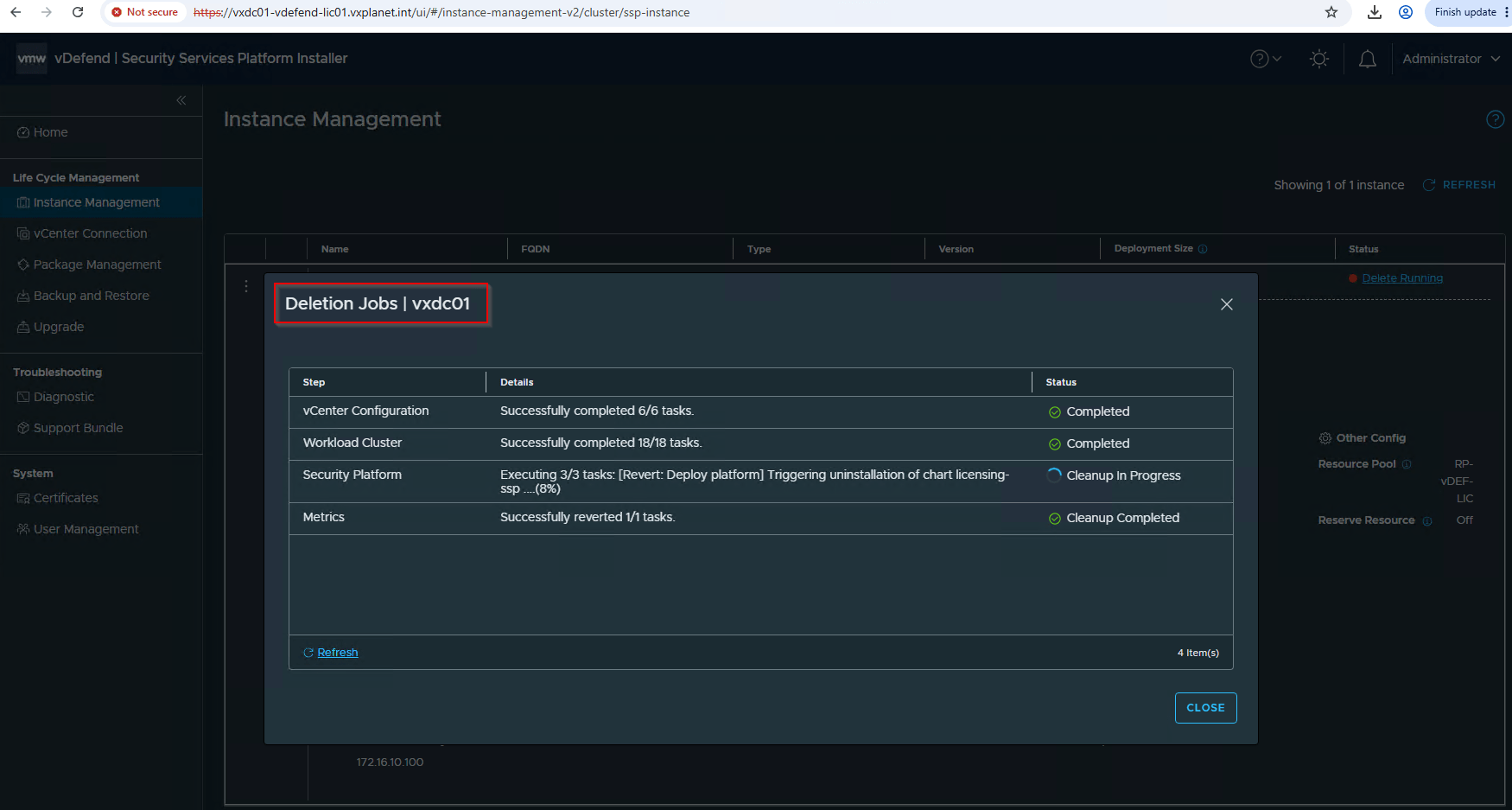
Finally power off the SSP Installer 5.1.2 VM and cleanup from the datastore.
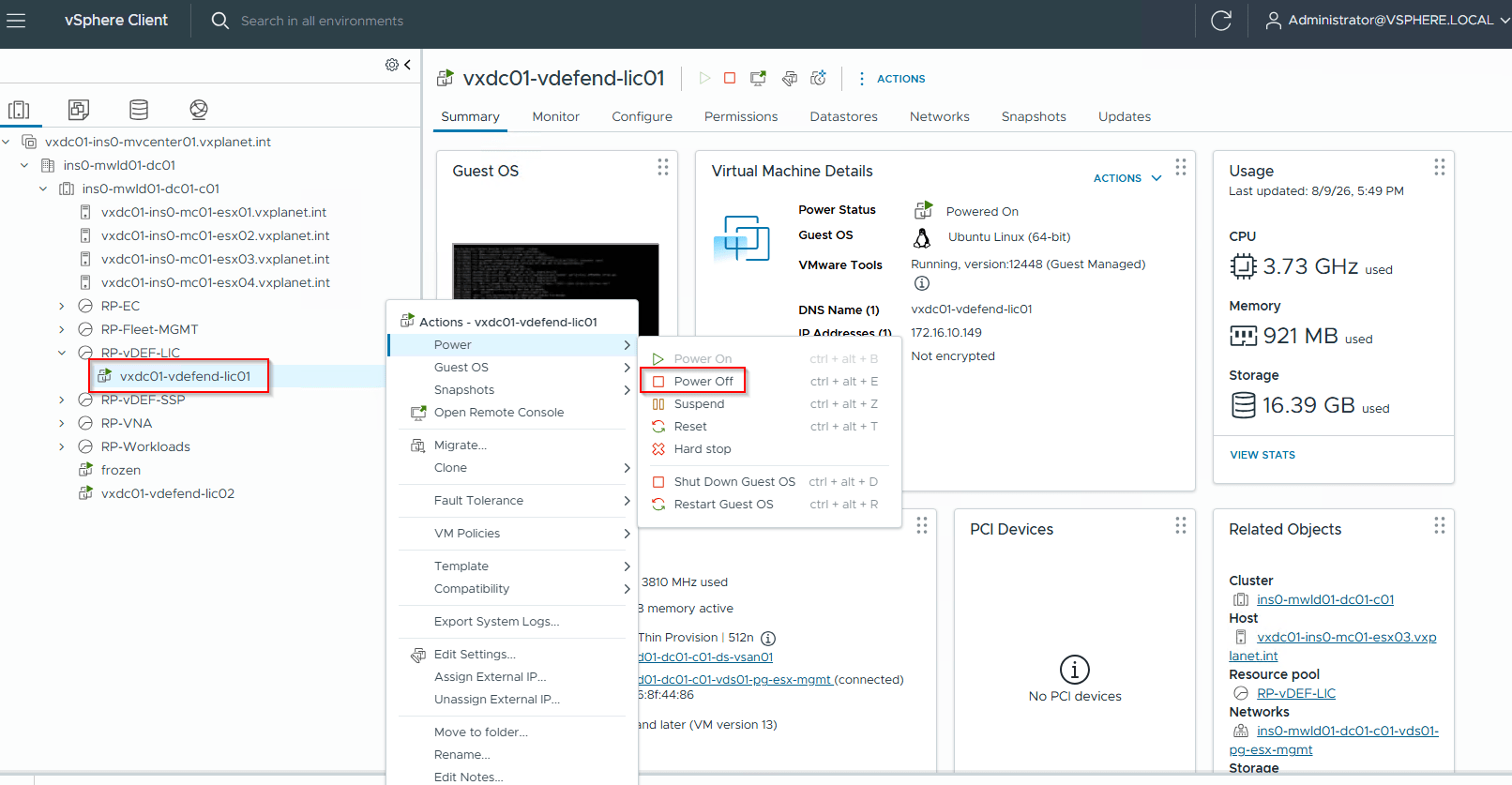
Success!!! We have now successfully transitioned vDefend licensing for our VCF 9.1 lab environment from License Hub 5.1.2 to License Hub 2.0. As I mentioned previously, if you are planning your own transition, I recommend referencing the official KB directly, as it will always reflect the up-to-date information.
I hope the article was informative. Thanks for reading.
Continue Reading? Here are the other chapters of this series:
Part 1: Architecture and Deployment
https://vxplanet.com/2026/08/10/vmware-vdefend-license-hub-2-0-part-1-architecture-and-deployment/
