

Starting with VCF 9.1, activation of vDefend components no longer accepts the 25-character license keys and requires subscription-based license files with periodic reporting of license usage information. License Hub 5.1.2 for vDefend (aka License Hub 1.0) was introduced back in May 2026 to provide centralized management of vDefend and AVI subscription based license files and usage reporting to the centralized cloud licensing portal, which is the VMware Avi Cloud Console. VMware Avi Cloud Console is the central portal where all the license hubs register to and retrieve the subscription based license keys. Note that vDefend components are not licensed via VCF Operations and VCF business Services Console.
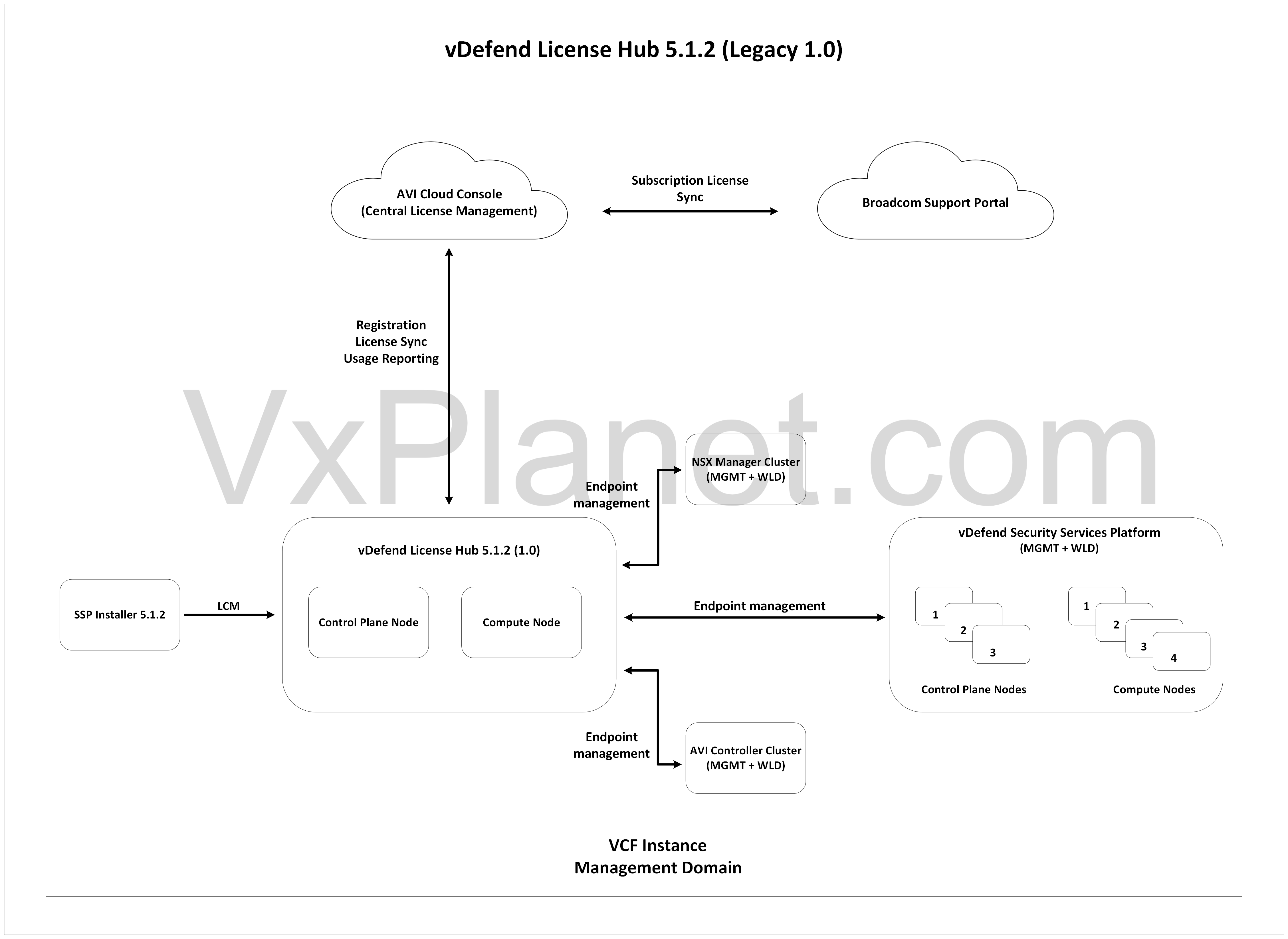
Previously, License Hub 5.1.2 (1.0) was deployed as a two-node K8S cluster with one control plane and one compute node lifecycle managed via the SSP Installer 5.1.2.
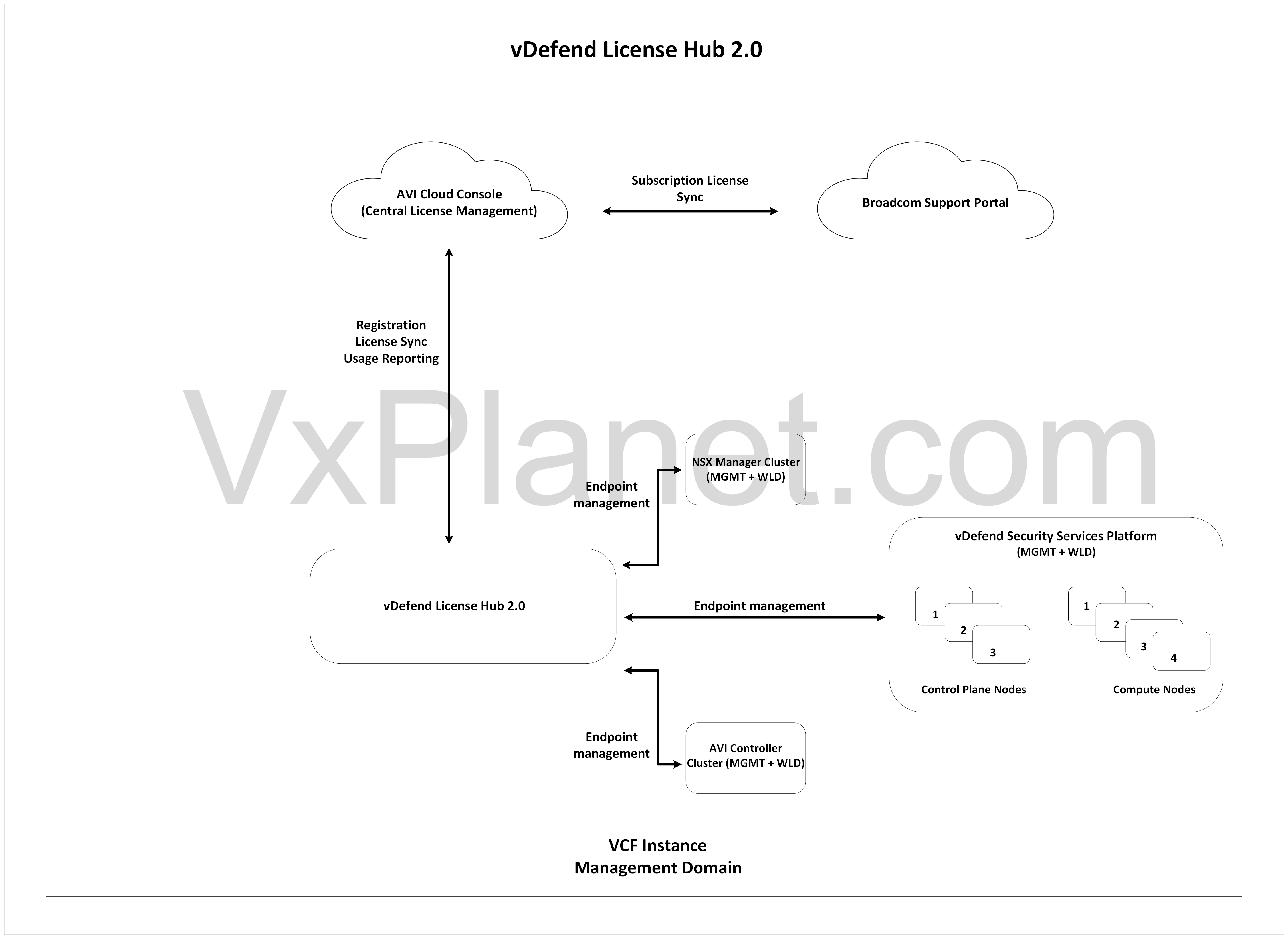
This week marks the General Availability (GA) of vDefend License Hub 2.0. This new version has been completely re-architected to simplify installation. It now deploys as a single virtual machine with a significantly reduced footprint and removing any dependency on the SSP installer for lifecycle management. With this announcement, License Hub 5.1.2 is officially deprecated. While there is no direct upgrade path from License Hub 5.1.2 (or 1.0) to 2.0 due to major architectural changes, there is a transition plan for customers who have already deployed and using License Hub 5.1.2 (1.0).
In this two-part blog series, we will walkthrough the architecture and deployment of License Hub 2.0 and the transition process from License Hub 5.1.2 (1.0) to 2.0, here is the breakdown:
Part 1: Architecture and Deployment
Part 2: Transition from License Hub 5.1.2 to 2.0
Let’s get started:
License Hub Architecture
In both versions of License Hub (the two-node Kubernetes cluster in 5.1.2 and the single-node appliance in 2.0), the service is deployed using a microservices architecture. Under the hood, the Kubernetes internals rely on the following core components:
- License manager service (The core service handling license operations)
- Kafka broker cluster (for streaming data ingestion)
- Authelia (for authentication and authorization)
- Metallb (Loadbalancer)
- Contour (Ingress controller)
- PostgreSQL (Relational database)
- Fluentbit (Log processing and forwarding)
- Metrics service (Telemetry)
- Redis and Sentinel (In-memory database / caching)
Let’s discuss on the deployment options of License Hub. The recommended deployment option of License Hub is on the management domain of the first VCF instance in the VCF fleet. However, deployment options are flexible depending on the chosen VCF topology and the scale of downstream endpoints. The endpoints are NSX (vDefend) manager (9.1 and above), vDefend SSP and AVI (32.1.1 and above). A single license hub instance supports license management for up to 120 endpoints, beyond which additional License hubs are required.
- Fleet-level License Hub with < 120 endpoints: A single vDefend license hub is deployed for the entire VCF fleet on the management domain of the first VCF instance in the fleet.
- Fleet-level License Hub with > 120 endpoints: The first vDefend license hub is deployed on the management domain of the first VCF instance in the fleet. Additional license hubs are deployed either on the management domain of the first VCF instance or on other VCF instances depending on the location and latency considerations.
- Instance-level License Hub: Here, license hub is deployed per VCF instance in the VCF fleet.
Below is the architecture of License Hub 5.1.2, deployed as a two-node form factor with lifecycle managed by SSP Installer. License Hub 5.1.2 has a 1:1 relationship with SSP Installer, which means additional license hub deployments come with it’s own SSP Installers.
Below is the architecture of the simplified single-node appliance-based License Hub 2.0
License Hub 2.0 Deployment
Now let’s deploy License Hub 2.0 to the management domain of our VCF 9.1 Instance.
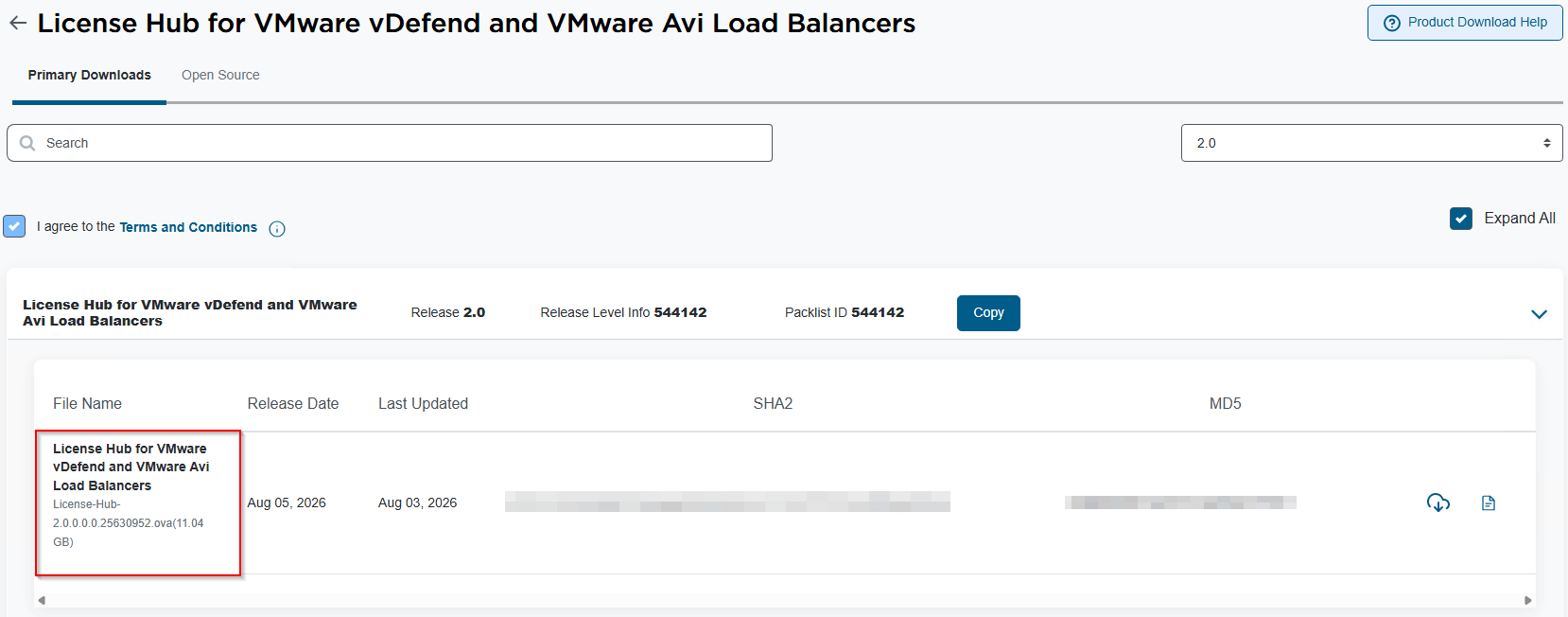
We will login to the Broadcom support portal and download the License Hub 2.0 ova for vDefend and AVI
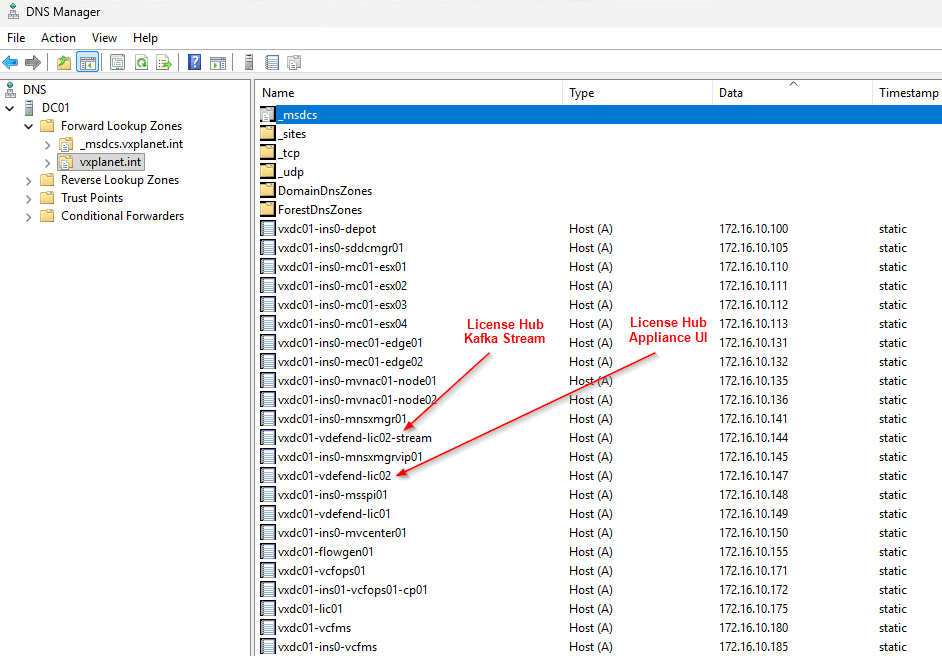
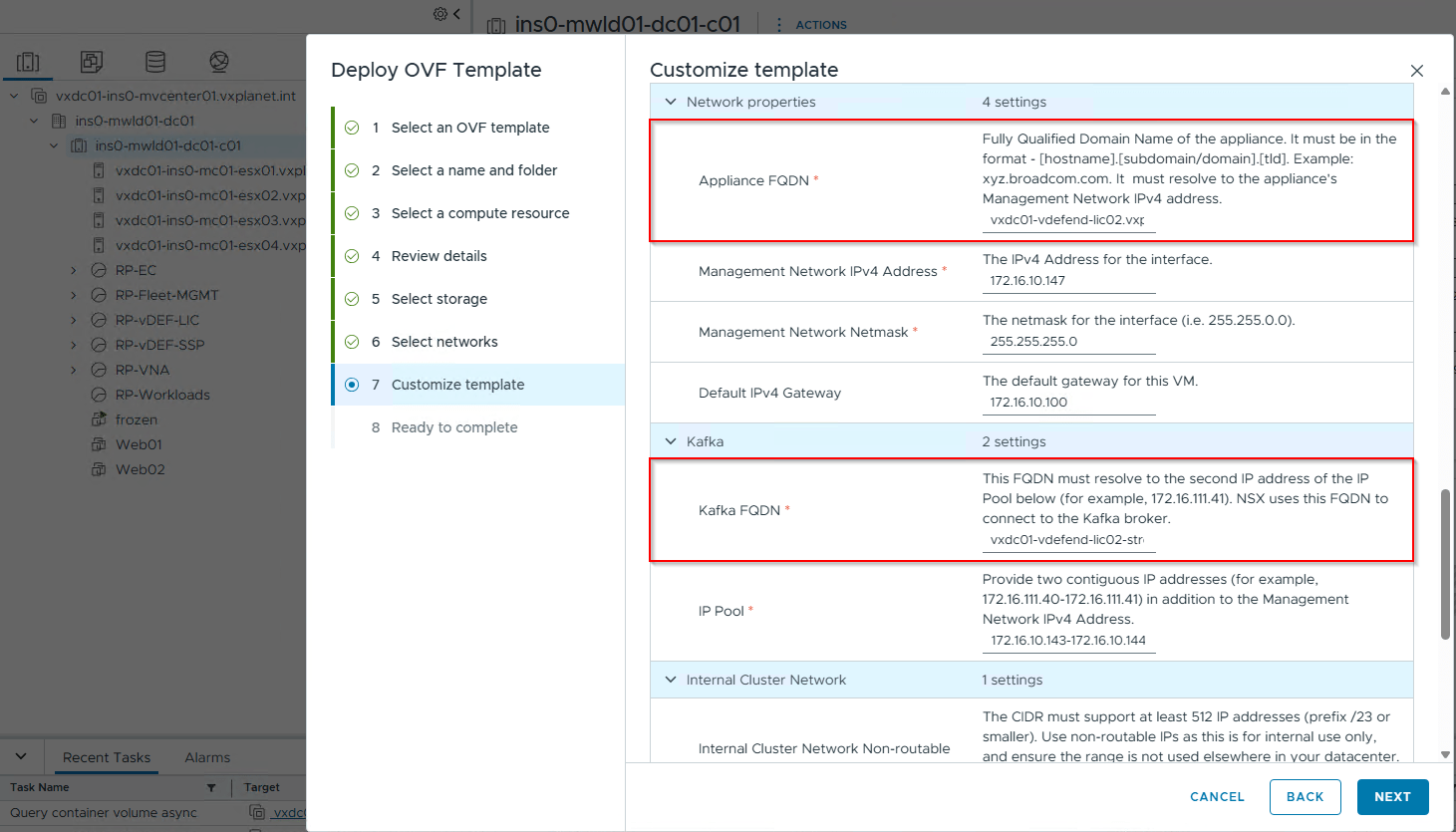
License Hub 2.0 deployment requires three IP Addresses on the VM Management VLAN – one for license hub appliance & service access and the other for Kafka broker cluster. We will create two DNS records:
- vxdc01-vdefend-lic02 (License Hub & service)
- vxdc01-vdefend-lic02-stream (Kafka broker cluster)
We will deploy License Hub 2.0 to the management domain and the process is similar to any other ova deployments.
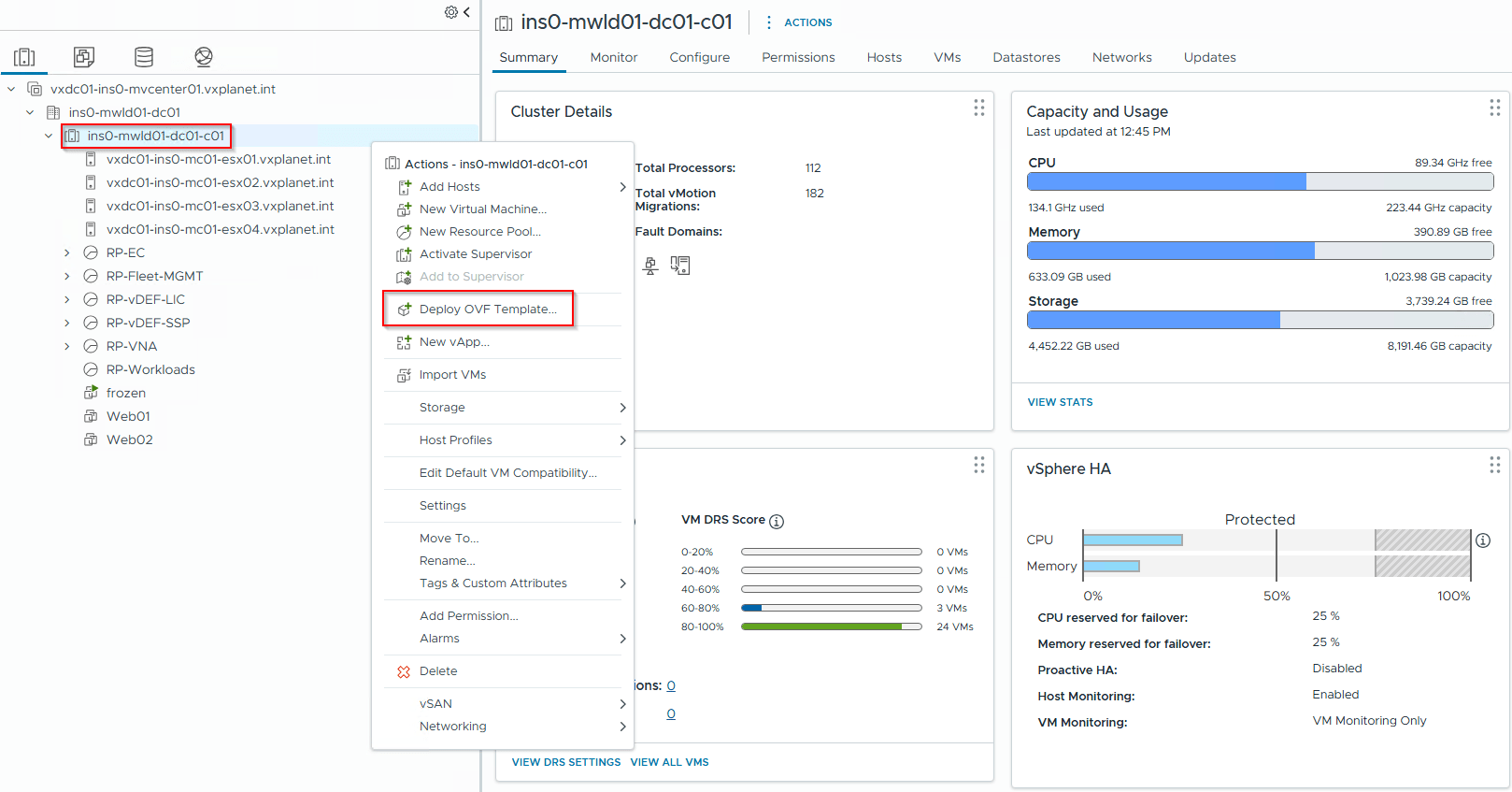
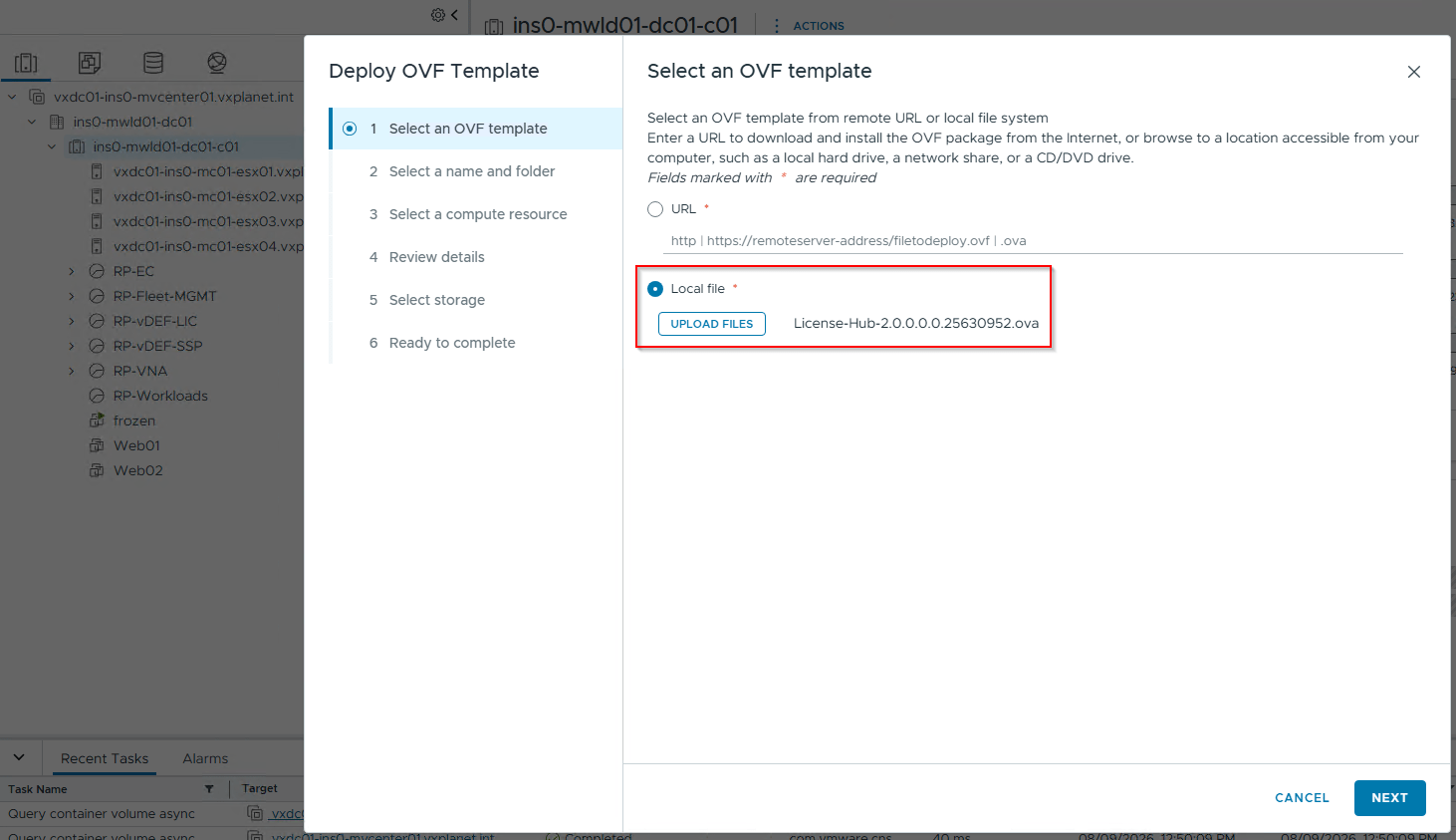
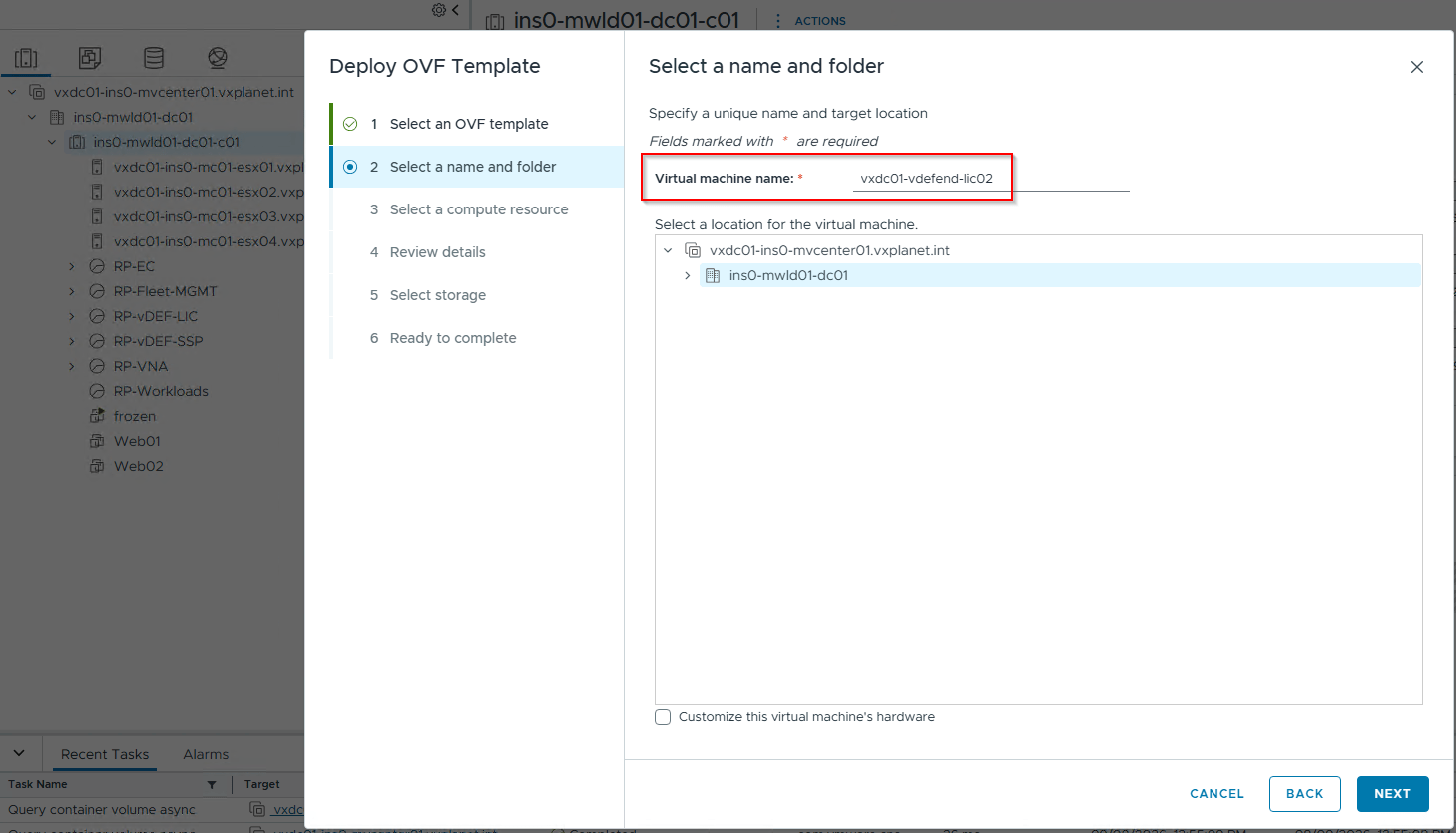
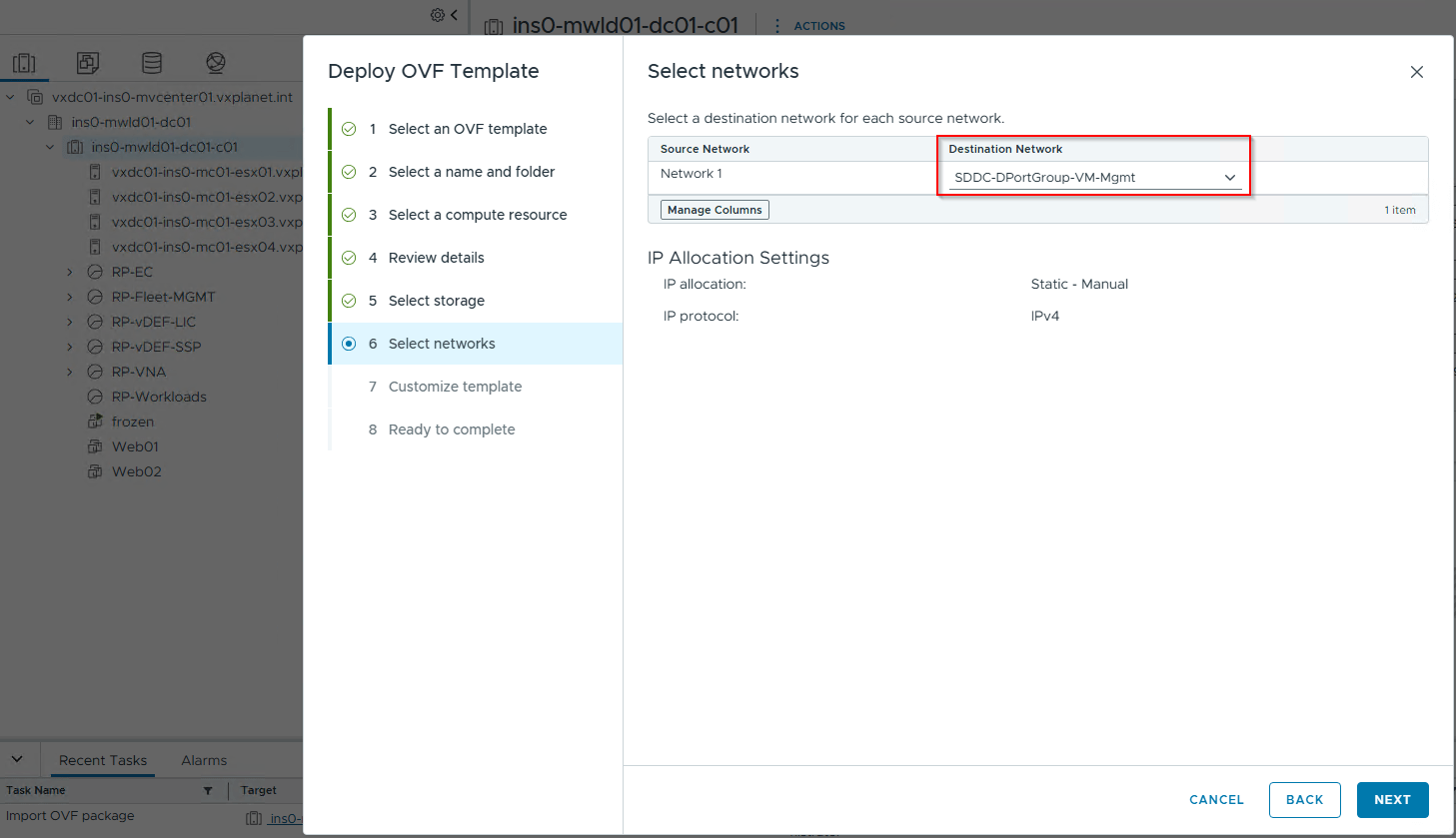
Appliance / Service FQDN and Kafka FQDN comes from the DNS records that we created previously. Note that Kafka FQDN needs to point to the second IP address of the IP pool that is defined.
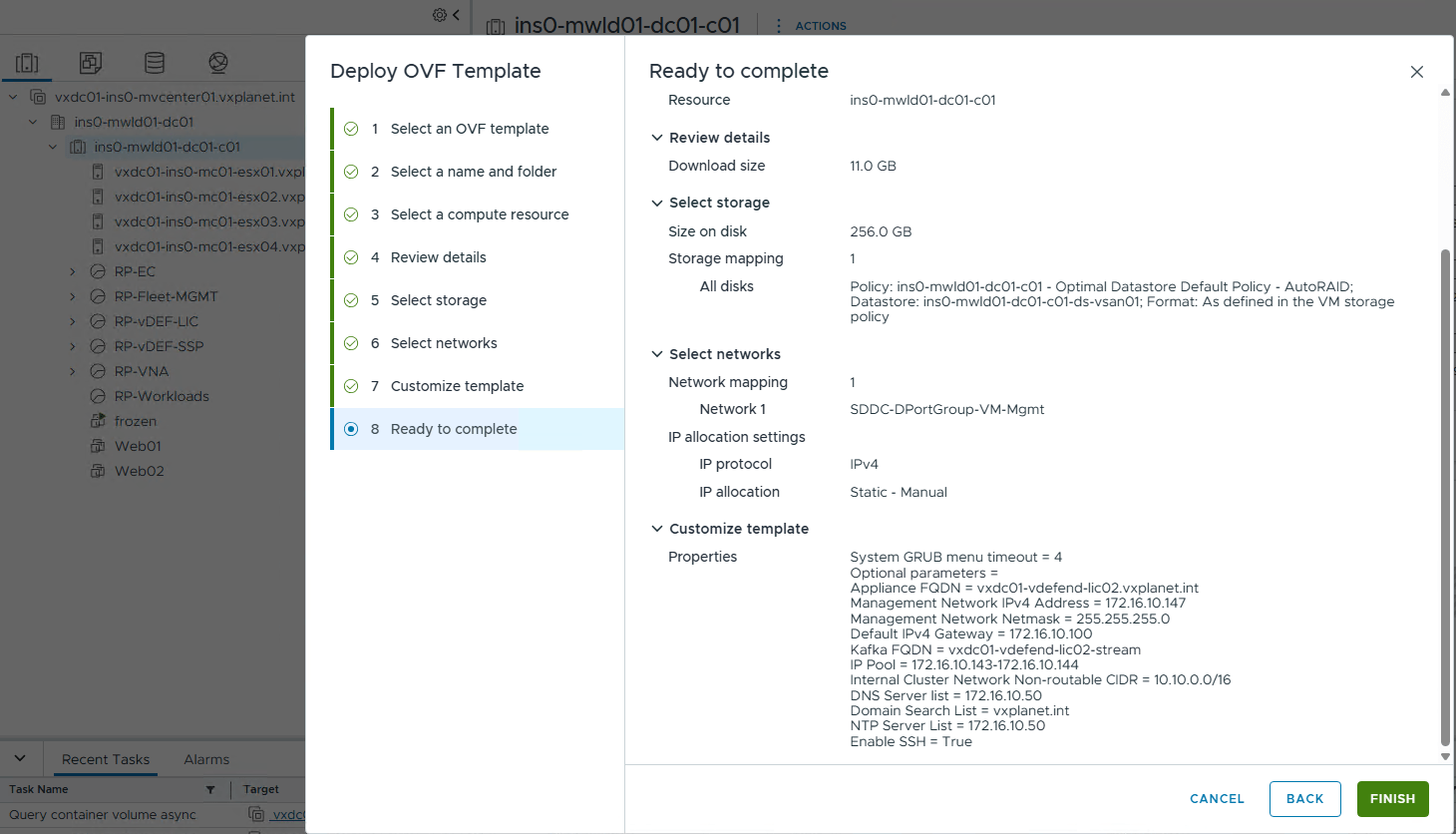
Once the License Hub appliance is deployed and powered on, we will connect to the appliance management on port 5840 (https://vxdc01-vdefend-lic02.vxplanet.int:5480) to review the deployment status.
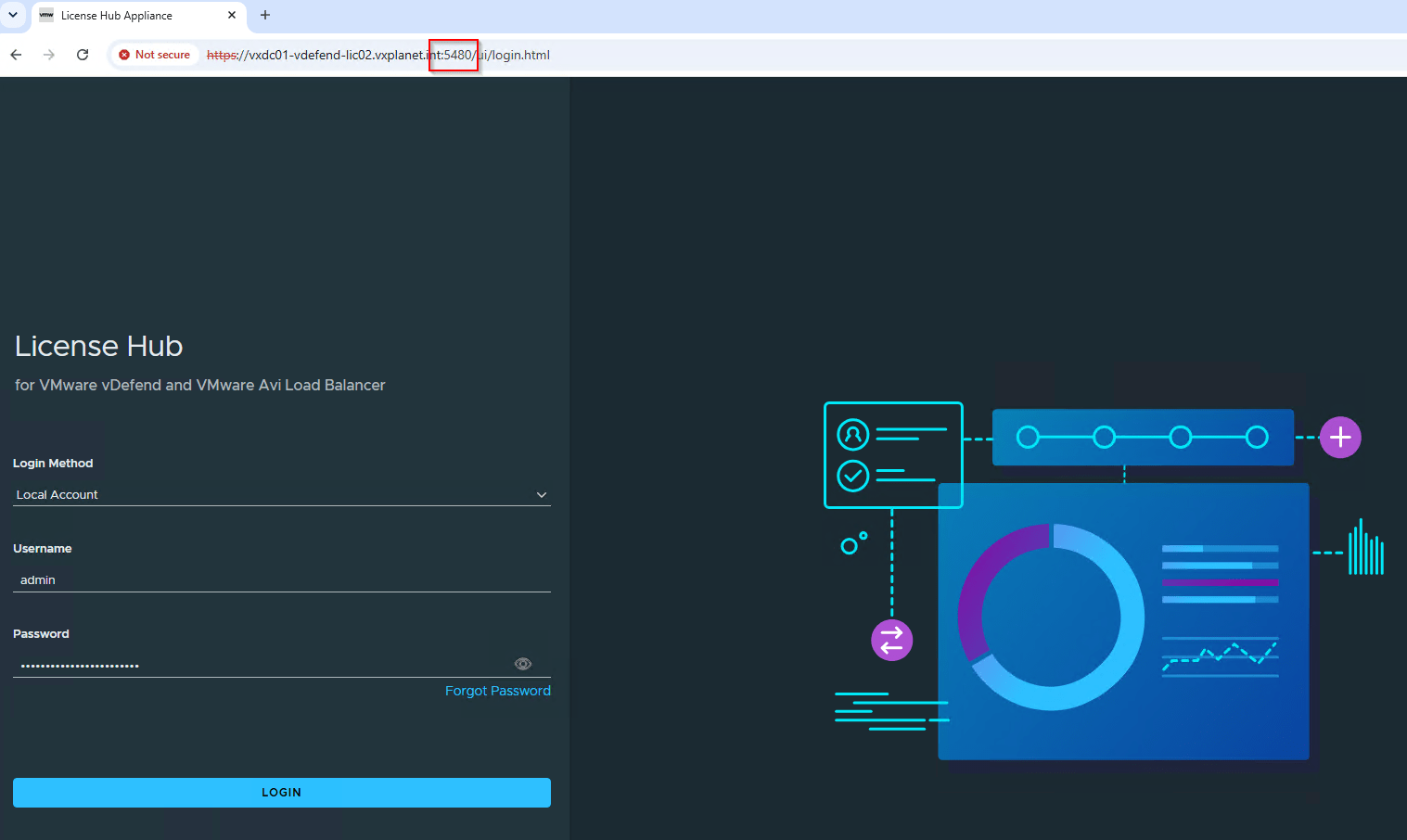
Deployment Status and Diagnostics
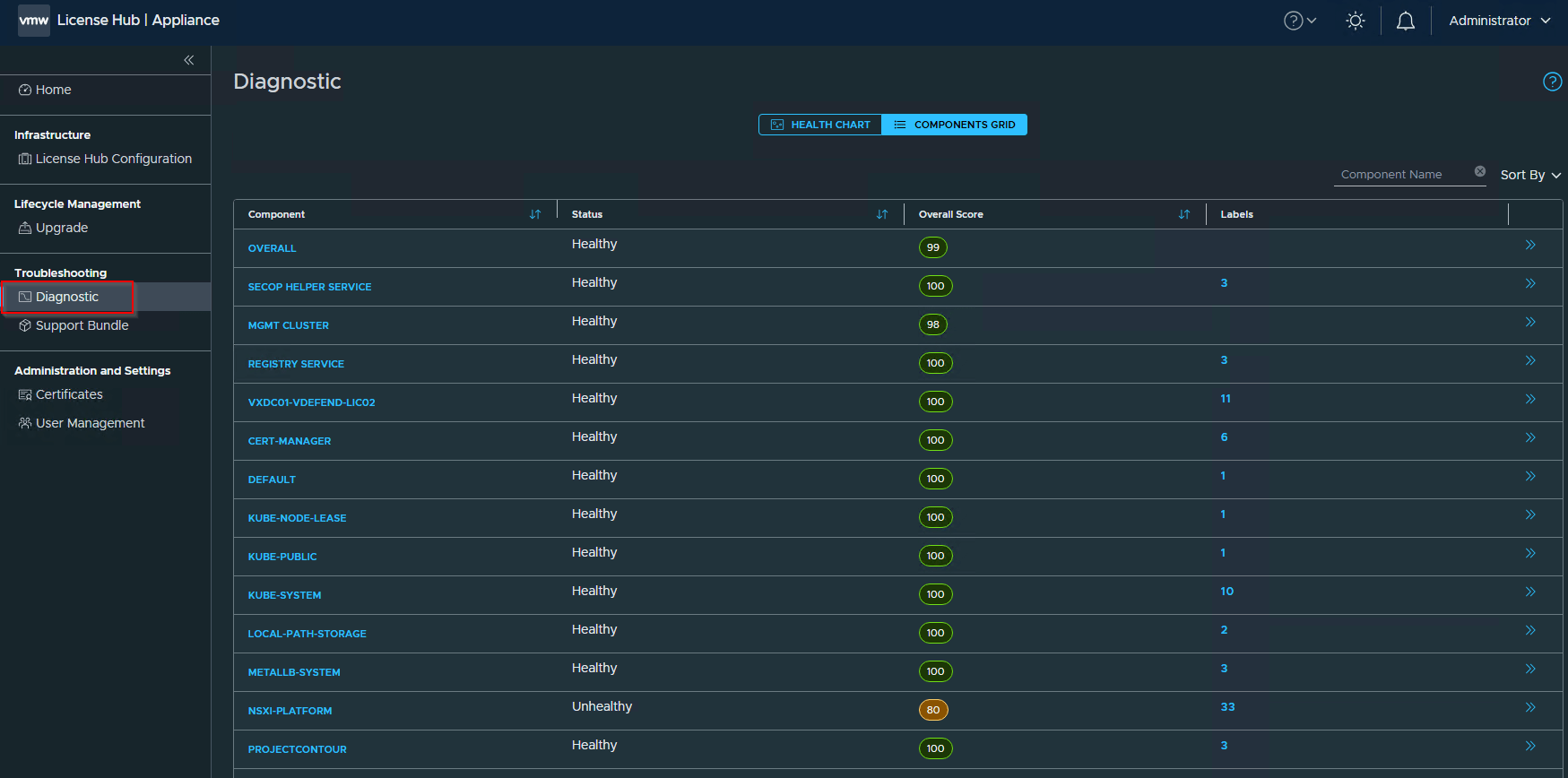
License Hub Appliance management has a diagnostics section where we could review the component status and health score.
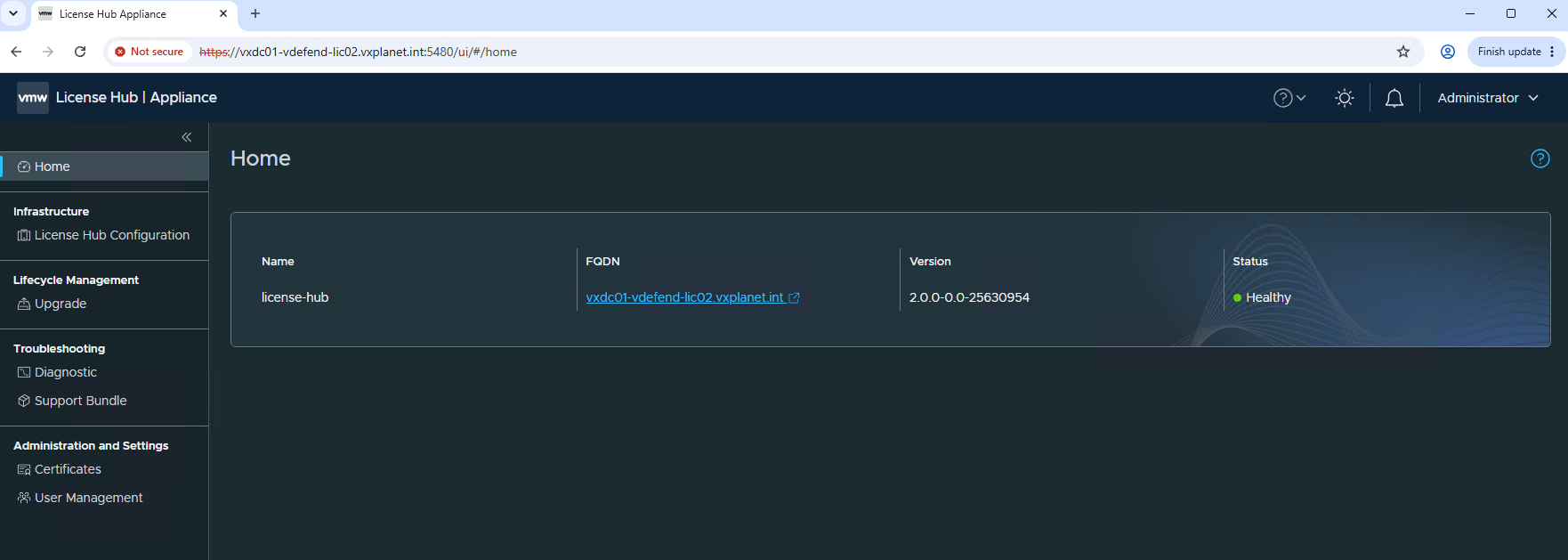
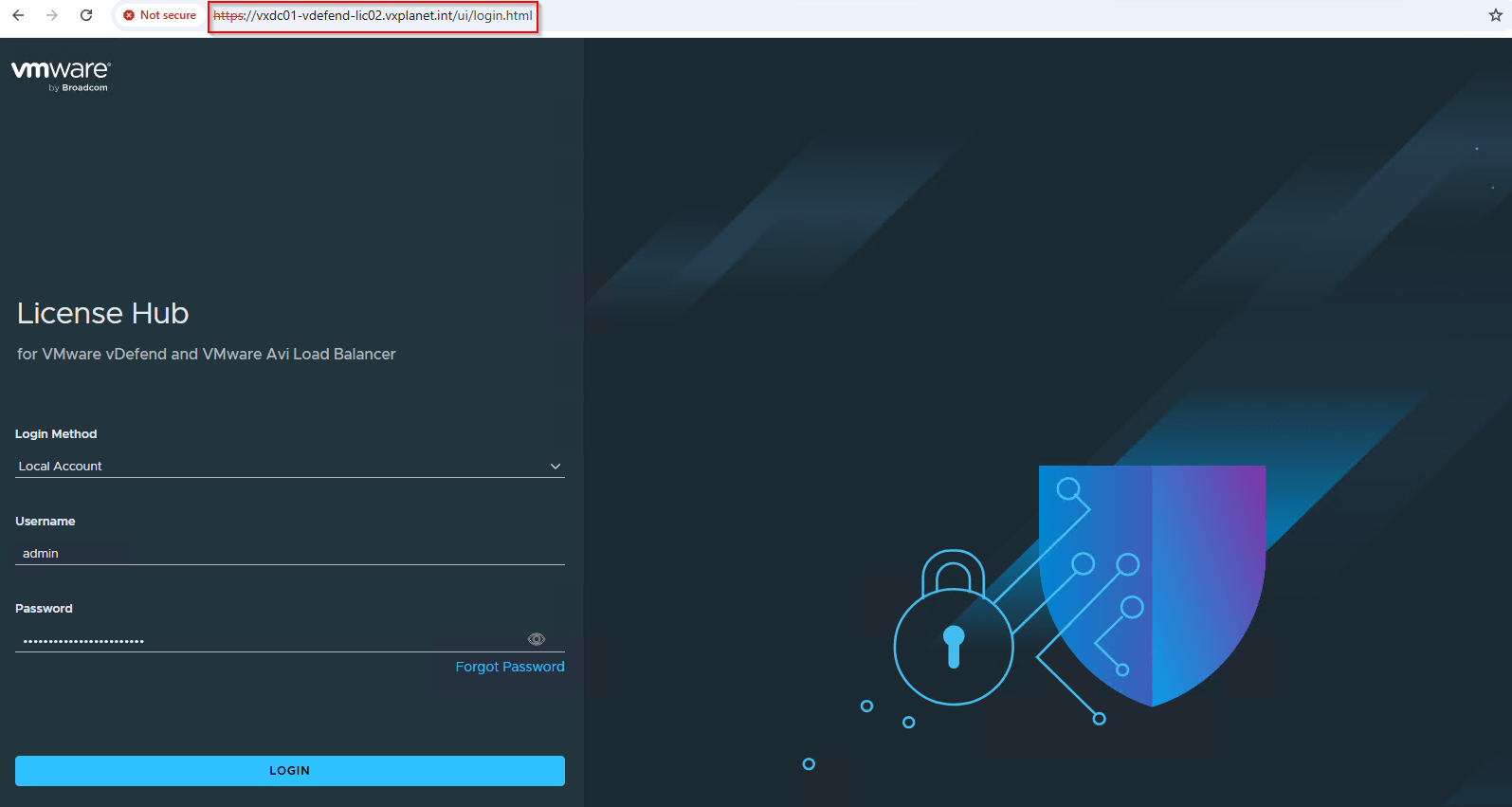
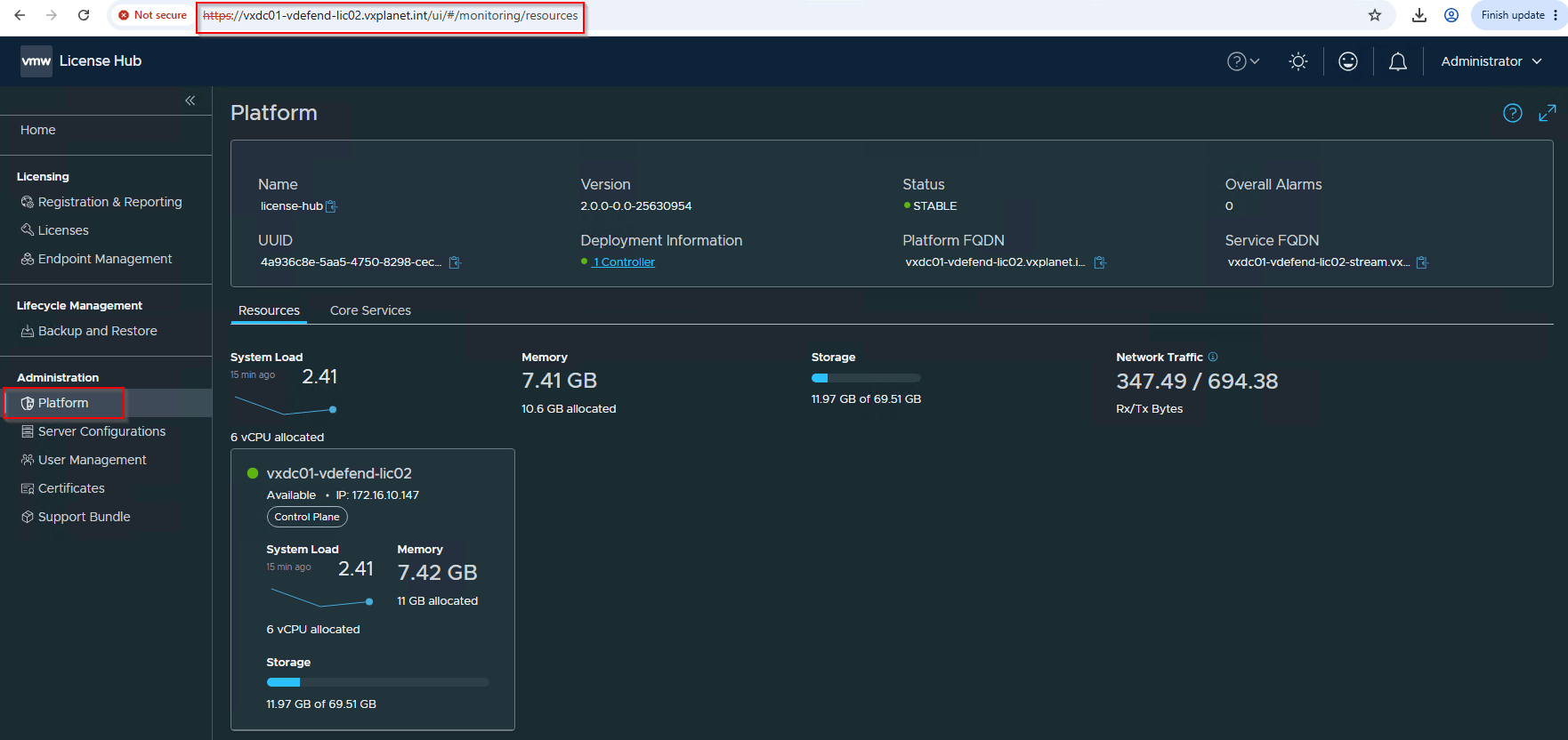
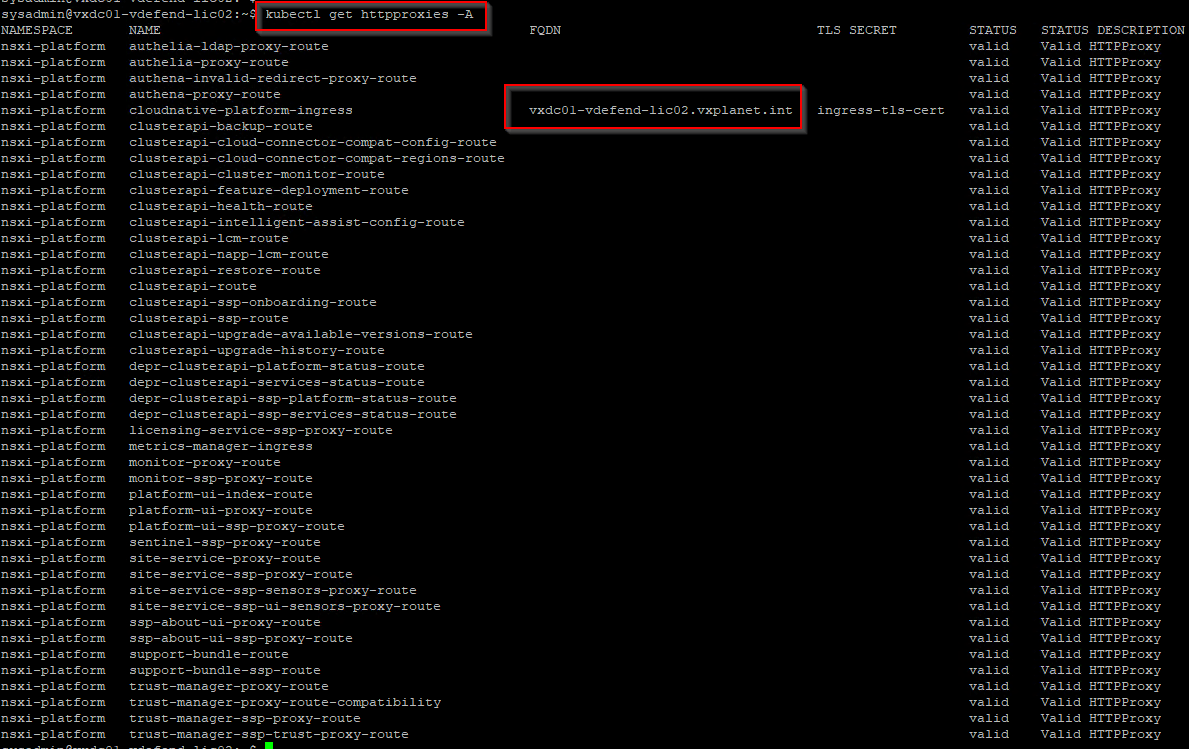
We will also connect to the License Hub service on port 443 (https://vxdc01-vdefend-lic02.vxplanet.int) and review the platform and core services health.
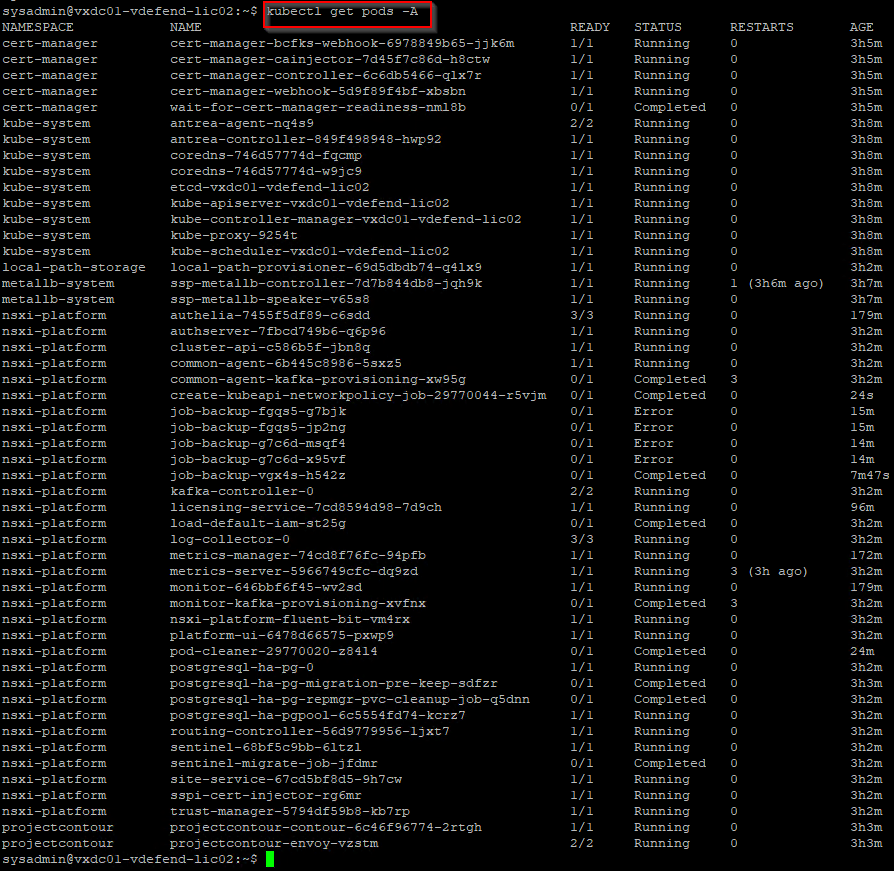
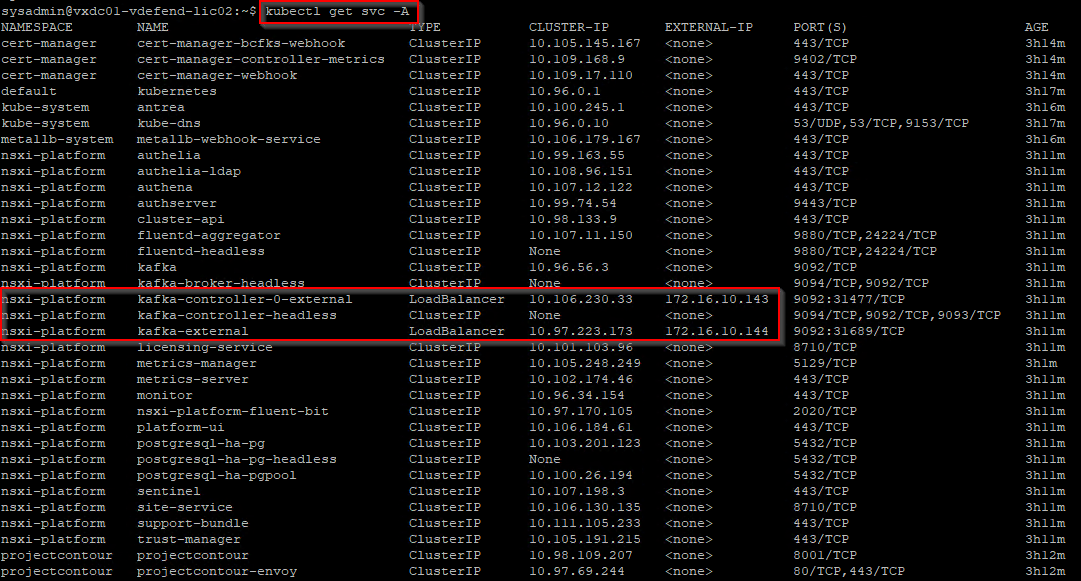
Additionally, we could login to the License Hub appliance via ssh and review the status of K8S deployments, pods and services.
Registering License Hub with AVI Cloud Console
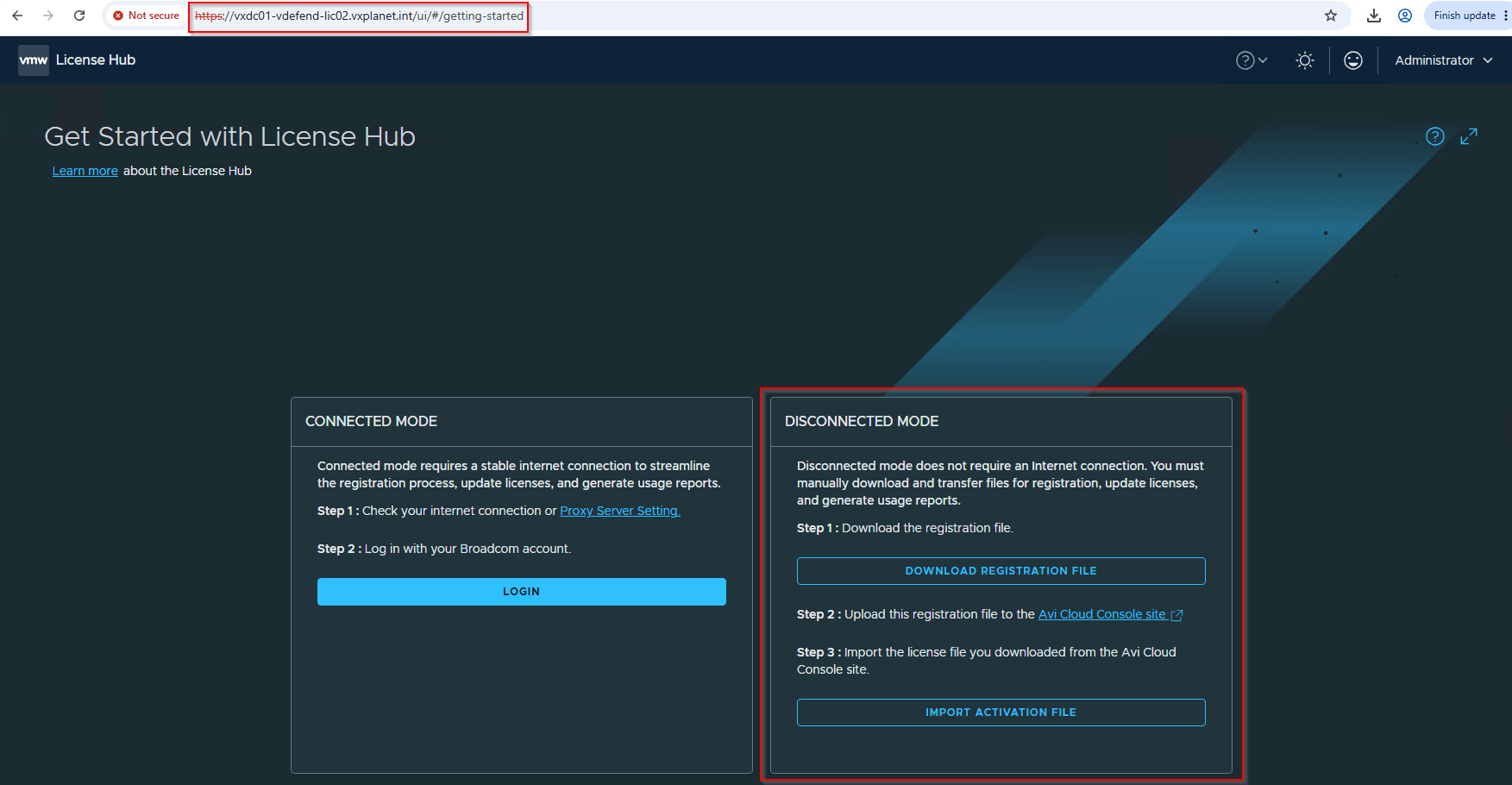
License Hub can be deployed in both Connected (Online) mode as well as Disconnected (Offline) mode (for environments without internet access).
In Connected mode, the licenses are polled from Avi Cloud Console to License Hub every 15 minutes. The license usage report is shared to the Avi Cloud Console every 24 hours.
In Disconnected mode, we need to manually upload the license usage report to the Avi Cloud Console every 180 days and import the refreshed license file to the License Hub to prevent license expiration.
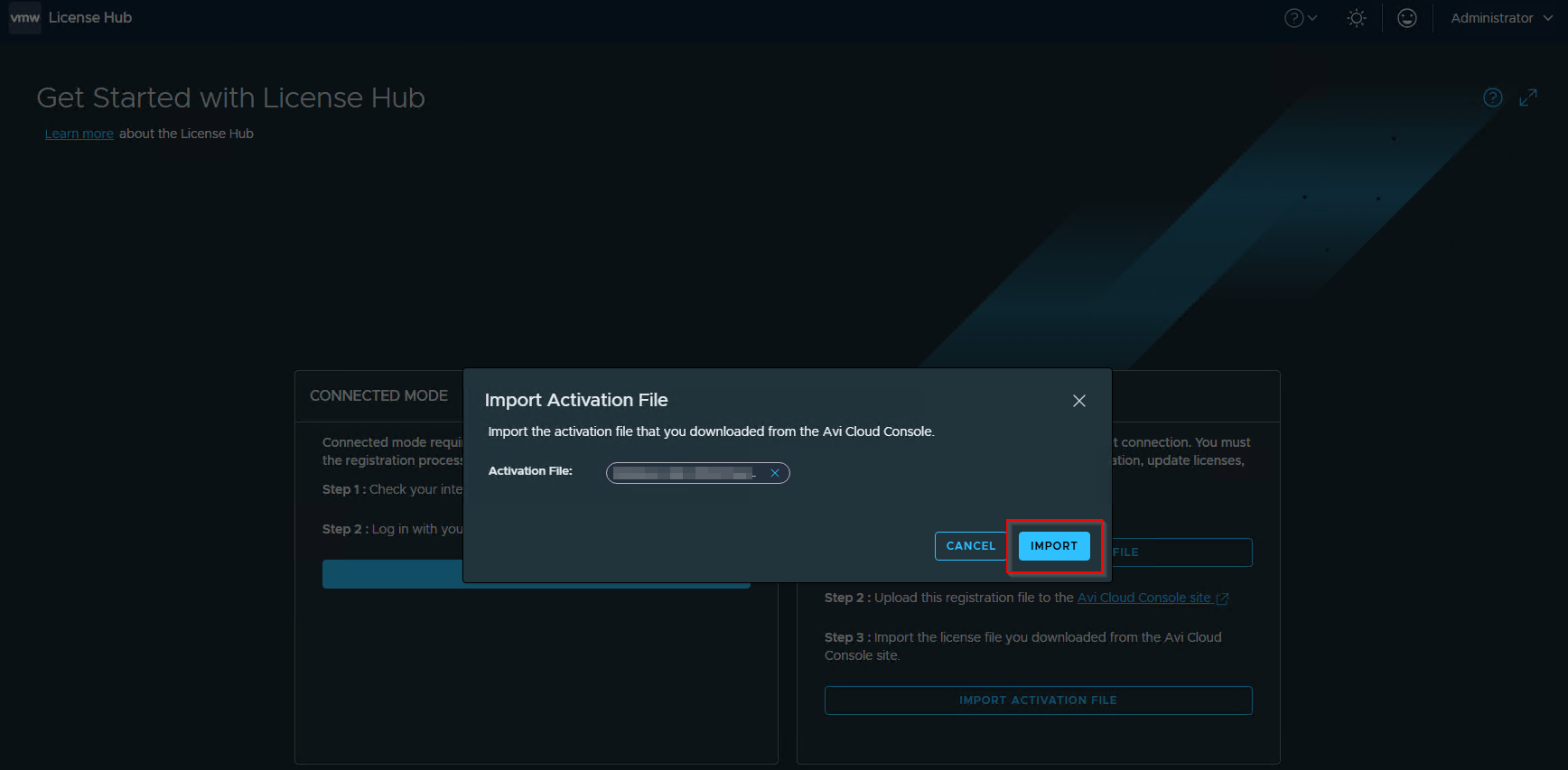
Since our VCF 9.1 lab environment is in air-gapped mode, we will choose disconnected mode for the license hub. We will download the Registration file from License Hub, upload to Avi Cloud Console, download and import the Activation file to License Hub.
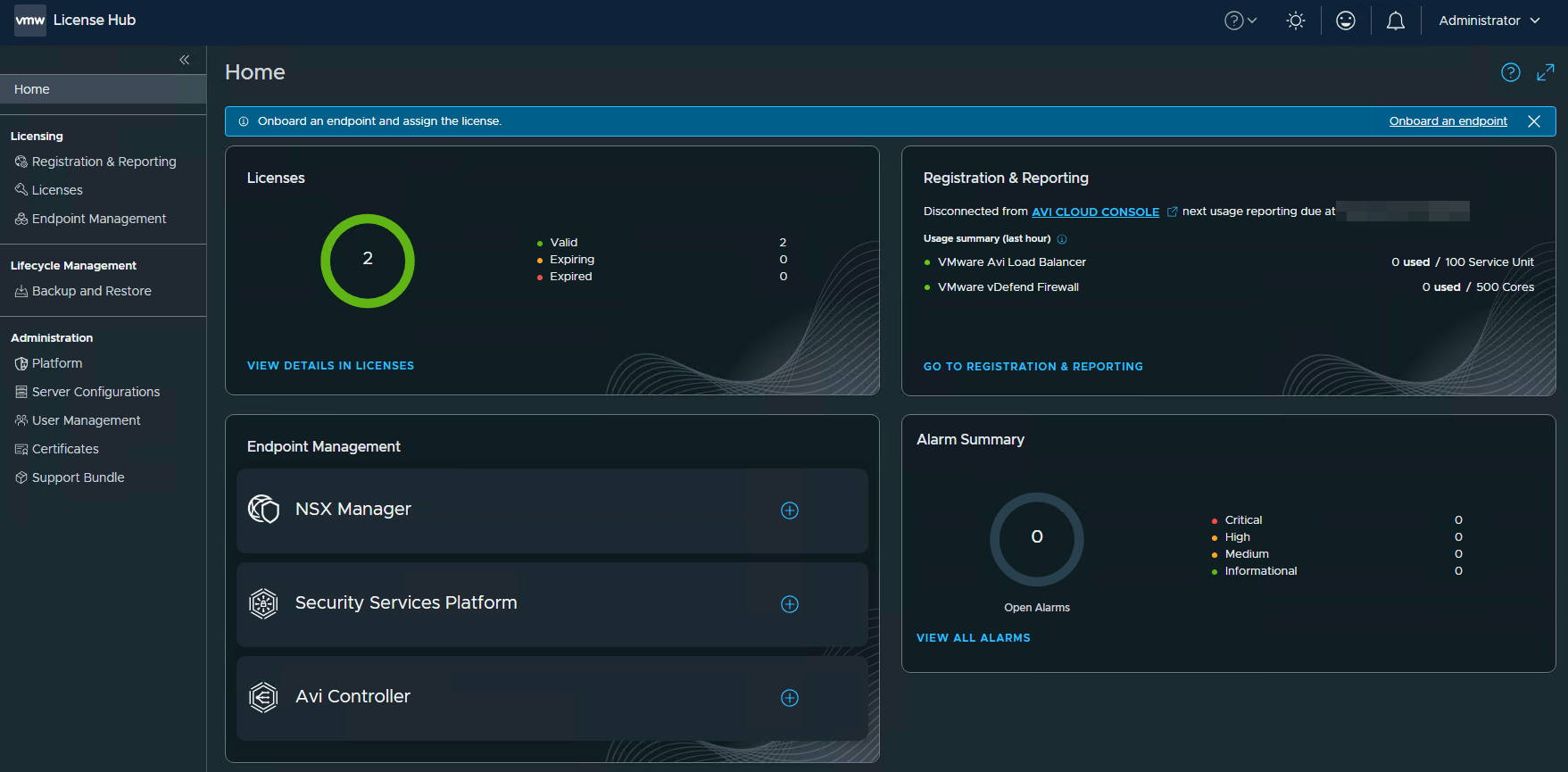
Onboarding Endpoints and Assigning License
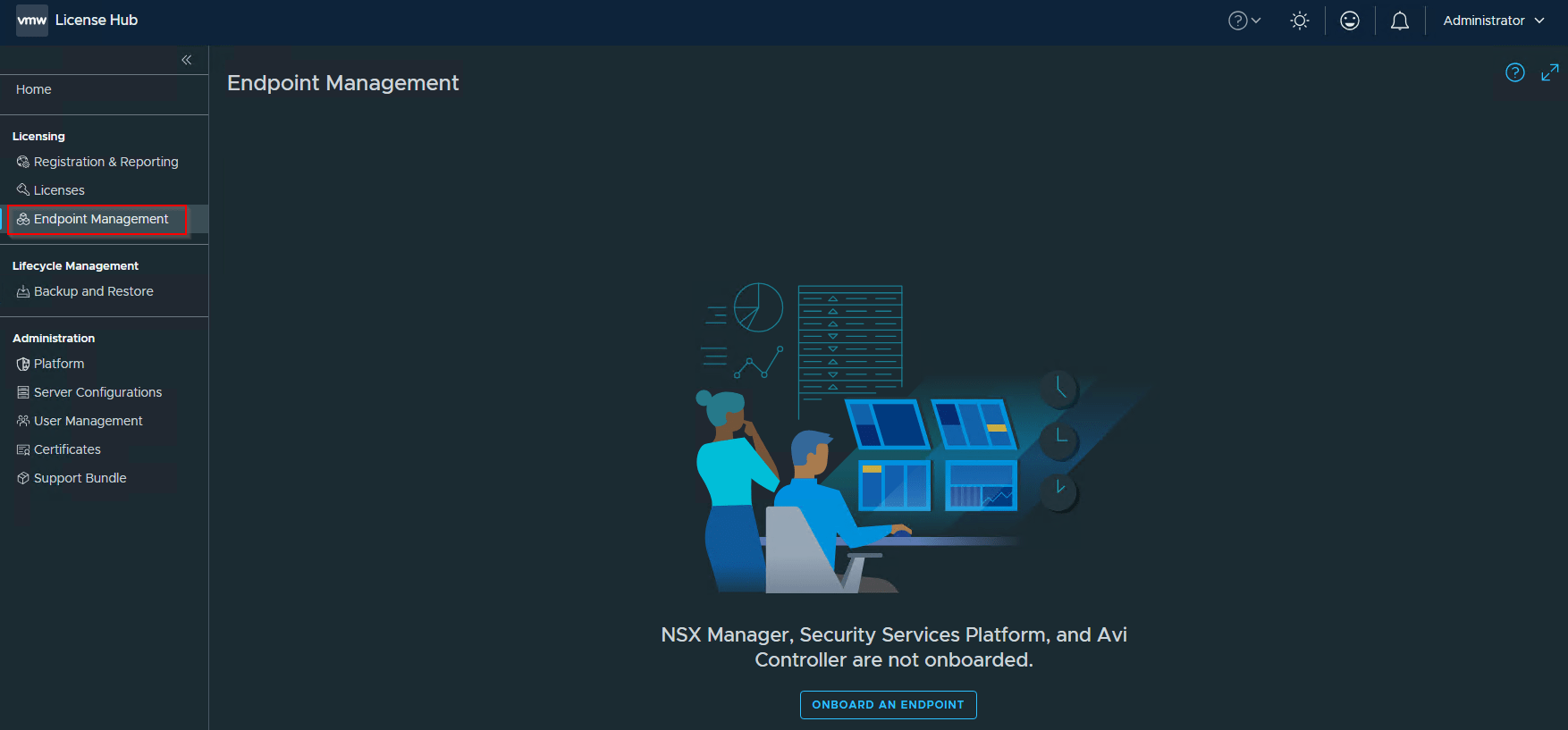
As discussed previously, the endpoints are NSX (vDefend) manager (9.1 and above), vDefend SSP and AVI (32.1.1 and above). Let’s navigate to Licensing -> Endpoint Management to onboard our NSX manager endpoint.
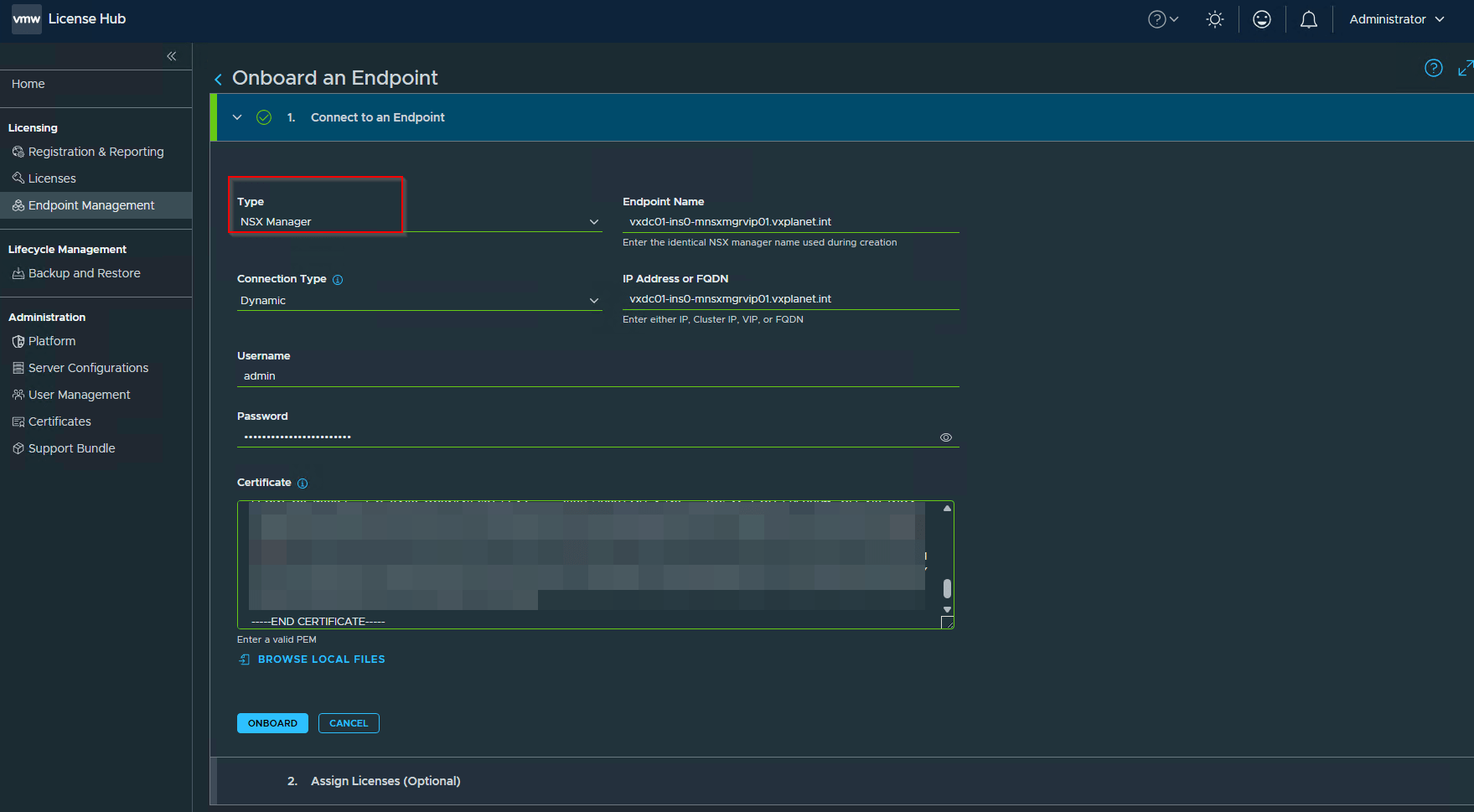
While onboarding, we will require the API / Ingress certificate details of the endpoint to establish trust with the license hub. For NSX manager endpoint, this will be the Rest VIP / Cluster VIP certificate.
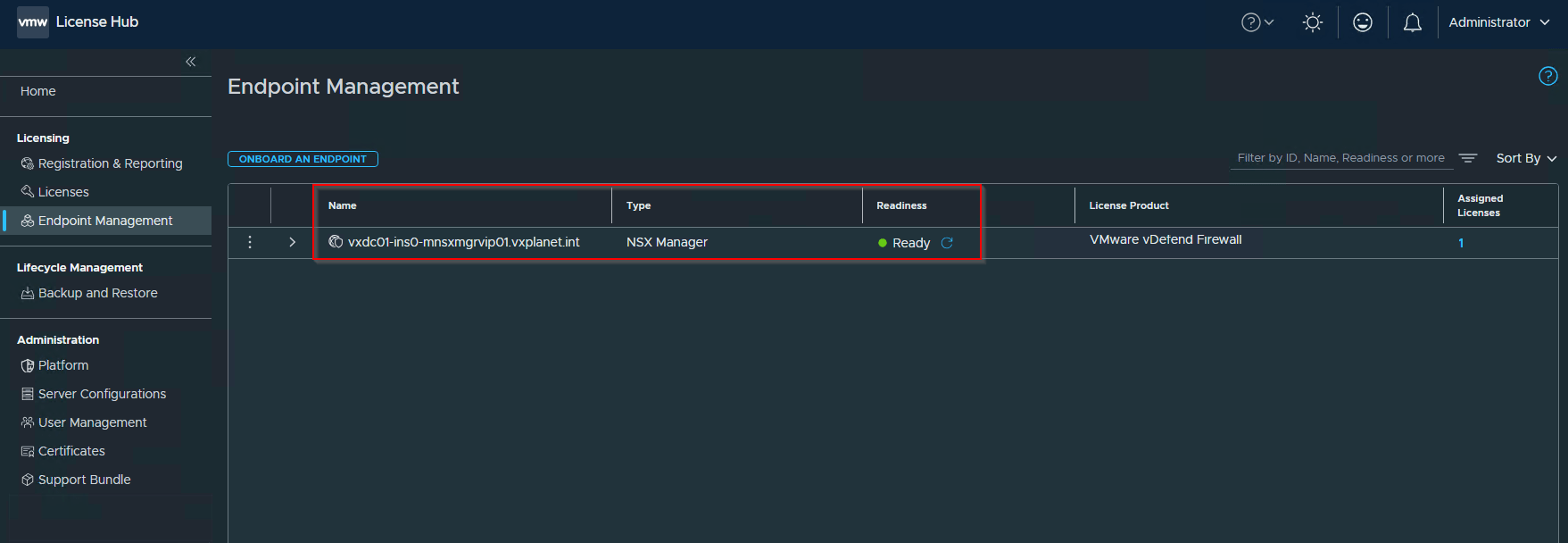
While onboarding, we will also assign the license to the NSX manager endpoint.
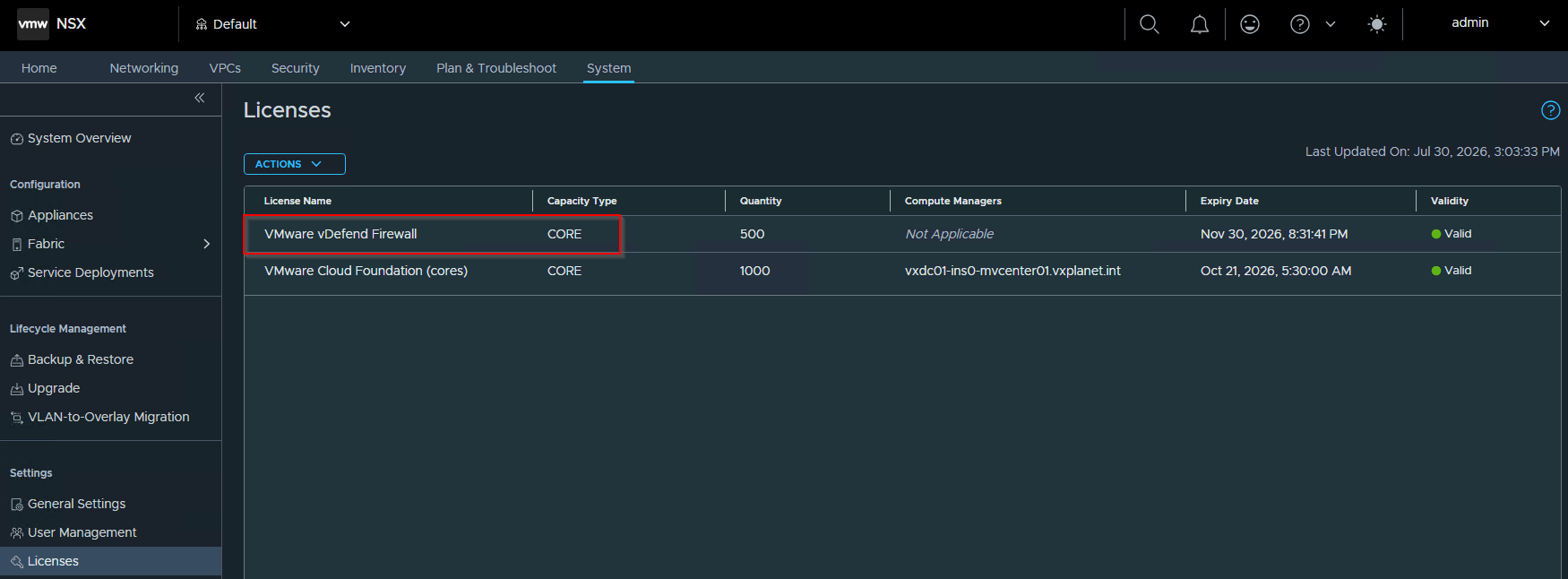
Let’s login to the NSX manager and confirm if the licenses are updated.
Switching Registration Modes
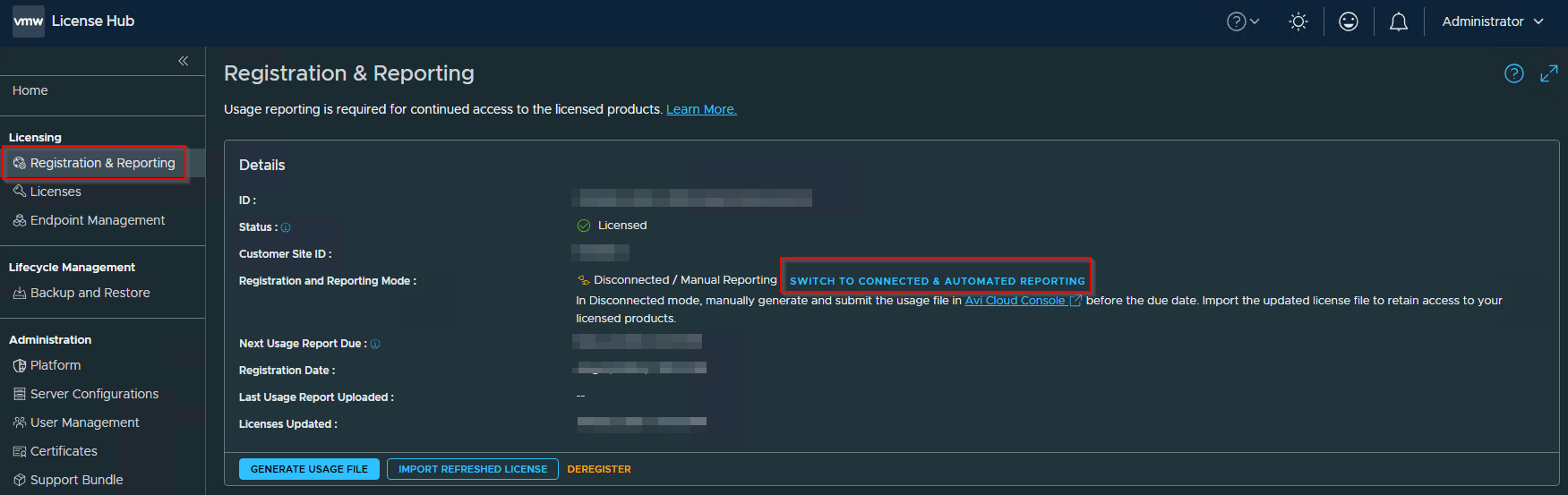
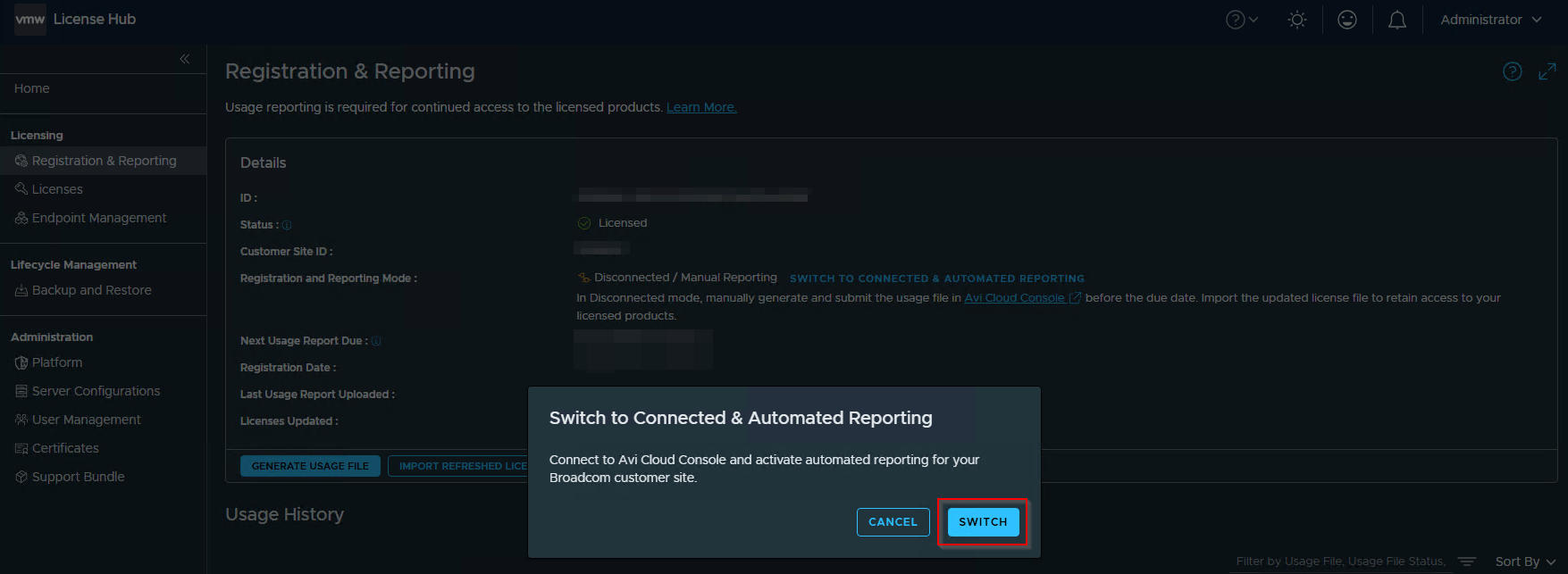
It’s also possible to switch between the registration modes. ie from Disconnected mode to Connected mode and vice versa.
License Hub Backup and Restore
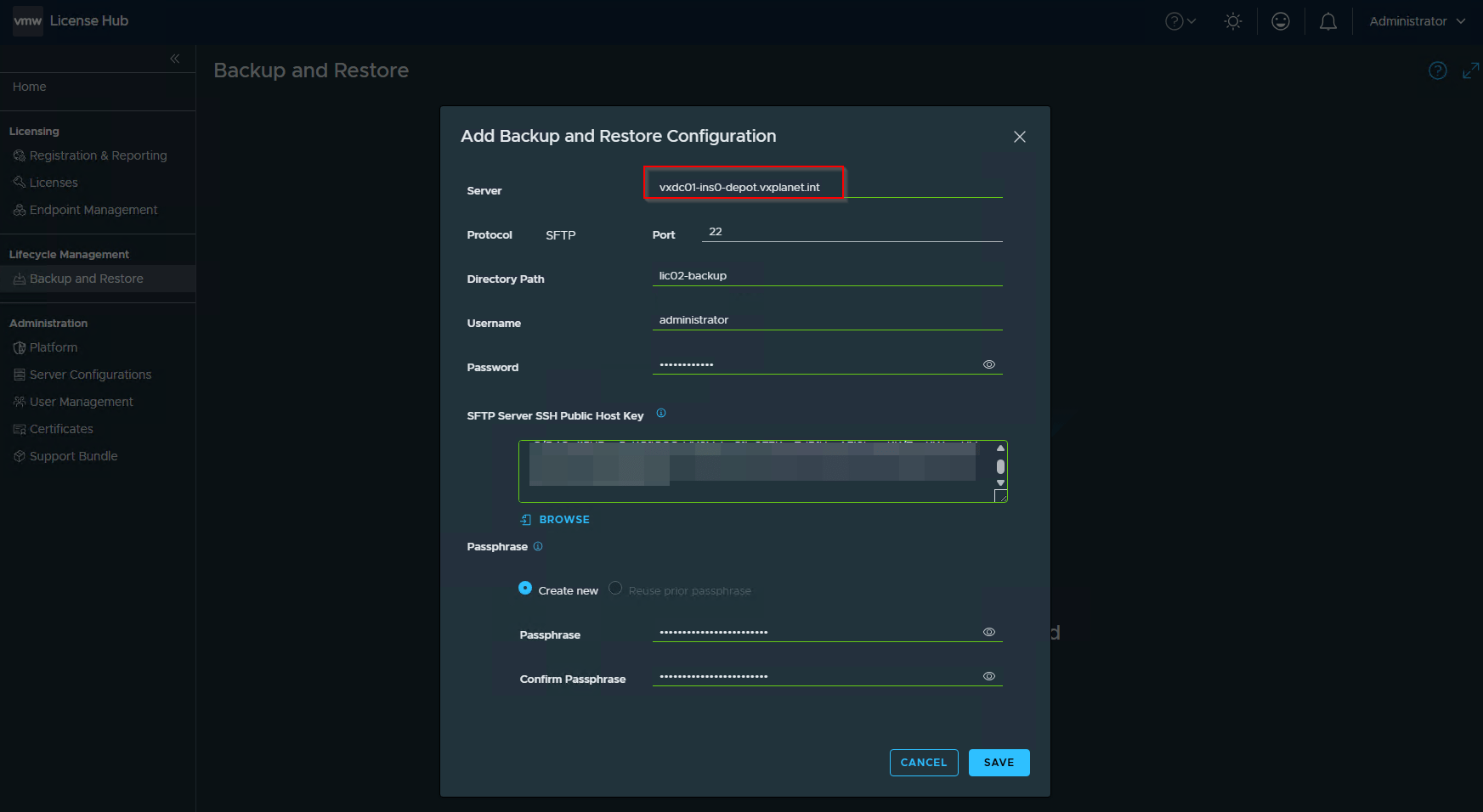
License Hub 2.0 supports backup and restore of the license hub service. This is intended only for disaster recovery purposes, which means we can restore the backup to a new license hub but not to a point in time in the past on the same appliance. Avi Cloud registration details are not backed up, we need to register the new license hub with Avi Cloud Console post a successful restore.
Navigate to Lifecycle Management -> Backup and Restore
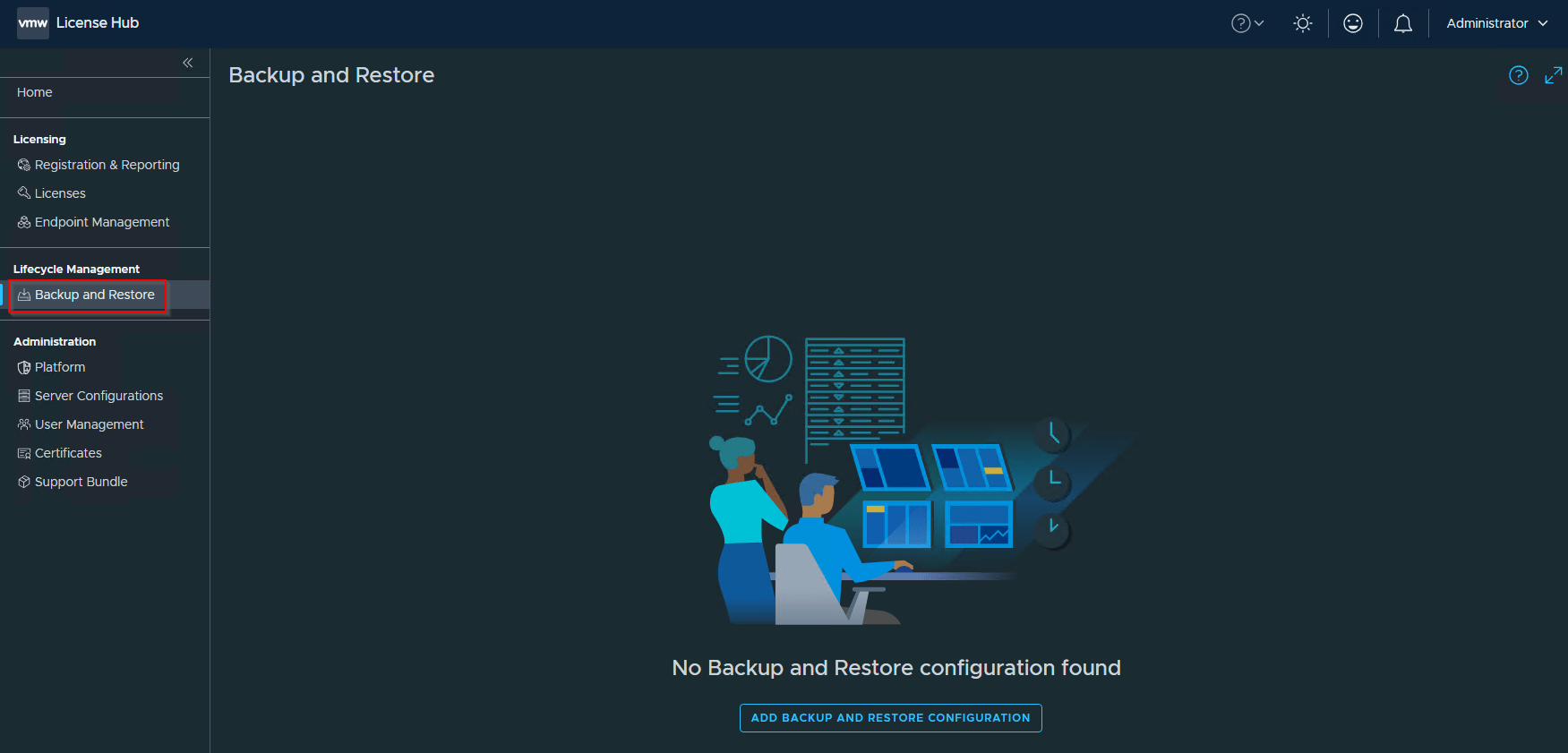
Only SFTP / SCP targets are supported as valid destinations.
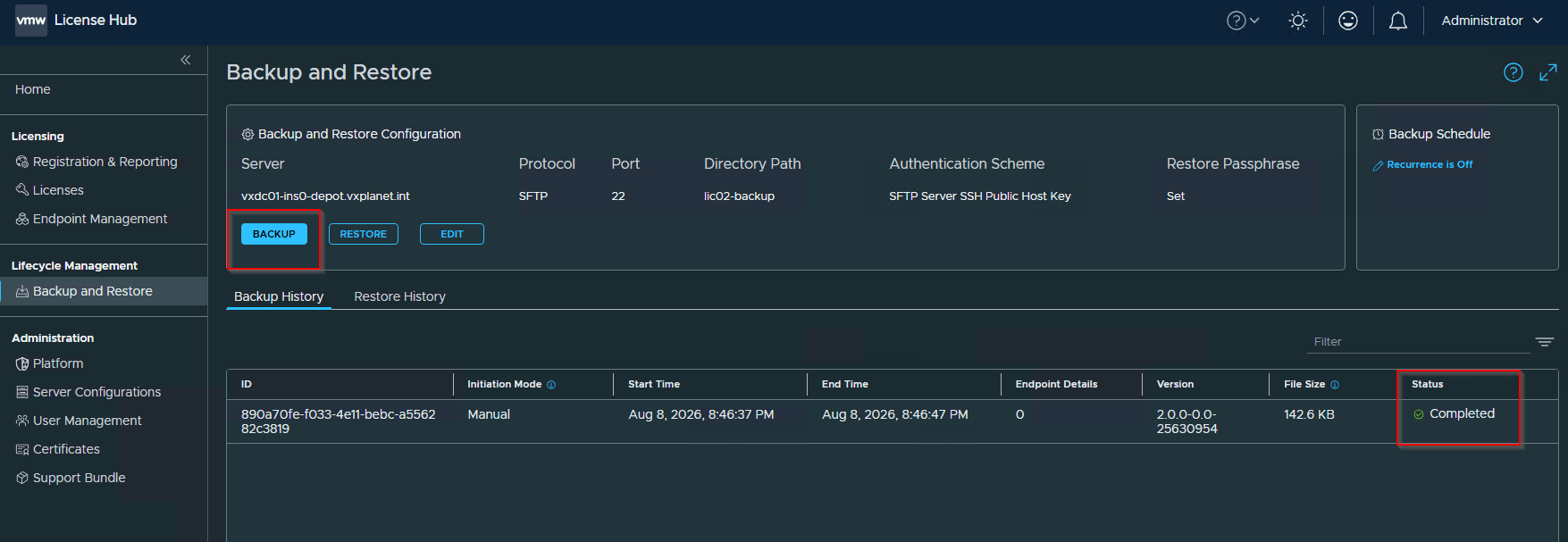
Recurring schedules can also be configured if required.
Okay, that covers the greenfield deployment of vDefend License Hub 2.0, but how about a brownfield environment who already has License Hub 5.1.2 (1.0) up and running and plan to migrate to License Hub 2.0, because 5.1.2 is deprecated?
In the next chapter, we will detail the step-by-step transition process from version 5.1.2 to 2.0. Stay tuned!
I hope the article was informative. Thanks for reading!!!
Continue Reading? Here are the other chapters of this series:
Part 2: Transition from License Hub 5.1.2 to 2.0
https://vxplanet.com/2026/08/10/vmware-vdefend-license-hub-2-0-part-2-transitioning-from-license-hub-5-1-2-to-2-0/
